
Quenzol - Minecraft Skins & Skin History
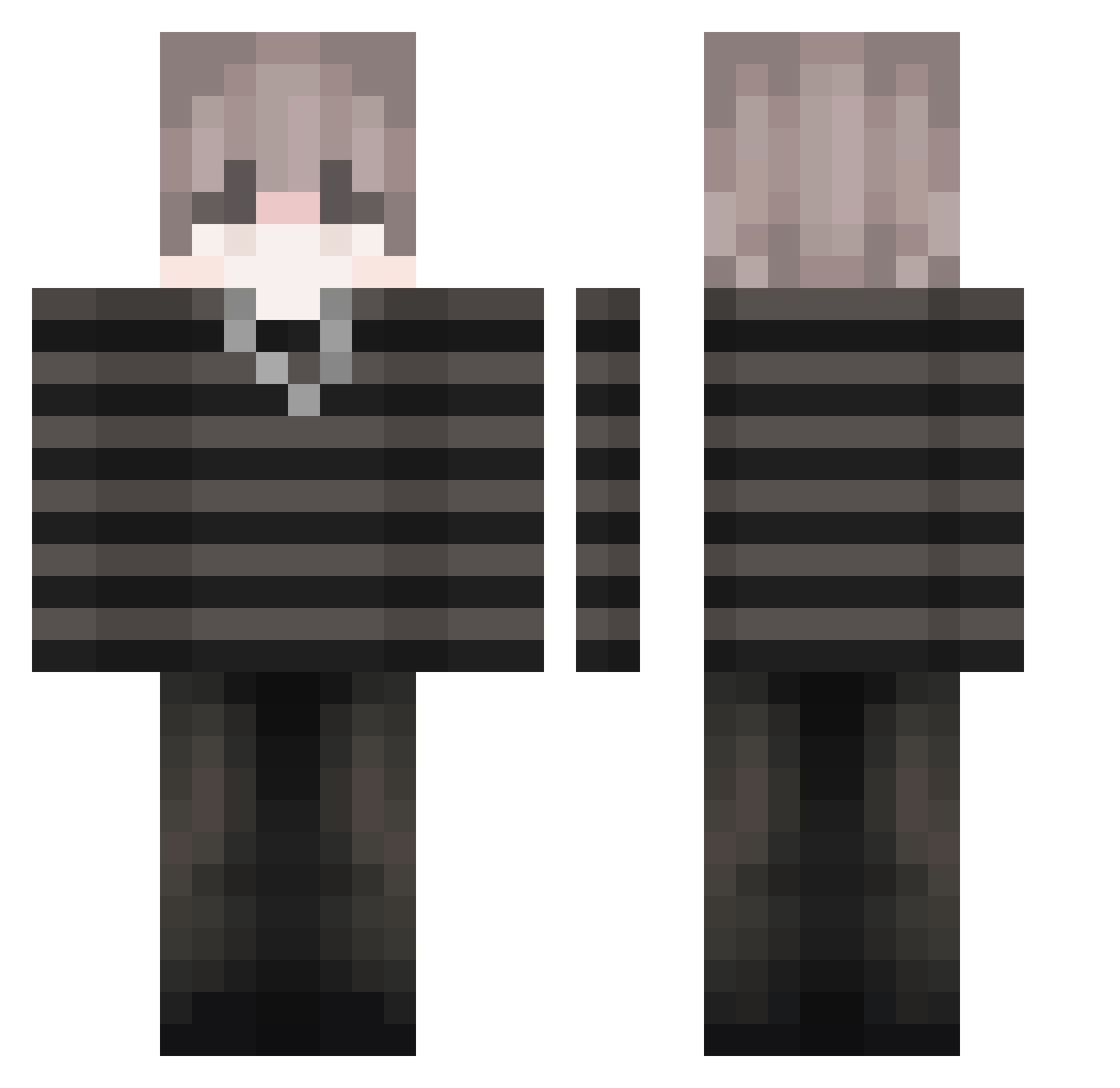
Current Minecraft skin of the player Quenzol, loaded from the official Mojang API. Rotate the 3D model with your mouse or finger, then download the skin as a PNG file and use it in Minecraft: Bedrock Edition or Java Edition for free. When Quenzol changes their skin, this page updates automatically and the old skin stays in the history below.
Other players with this skin (42)
Quenzol was the 17th player we have seen with this skin, first spotted on 03.09.2026. The same skin was seen on these players. Open a nickname to see their current skin and skin history.
 deolog TheGoatEXE LumeLight BulkaBoo Timmie_lth swatbin lilchanvert12 Cehehem FREDYMTY AnMuVi Pssso annyoyoyo Greenchaser334 Owo_Cremiita_owO zderfzsefrsqfr 723A JungleChainzz k4napk4 mrDNUT Entitilo_HBIbl Ep1sode ThatMobs
 KleoSonic
 lightskie POSEIDON3988 no_WayWay Ilovetecnoblade BUNTHOMC xynx00 i1iruY SlendersEBOY epiczeen Zitronensorbet
 sharkerboom Irritated0 ShaddyQ exileddd5 winnielourson14 Ren_M9 Kourycate _Slayer_13 V1perXd47
More Emo Minecraft skins
How to install the Quenzol skin
- Press the Download button above to save the skin as a PNG file.
- Minecraft: Bedrock Edition (PE): open the Dressing Room from the main menu (or tap your character → Edit Character), go to Classic Skins → Owned, press the + (new skin) button, choose the downloaded PNG and pick the Classic (Steve) model. Works on PC and mobile; consoles cannot import custom skins.
- Minecraft: Java Edition: open the Minecraft Launcher, go to the Skins tab, click New Skin, load the PNG, pick the Classic (Steve) model and press Save & Use. You can also upload it at minecraft.net → Profile → Change Skin.
The skin does not show up after import - what should I do?
Restart Minecraft and open the Dressing Room again - imported skins sometimes appear only after a restart. Also make sure you selected the imported skin and picked the Classic (Steve) model.
Which model should I choose, Classic or Slim?
This skin is designed for the Classic (Steve) model. If you pick the wrong model, the arms of the skin will look stretched or squeezed.
Is the skin of Quenzol free to download?
Yes. Press Download, save the PNG file and use it in Minecraft: Bedrock Edition or Java Edition - no payment or registration needed. The skin also works on multiplayer servers and Realms.
More skins
Looking for more? Go back to all Minecraft skins and check the top skins of the week, month and all time, or find any player's skin by nickname.