
Queens_Machine - Minecraft Skins & Skin History
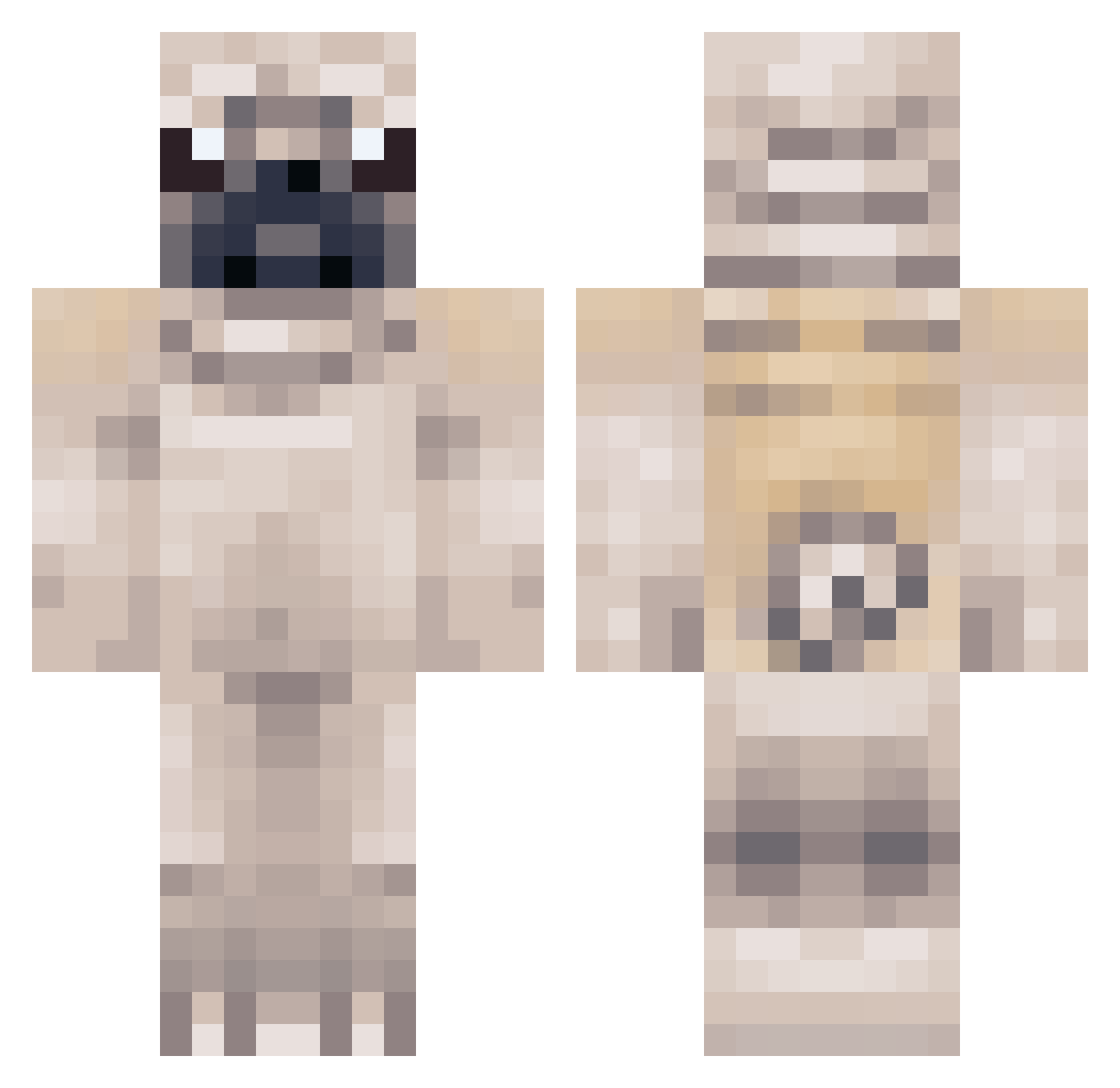
Current Minecraft skin of the player Queens_Machine, loaded from the official Mojang API. Rotate the 3D model with your mouse or finger, then download the skin as a PNG file and use it in Minecraft: Bedrock Edition or Java Edition for free. When Queens_Machine changes their skin, this page updates automatically and the old skin stays in the history below.
Other players with this skin (289)
Queens_Machine was the 63rd player we have seen with this skin, first spotted on 14.08.2026. The same skin was seen on these players. Open a nickname to see their current skin and skin history.
 Dumith3D Pugsy12 realisms leleexe Pegacorney rootsz CoDPro_Fool Pugborn chris935 tylerboy12 lyricalsiren lilzaya13 Datev Hangyu216 Catalunax ScorpiusVII blade2xe ROCKY_THE_BOSS 2006yoshi merryzmerry SianLouise13 YughCTud BestCurry mizhhh PUG_LiFE_ Robesti Pugnado1 tskikage Tylerjf02 pugalicious123 thebaconduck21 masterkrabs80 Puppy_lover39 Quincy_Q nictics saraysofia Brownyxo blikeus Ty3ik Cmatose Lightning_Bolt_5 Zembezii Alexanderlucky caitlyn2097 pumpkinspy Pappymcslappy levilovescheese XxPUGLYFExX Voxelss Malekithxvenn PugMaddie IsaacGamingTV evriv Minmusse MissSerene timothy_blanco FatFrags ashleyavery282 NotTheBestYT IBeatZ2212
More Pug Minecraft skins
How to install the Queens_Machine skin
- Press the Download button above to save the skin as a PNG file.
- Minecraft: Bedrock Edition (PE): open the Dressing Room from the main menu (or tap your character → Edit Character), go to Classic Skins → Owned, press the + (new skin) button, choose the downloaded PNG and pick the Classic (Steve) model. Works on PC and mobile; consoles cannot import custom skins.
- Minecraft: Java Edition: open the Minecraft Launcher, go to the Skins tab, click New Skin, load the PNG, pick the Classic (Steve) model and press Save & Use. You can also upload it at minecraft.net → Profile → Change Skin.
The skin does not show up after import - what should I do?
Restart Minecraft and open the Dressing Room again - imported skins sometimes appear only after a restart. Also make sure you selected the imported skin and picked the Classic (Steve) model.
Which model should I choose, Classic or Slim?
This skin is designed for the Classic (Steve) model. If you pick the wrong model, the arms of the skin will look stretched or squeezed.
Is the skin of Queens_Machine free to download?
Yes. Press Download, save the PNG file and use it in Minecraft: Bedrock Edition or Java Edition - no payment or registration needed. The skin also works on multiplayer servers and Realms.
More skins
Looking for more? Go back to all Minecraft skins and check the top skins of the week, month and all time, or find any player's skin by nickname.