
Q1ing5an_233 - Minecraft Skins & Skin History
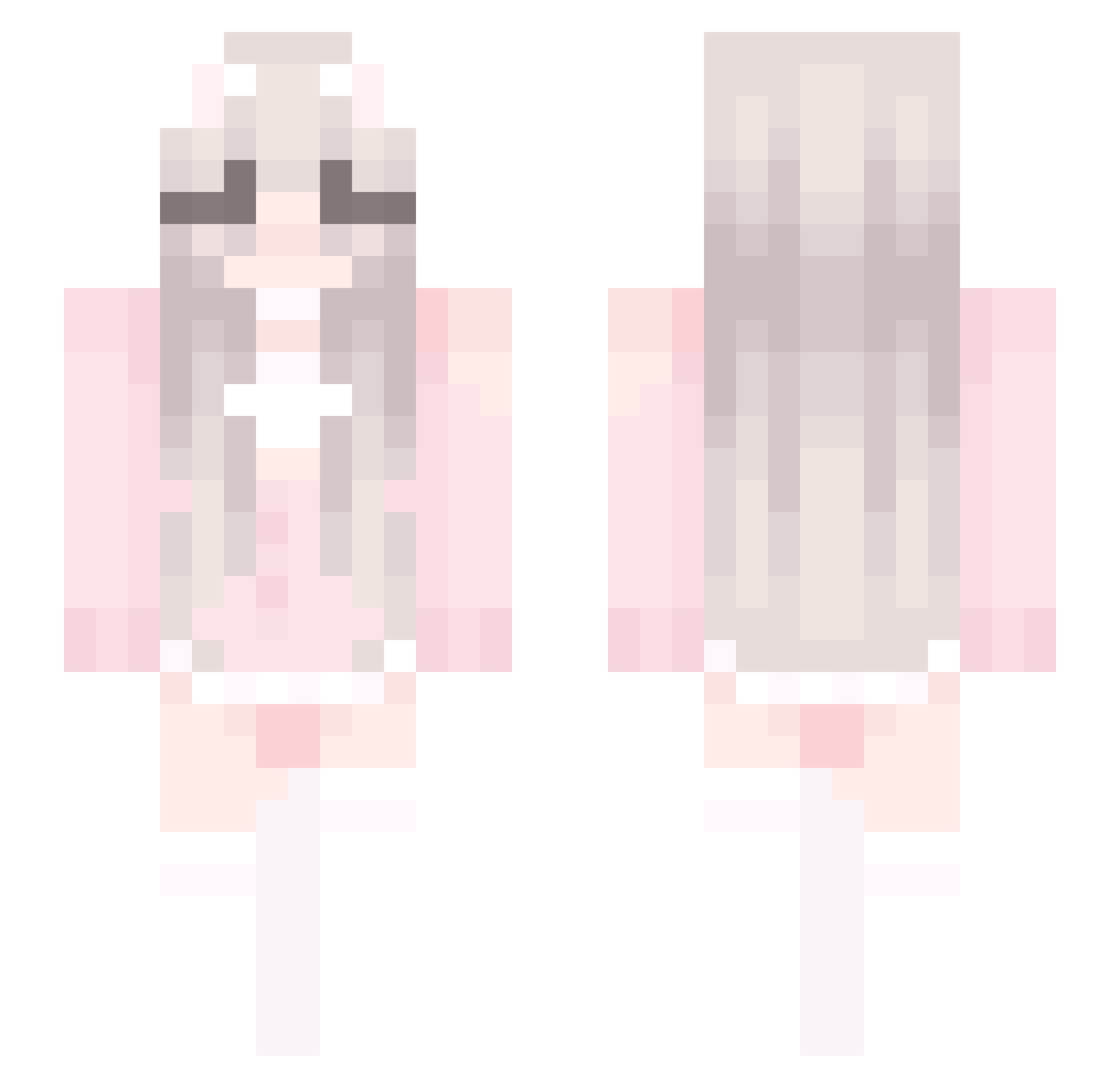
Current Minecraft skin of the player Q1ing5an_233, loaded from the official Mojang API. Rotate the 3D model with your mouse or finger, then download the skin as a PNG file and use it in Minecraft: Bedrock Edition or Java Edition for free. When Q1ing5an_233 changes their skin, this page updates automatically and the old skin stays in the history below.
Other players with this skin (370)
Q1ing5an_233 was the 271st player we have seen with this skin, first spotted on 28.09.2026. The same skin was seen on these players. Open a nickname to see their current skin and skin history.
 _wanhua HieuSatBoySeeTih arianna7887 SXLxtt10028 JustRagey Festpvpmrser xiaosxiao Accccc112358 bedwarsfun starrysnow17 yiyiyiyiyi_ El0ve z77777 melodynmb tradwife zcsz114514 Gameplay_I AlysaKat jingny22 luvshay2 scfv DAHUOPI Va1uE chesburbur bigoiledupbooty0 D0wnInTheDeep _Ayase_Saki bTVCoYkDMCYj xiaoyouzhi BL_RjNanami chenset123 wgllmmm Yyhs0920 GoofyAhhAc Eric_Shi Mal_vytUkO XN_lolix Maccaroonii JINYT ikun546 Zeijeku Mercer1107 TheMoonsDawn OkiiiGirl 3bDoli_Gamer derekyeyuxuan ZFLOWE K00127 IzumiMyako ItzelTmz hettp wdxzccc MagicMippy Haz3y144 G_golven daxiaojianghu MissEuropeuwu xiaoqing0919 muqianzz puddingboo
More Cute Minecraft skins
How to install the Q1ing5an_233 skin
- Press the Download button above to save the skin as a PNG file.
- Minecraft: Bedrock Edition (PE): open the Dressing Room from the main menu (or tap your character → Edit Character), go to Classic Skins → Owned, press the + (new skin) button, choose the downloaded PNG and pick the Slim (Alex) model. Works on PC and mobile; consoles cannot import custom skins.
- Minecraft: Java Edition: open the Minecraft Launcher, go to the Skins tab, click New Skin, load the PNG, pick the Slim (Alex) model and press Save & Use. You can also upload it at minecraft.net → Profile → Change Skin.
The skin does not show up after import - what should I do?
Restart Minecraft and open the Dressing Room again - imported skins sometimes appear only after a restart. Also make sure you selected the imported skin and picked the Slim (Alex) model.
Which model should I choose, Classic or Slim?
This skin is designed for the Slim (Alex) model. If you pick the wrong model, the arms of the skin will look stretched or squeezed.
Is the skin of Q1ing5an_233 free to download?
Yes. Press Download, save the PNG file and use it in Minecraft: Bedrock Edition or Java Edition - no payment or registration needed. The skin also works on multiplayer servers and Realms.
More skins
Looking for more? Go back to all Minecraft skins and check the top skins of the week, month and all time, or find any player's skin by nickname.