
PxGMP - Minecraft Skins & Skin History
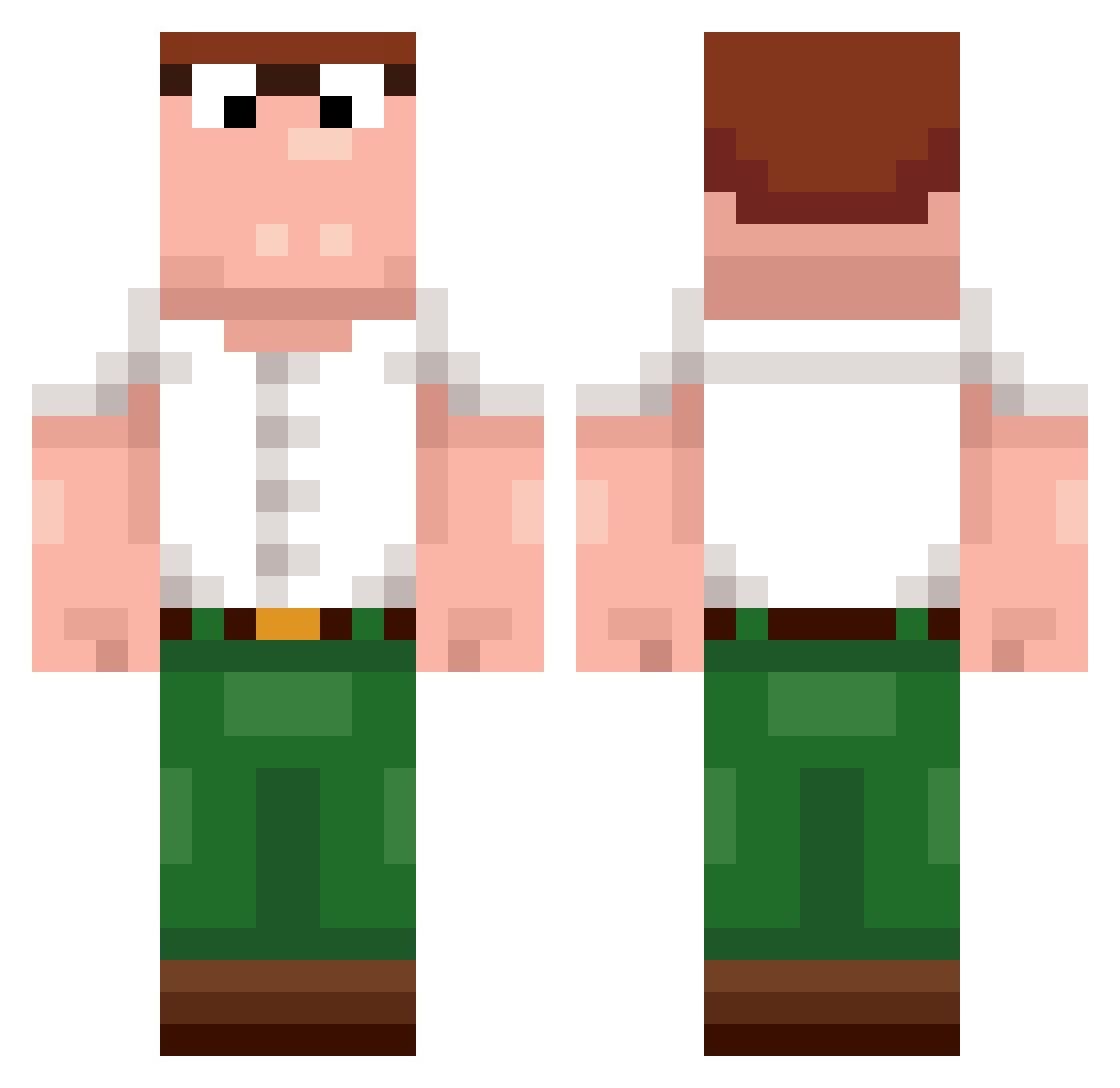
Current Minecraft skin of the player PxGMP, loaded from the official Mojang API. Rotate the 3D model with your mouse or finger, then download the skin as a PNG file and use it in Minecraft: Bedrock Edition or Java Edition for free. When PxGMP changes their skin, this page updates automatically and the old skin stays in the history below.
Other players with this skin (243)
PxGMP was the 28th player we have seen with this skin, first spotted on 06.08.2026. The same skin was seen on these players. Open a nickname to see their current skin and skin history.
 DizzyLlama
 TikruTiikeri10 GwniArk IgN1ght Xx_TheRizzler_xX Queechy
 numinaumi PirateMaster288 jungevger srizer_ NutriaHarfe SevereLapse bribdy Tiako973 Coruhier BigDaddyWon
 Callumstu minatu_ivona09 Neo_27 ItzRealMaty CStraight littlestinkman Soz2Gud chara_innit Napsoli 0iqz Thelegendsmcpvp looklois Ognou_iNF S4NT1S JoeyDiaz V1onei cyberpapa2137
 zZFROG
 Motyto09 Zingbat493 B_MWjsN_12_13 Dewier_mfA347 JinxGW YRWhygga Chl0dzk_ Zaoq Goodge ayhan_darkness SoupierPaddy LeMaenner ptr697708 oglup ImOldMan_ Pablo637 Kingshark6969 deineschuld
 Dillpickle423 Khun_Hachi SrKiteMaster requirehardware Crist0pherr NIKBALLER10 Naxuybooter sxgnl
More Peter Griffin Minecraft skins
See all 222 Peter Griffin skins
How to install the PxGMP skin
- Press the Download button above to save the skin as a PNG file.
- Minecraft: Bedrock Edition (PE): open the Dressing Room from the main menu (or tap your character → Edit Character), go to Classic Skins → Owned, press the + (new skin) button, choose the downloaded PNG and pick the Classic (Steve) model. Works on PC and mobile; consoles cannot import custom skins.
- Minecraft: Java Edition: open the Minecraft Launcher, go to the Skins tab, click New Skin, load the PNG, pick the Classic (Steve) model and press Save & Use. You can also upload it at minecraft.net → Profile → Change Skin.
The skin does not show up after import - what should I do?
Restart Minecraft and open the Dressing Room again - imported skins sometimes appear only after a restart. Also make sure you selected the imported skin and picked the Classic (Steve) model.
Which model should I choose, Classic or Slim?
This skin is designed for the Classic (Steve) model. If you pick the wrong model, the arms of the skin will look stretched or squeezed.
Is the skin of PxGMP free to download?
Yes. Press Download, save the PNG file and use it in Minecraft: Bedrock Edition or Java Edition - no payment or registration needed. The skin also works on multiplayer servers and Realms.
More skins
Looking for more? Go back to all Minecraft skins and check the top skins of the week, month and all time, or find any player's skin by nickname.