
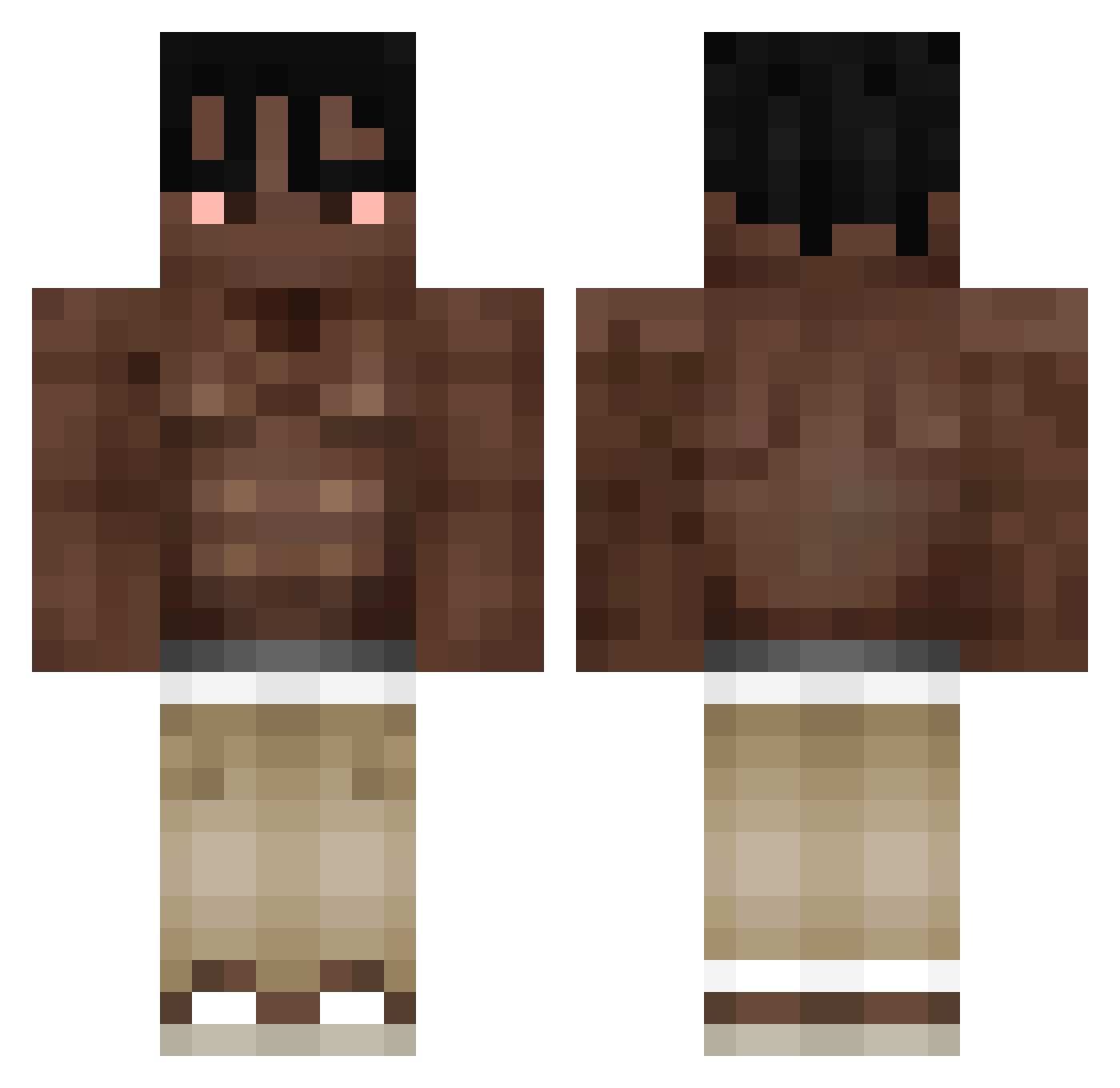
Current Minecraft skin of the player Prreira, loaded from the official Mojang API. Rotate the 3D model with your mouse or finger, then download the skin as a PNG file and use it in Minecraft: Bedrock Edition or Java Edition for free. When Prreira changes their skin, this page updates automatically and the old skin stays in the history below.
Other players with this skin (295)
Prreira was the 140th player we have seen with this skin, first spotted on 31.08.2026. The same skin was seen on these players. Open a nickname to see their current skin and skin history.
 bumpakunga tw0much 19Davo Desd crowasrd oCortez23 777Klapooo8 bedi21156 szymek21115 BigMak_ GlitchFoXx_ Raphilel Snas0909 Fabiansky117S mfurkanbym ReRoHu Sylvianb999 yonitsu whoismikeee VishnukS SpookyYG sigqrix_ Ichibos Lopaxz Travis_Scutt Wiewiurka24 Bigdaddylafl Z0RRA ivan_hsieh websto zeltonia _Chilas fajka196 IArtGameI Furio18 Baroxz pppppashok NEGR777 LordHadez420 GuubiFn Biassed franrojassx lil_Scary LGsumer Kabachok391 shimooncome Galaxona ermitraia luaneasyboss hsfrmda6ix WatermelonRushh blaso_ FRANKIKIGATU idk34567 bigdada1 MRDS445 ItzPortuGall YulChan2Da
 Limiz9 NassimBAA
More Shirtless Minecraft skins
How to install the Prreira skin
- Press the Download button above to save the skin as a PNG file.
- Minecraft: Bedrock Edition (PE): open the Dressing Room from the main menu (or tap your character → Edit Character), go to Classic Skins → Owned, press the + (new skin) button, choose the downloaded PNG and pick the Classic (Steve) model. Works on PC and mobile; consoles cannot import custom skins.
- Minecraft: Java Edition: open the Minecraft Launcher, go to the Skins tab, click New Skin, load the PNG, pick the Classic (Steve) model and press Save & Use. You can also upload it at minecraft.net → Profile → Change Skin.
The skin does not show up after import - what should I do?
Restart Minecraft and open the Dressing Room again - imported skins sometimes appear only after a restart. Also make sure you selected the imported skin and picked the Classic (Steve) model.
Which model should I choose, Classic or Slim?
This skin is designed for the Classic (Steve) model. If you pick the wrong model, the arms of the skin will look stretched or squeezed.
Is the skin of Prreira free to download?
Yes. Press Download, save the PNG file and use it in Minecraft: Bedrock Edition or Java Edition - no payment or registration needed. The skin also works on multiplayer servers and Realms.
More skins
Looking for more? Go back to all Minecraft skins and check the top skins of the week, month and all time, or find any player's skin by nickname.