
ProfilnamnSaknas - Minecraft Skins & Skin History
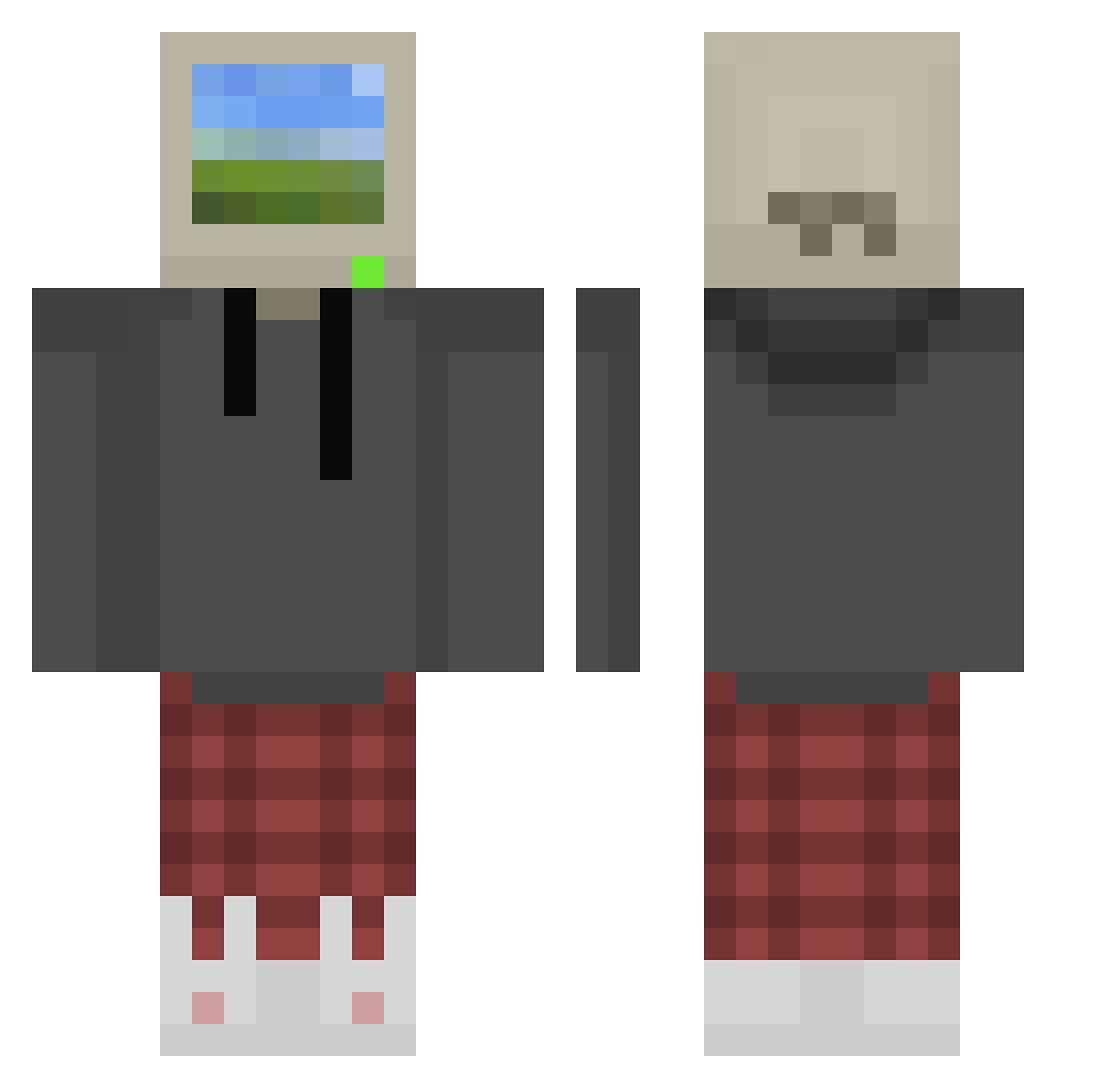
Current Minecraft skin of the player ProfilnamnSaknas, loaded from the official Mojang API. Rotate the 3D model with your mouse or finger, then download the skin as a PNG file and use it in Minecraft: Bedrock Edition or Java Edition for free. When ProfilnamnSaknas changes their skin, this page updates automatically and the old skin stays in the history below.
Other players with this skin (1072)
ProfilnamnSaknas was the 1046th player we have seen with this skin, first spotted on 18.11.2026. The same skin was seen on these players. Open a nickname to see their current skin and skin history.
 Lutschi_ Veneso 123456tuur _Lyzo12 YaeLite0410 RaspberryPHD LEGend_F Aspect432 StuffckTyT GARLIC_CRASHER GHosTfAcEe_ Duplo1947 BigWean BingoBangos BZ_W haku2137 natedog780 Madus88 Pennywise201099 McMuffin12 LIANGZICHEN FinkASD dowm123 ItsMeTheFish vgic taegun1229 NikuToshi ProMinecrafter55 Vinhnothere sajiPGR LeeEuno EMPFloofy Aleks_1803 Pedrakee JJLegomaster ThorVsx Drawn_Monster Astrea0_0 conradmossl Kipi_ chiki627 lIRGIl kzs55 jennyjaaaaa Dextre534 gghowin777 Kokopinx itsbob0 farts_mccool_ atoastybunn Abd__3 edperfect BeastElmo ily_juju GrayGhostVA TechnicallyTech ZeroFrostyyy Netao24 Terrylian Styleo5
More Windows XP Minecraft skins
How to install the ProfilnamnSaknas skin
- Press the Download button above to save the skin as a PNG file.
- Minecraft: Bedrock Edition (PE): open the Dressing Room from the main menu (or tap your character → Edit Character), go to Classic Skins → Owned, press the + (new skin) button, choose the downloaded PNG and pick the Classic (Steve) model. Works on PC and mobile; consoles cannot import custom skins.
- Minecraft: Java Edition: open the Minecraft Launcher, go to the Skins tab, click New Skin, load the PNG, pick the Classic (Steve) model and press Save & Use. You can also upload it at minecraft.net → Profile → Change Skin.
The skin does not show up after import - what should I do?
Restart Minecraft and open the Dressing Room again - imported skins sometimes appear only after a restart. Also make sure you selected the imported skin and picked the Classic (Steve) model.
Which model should I choose, Classic or Slim?
This skin is designed for the Classic (Steve) model. If you pick the wrong model, the arms of the skin will look stretched or squeezed.
Is the skin of ProfilnamnSaknas free to download?
Yes. Press Download, save the PNG file and use it in Minecraft: Bedrock Edition or Java Edition - no payment or registration needed. The skin also works on multiplayer servers and Realms.
More skins
Looking for more? Go back to all Minecraft skins and check the top skins of the week, month and all time, or find any player's skin by nickname.