
PrincessLola - Minecraft Skins & Skin History
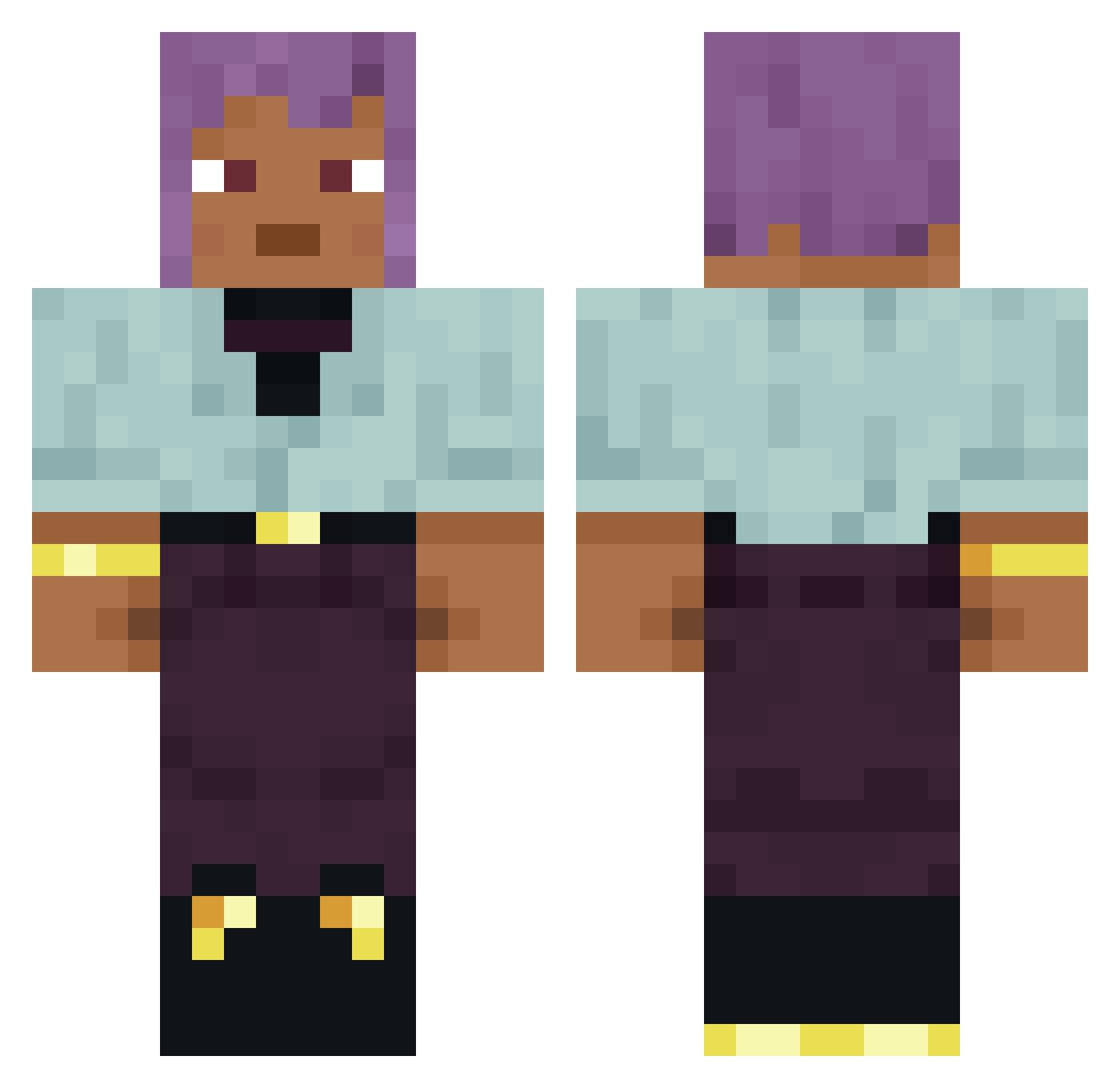
Current Minecraft skin of the player PrincessLola, loaded from the official Mojang API. Rotate the 3D model with your mouse or finger, then download the skin as a PNG file and use it in Minecraft: Bedrock Edition or Java Edition for free. When PrincessLola changes their skin, this page updates automatically and the old skin stays in the history below.
Other players with this skin (876)
PrincessLola was the 447th player we have seen with this skin, first spotted on 21.09.2026. The same skin was seen on these players. Open a nickname to see their current skin and skin history.
 ashleyryan15 unclekale262 199177 illogic Menschle Undiverted Albinera Asokay RepinS dimahakirpro2007 k0yaan Mchauuu Mandalinck Sauerbraten Anesis Mosquitos parao CarsonStreams22 iveloff SyntheticTlaloc NothingHereBro Vylynne Chorka1 Mindless_Kills dorbeetle fwbo TopHatCarlos Elute milkhouse Saumont Davimonfeiro_ Ryzenic ata_L1ra_wwg Draffish BOWLA gnomiarz343 llennodo12 The_No_Namer_ ZoBe3eelNT autumn_mccarthy Suggestiveness h50219 Liberation Rigorousness Trademark Wasat unhorsed Romun ToxicScot Cautiones daveyfles dataset Liberator quotidian PanzerS Shorttail Niepa frontrunner Minae herecomestosun
How to install the PrincessLola skin
- Press the Download button above to save the skin as a PNG file.
- Minecraft: Bedrock Edition (PE): open the Dressing Room from the main menu (or tap your character → Edit Character), go to Classic Skins → Owned, press the + (new skin) button, choose the downloaded PNG and pick the Classic (Steve) model. Works on PC and mobile; consoles cannot import custom skins.
- Minecraft: Java Edition: open the Minecraft Launcher, go to the Skins tab, click New Skin, load the PNG, pick the Classic (Steve) model and press Save & Use. You can also upload it at minecraft.net → Profile → Change Skin.
The skin does not show up after import - what should I do?
Restart Minecraft and open the Dressing Room again - imported skins sometimes appear only after a restart. Also make sure you selected the imported skin and picked the Classic (Steve) model.
Which model should I choose, Classic or Slim?
This skin is designed for the Classic (Steve) model. If you pick the wrong model, the arms of the skin will look stretched or squeezed.
Is the skin of PrincessLola free to download?
Yes. Press Download, save the PNG file and use it in Minecraft: Bedrock Edition or Java Edition - no payment or registration needed. The skin also works on multiplayer servers and Realms.
More skins
Looking for more? Go back to all Minecraft skins and check the top skins of the week, month and all time, or find any player's skin by nickname.