
Primus_Lord - Minecraft Skins & Skin History
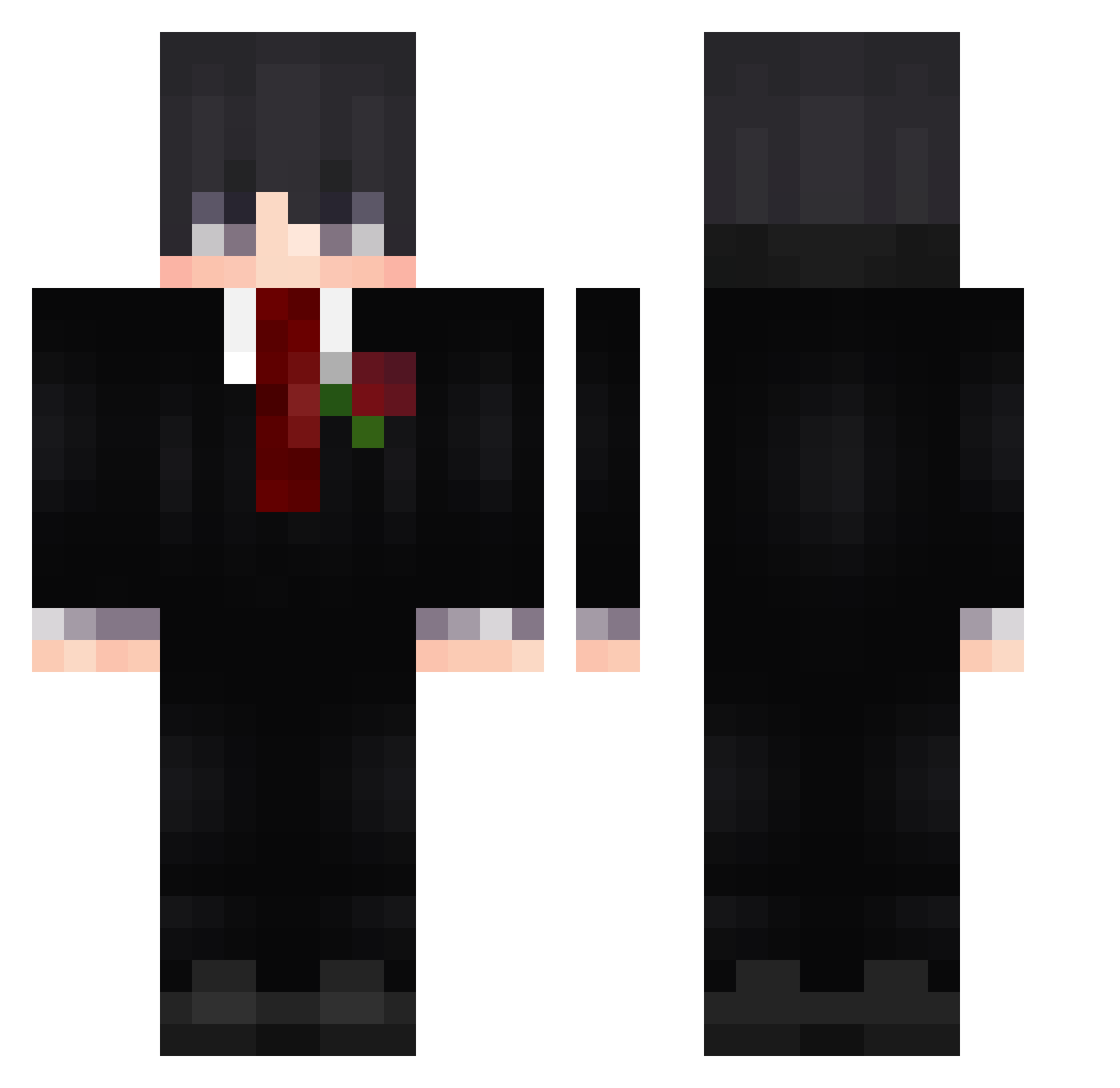
Current Minecraft skin of the player Primus_Lord, loaded from the official Mojang API. Rotate the 3D model with your mouse or finger, then download the skin as a PNG file and use it in Minecraft: Bedrock Edition or Java Edition for free. When Primus_Lord changes their skin, this page updates automatically and the old skin stays in the history below.
Other players with this skin (596)
Primus_Lord was the 311th player we have seen with this skin, first spotted on 20.09.2026. The same skin was seen on these players. Open a nickname to see their current skin and skin history.
 Shahimator NASHIII_ miguelpogg Xoptify TobiasWell153 Lakedryl18 shr1mp_alfredo Serkanis BERRU_AA King_Moros Lithyx MrCornifer DriestAtol03418 Yummy_Yogurt M1ghtY_ Takeshii22 xPaul3010 OnlyBluDev Sezejwi Tekzindile Valdemarr_ MaLiNkAAA_YT CyberKing2 SkyHahn sz1108 az_ckFJL_09_15 ChiClaw Beyaaaaaaa yangsiaun _zenaR Romemo0545 Oh_Userr Unagsuti Mami1453 Phantom_rawy Danaelxx Moksh_ qweqwewqeqwe Bread0960 KYOSTU1 Ace001700 EWENIE Mekpe1 Orka1337 Dream3012 nikias093 Ash9543 MUNKEYD1 KirinMok GamDu Jotaf15 mr_jaded AbsolutMatrix Glitchhands SereinB11507 NoOneIsSafe mantimert1 Backfisch712 xtwinxnoel DudeWithTheVans
More Rose Minecraft skins
How to install the Primus_Lord skin
- Press the Download button above to save the skin as a PNG file.
- Minecraft: Bedrock Edition (PE): open the Dressing Room from the main menu (or tap your character → Edit Character), go to Classic Skins → Owned, press the + (new skin) button, choose the downloaded PNG and pick the Classic (Steve) model. Works on PC and mobile; consoles cannot import custom skins.
- Minecraft: Java Edition: open the Minecraft Launcher, go to the Skins tab, click New Skin, load the PNG, pick the Classic (Steve) model and press Save & Use. You can also upload it at minecraft.net → Profile → Change Skin.
The skin does not show up after import - what should I do?
Restart Minecraft and open the Dressing Room again - imported skins sometimes appear only after a restart. Also make sure you selected the imported skin and picked the Classic (Steve) model.
Which model should I choose, Classic or Slim?
This skin is designed for the Classic (Steve) model. If you pick the wrong model, the arms of the skin will look stretched or squeezed.
Is the skin of Primus_Lord free to download?
Yes. Press Download, save the PNG file and use it in Minecraft: Bedrock Edition or Java Edition - no payment or registration needed. The skin also works on multiplayer servers and Realms.
More skins
Looking for more? Go back to all Minecraft skins and check the top skins of the week, month and all time, or find any player's skin by nickname.