
PradaFTW - Minecraft Skins & Skin History
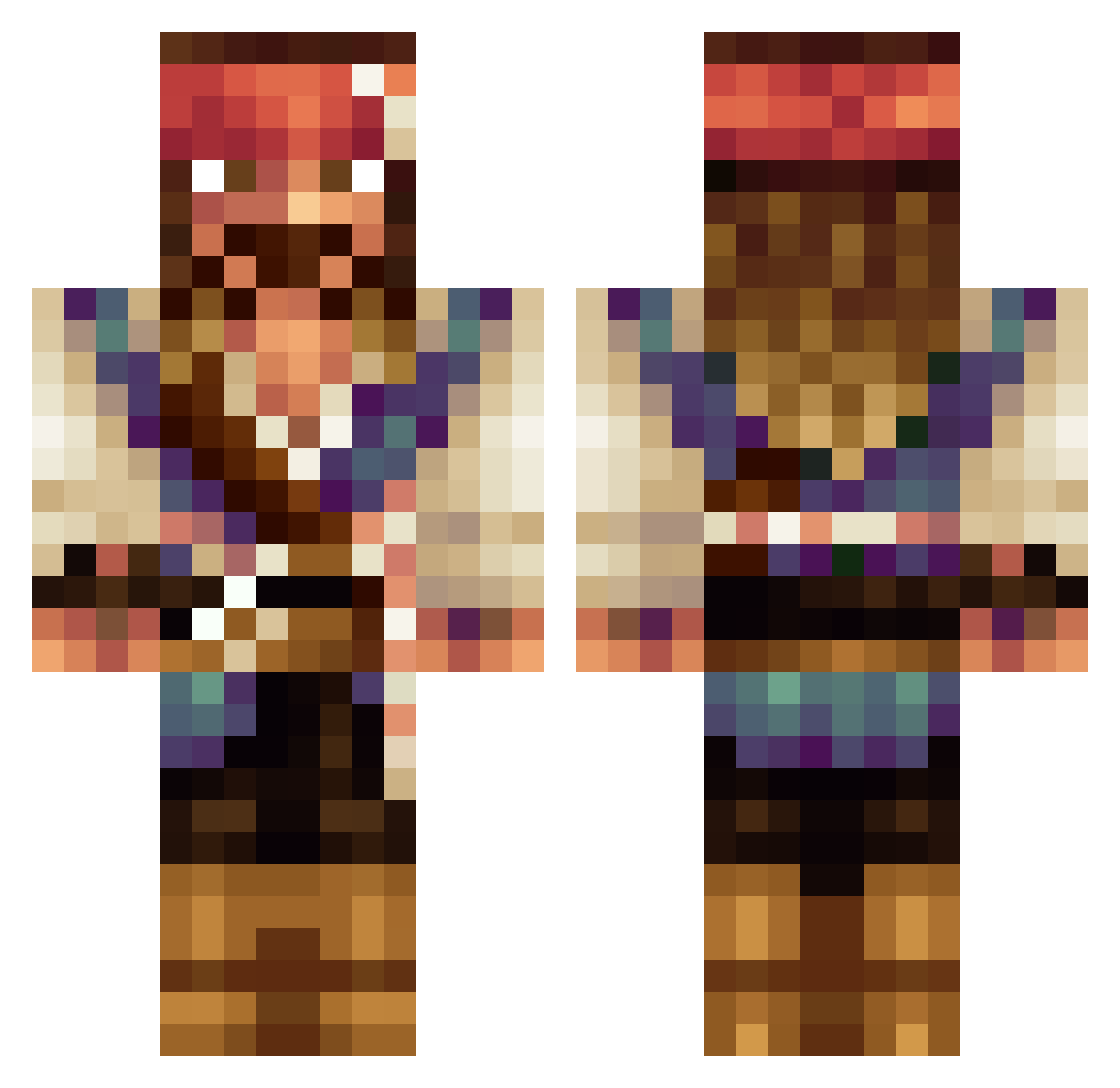
Current Minecraft skin of the player PradaFTW, loaded from the official Mojang API. Rotate the 3D model with your mouse or finger, then download the skin as a PNG file and use it in Minecraft: Bedrock Edition or Java Edition for free. When PradaFTW changes their skin, this page updates automatically and the old skin stays in the history below.
Other players with this skin (225)
PradaFTW was the 183rd player we have seen with this skin, first spotted on 02.11.2026. The same skin was seen on these players. Open a nickname to see their current skin and skin history.
 CloudRhymes HoneyHighway MauriJ BeforeMyDeath bl1x ThiccDaddySucc ejkjr winniethedog_ jkelt613 PugGutmann EvelinDoctor hellaz Cabledawg CapJaxParrow chris_keeley RealisticLegoMan reekhof SuperMegaToast Bjuv03 ESPRIT91 JustLolo PeterPeiball811 Gjermundur ExTeRN24 ImAwizzard Noxied Capsparrow roybadboy Steinbeisser SwaggyXU Coagan tonttu3111 WoShiXiaoKeAi Robslayer182 LEONART94 davidpostigo stefanh12692 Anton_berg nero0711 trapshooting123 Triplej94 Retnuh17 Aaron_Ravenheart Filip_Hoglund TheMakeAWishKid1 all4nothingx Tritega Perfycat cookiedealert HUNGABUNGA TallToby Macaveli DragonMan1030 Yellowliquid DirtyBeast07 SugarcubeCake latiao5 runestenen Marathon_2 Andresensjef
More Jack Sparrow Minecraft skins
See all 128 Jack Sparrow skins
How to install the PradaFTW skin
- Press the Download button above to save the skin as a PNG file.
- Minecraft: Bedrock Edition (PE): open the Dressing Room from the main menu (or tap your character → Edit Character), go to Classic Skins → Owned, press the + (new skin) button, choose the downloaded PNG and pick the Classic (Steve) model. Works on PC and mobile; consoles cannot import custom skins.
- Minecraft: Java Edition: open the Minecraft Launcher, go to the Skins tab, click New Skin, load the PNG, pick the Classic (Steve) model and press Save & Use. You can also upload it at minecraft.net → Profile → Change Skin.
The skin does not show up after import - what should I do?
Restart Minecraft and open the Dressing Room again - imported skins sometimes appear only after a restart. Also make sure you selected the imported skin and picked the Classic (Steve) model.
Which model should I choose, Classic or Slim?
This skin is designed for the Classic (Steve) model. If you pick the wrong model, the arms of the skin will look stretched or squeezed.
Is the skin of PradaFTW free to download?
Yes. Press Download, save the PNG file and use it in Minecraft: Bedrock Edition or Java Edition - no payment or registration needed. The skin also works on multiplayer servers and Realms.
More skins
Looking for more? Go back to all Minecraft skins and check the top skins of the week, month and all time, or find any player's skin by nickname.