
PotatoTag - Minecraft Skins & Skin History
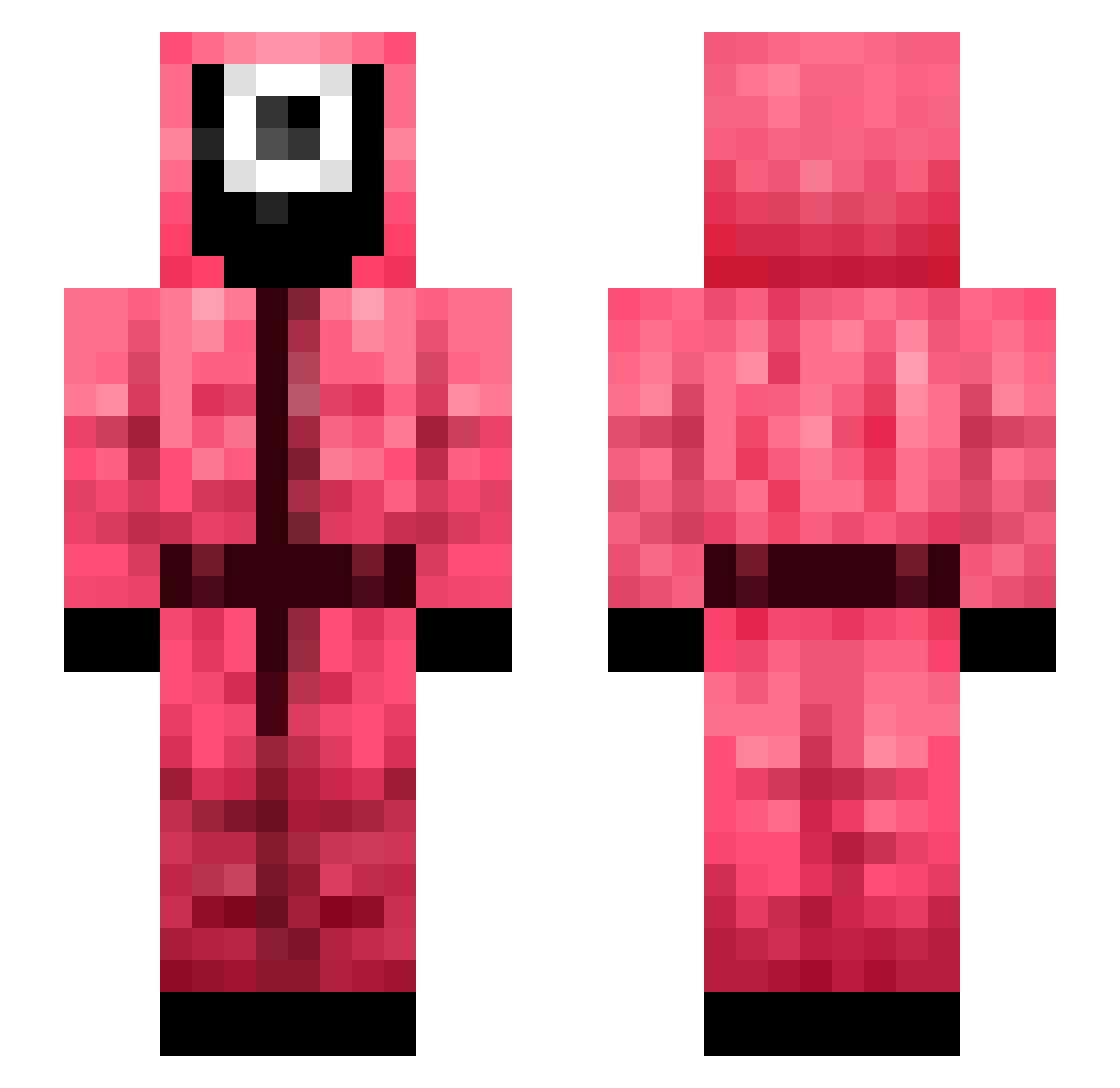
Current Minecraft skin of the player PotatoTag, loaded from the official Mojang API. Rotate the 3D model with your mouse or finger, then download the skin as a PNG file and use it in Minecraft: Bedrock Edition or Java Edition for free. When PotatoTag changes their skin, this page updates automatically and the old skin stays in the history below.
Other players with this skin (330)
PotatoTag was the 20th player we have seen with this skin, first spotted on 29.07.2026. The same skin was seen on these players. Open a nickname to see their current skin and skin history.
 Evsty MinerKid35 SIMPtalha Boohyah_ Maksal 007maty YousefGamer_1 xRedlineTTV ProOlli Coma_Skillz Wesol26 mylifeisameme LovethejewsXD MohandAr 27allia Honingbeer13 dobi02 sskyme legoemma chanyul77 TIVEE Dehnrevs edricthesaucegod SophiaDontCare ClouddKay216 VojtaChipsik100 haughtondawg100 Chelly0412 shmeh1 kkkkkk_hg mattipereira SwiftStrikeHD SebMansley17 dinonugies123 amberanthonyy MonteyMontey Doko8_FOREST MQHD unourcoolwen NiKLN4272 W_jin mickefly25 ChazVillager UrielixJR lPitbull seosk Juande1996 javiitg Detras16 JFLINK 4SO ayai13i taco_q IchBinPave VivacousSoup52 Bearscare101 lil_sabadillo hotelpebbles Crukie blackwhitelove
More Guard Minecraft skins
How to install the PotatoTag skin
- Press the Download button above to save the skin as a PNG file.
- Minecraft: Bedrock Edition (PE): open the Dressing Room from the main menu (or tap your character → Edit Character), go to Classic Skins → Owned, press the + (new skin) button, choose the downloaded PNG and pick the Slim (Alex) model. Works on PC and mobile; consoles cannot import custom skins.
- Minecraft: Java Edition: open the Minecraft Launcher, go to the Skins tab, click New Skin, load the PNG, pick the Slim (Alex) model and press Save & Use. You can also upload it at minecraft.net → Profile → Change Skin.
The skin does not show up after import - what should I do?
Restart Minecraft and open the Dressing Room again - imported skins sometimes appear only after a restart. Also make sure you selected the imported skin and picked the Slim (Alex) model.
Which model should I choose, Classic or Slim?
This skin is designed for the Slim (Alex) model. If you pick the wrong model, the arms of the skin will look stretched or squeezed.
Is the skin of PotatoTag free to download?
Yes. Press Download, save the PNG file and use it in Minecraft: Bedrock Edition or Java Edition - no payment or registration needed. The skin also works on multiplayer servers and Realms.
More skins
Looking for more? Go back to all Minecraft skins and check the top skins of the week, month and all time, or find any player's skin by nickname.