
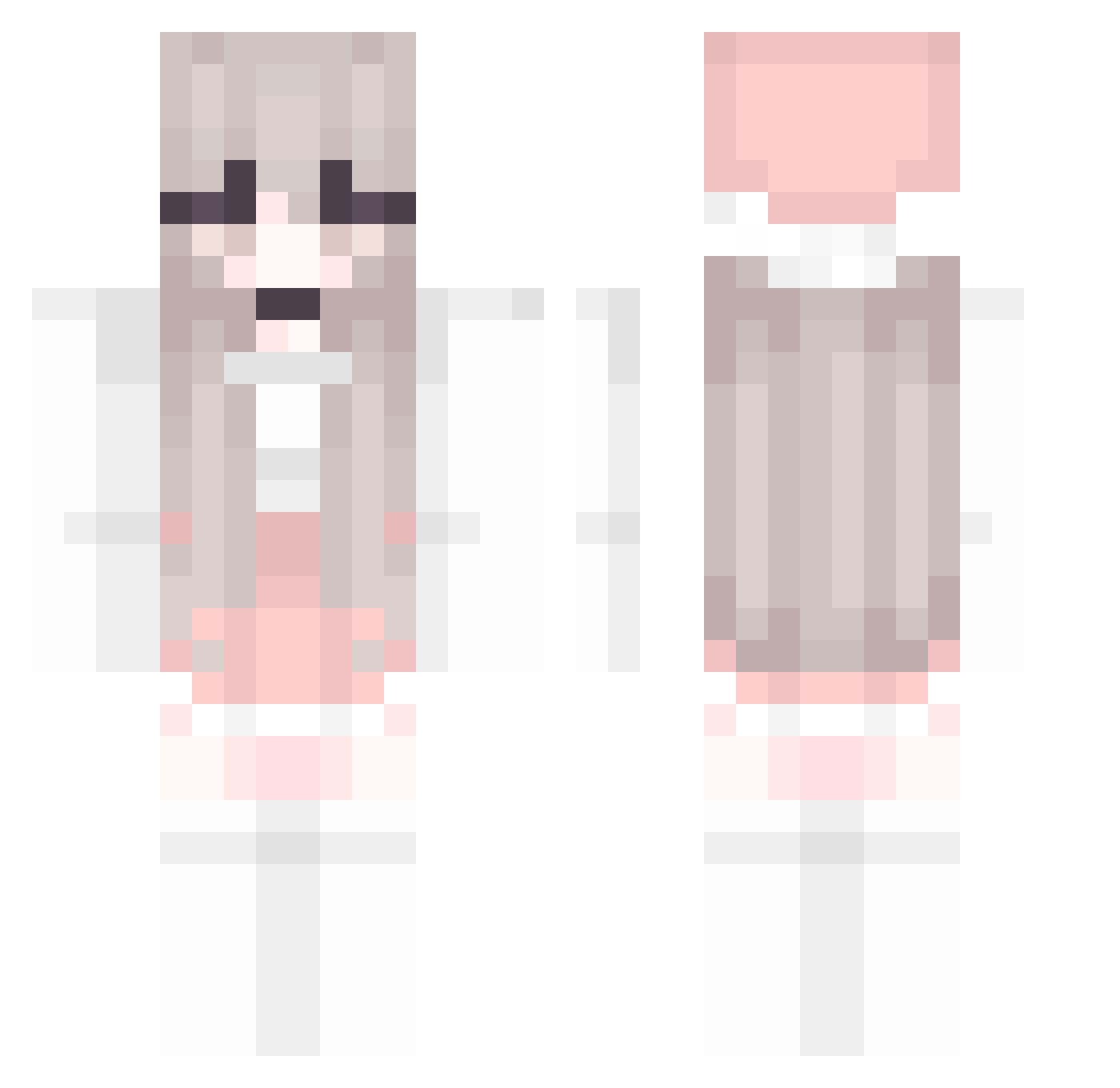
Current Minecraft skin of the player Popolockin, loaded from the official Mojang API. Rotate the 3D model with your mouse or finger, then download the skin as a PNG file and use it in Minecraft: Bedrock Edition or Java Edition for free. When Popolockin changes their skin, this page updates automatically and the old skin stays in the history below.
Other players with this skin (146)
Popolockin was the 69th player we have seen with this skin, first spotted on 02.09.2026. The same skin was seen on these players. Open a nickname to see their current skin and skin history.
 Triflee JINDARAE teran2255 KouYin terebelska StylishRIP Hzzz0628 One_OTT AsiaArgento2 kajusiaPL nelvqa ValoelYofiel smoltitihoe Yulucyy WarpsWolf nadolnaa Mayteatea mimigechan1st xD_Pugzz Bernice1514 chenoou WEUW_ Aries_shou Blitz323 Moloday_legenda m1ht Rain45 rieona aloegart3n SweetGirll2032 cutemeliii 111nnnnnn Xi_Yuu relyta L9KADA AlloutSkitzo NerminTkss lovelypink ddeyo WhiteCaii Lin_pp TRYANGO rlarbfls YunMongE fdhJKL xenocarr 43998 Warsy Aneemoone waittttt AriIsTrash Evaeraser Sayuky chengzhiqian Hotchoco16 Prettyseona jack7878940 NMSL41 chaeyun3 MyBodyPillow
More Pastel Minecraft skins
How to install the Popolockin skin
- Press the Download button above to save the skin as a PNG file.
- Minecraft: Bedrock Edition (PE): open the Dressing Room from the main menu (or tap your character → Edit Character), go to Classic Skins → Owned, press the + (new skin) button, choose the downloaded PNG and pick the Classic (Steve) model. Works on PC and mobile; consoles cannot import custom skins.
- Minecraft: Java Edition: open the Minecraft Launcher, go to the Skins tab, click New Skin, load the PNG, pick the Classic (Steve) model and press Save & Use. You can also upload it at minecraft.net → Profile → Change Skin.
The skin does not show up after import - what should I do?
Restart Minecraft and open the Dressing Room again - imported skins sometimes appear only after a restart. Also make sure you selected the imported skin and picked the Classic (Steve) model.
Which model should I choose, Classic or Slim?
This skin is designed for the Classic (Steve) model. If you pick the wrong model, the arms of the skin will look stretched or squeezed.
Is the skin of Popolockin free to download?
Yes. Press Download, save the PNG file and use it in Minecraft: Bedrock Edition or Java Edition - no payment or registration needed. The skin also works on multiplayer servers and Realms.
More skins
Looking for more? Go back to all Minecraft skins and check the top skins of the week, month and all time, or find any player's skin by nickname.