
PoisnedDonuts - Minecraft Skins & Skin History
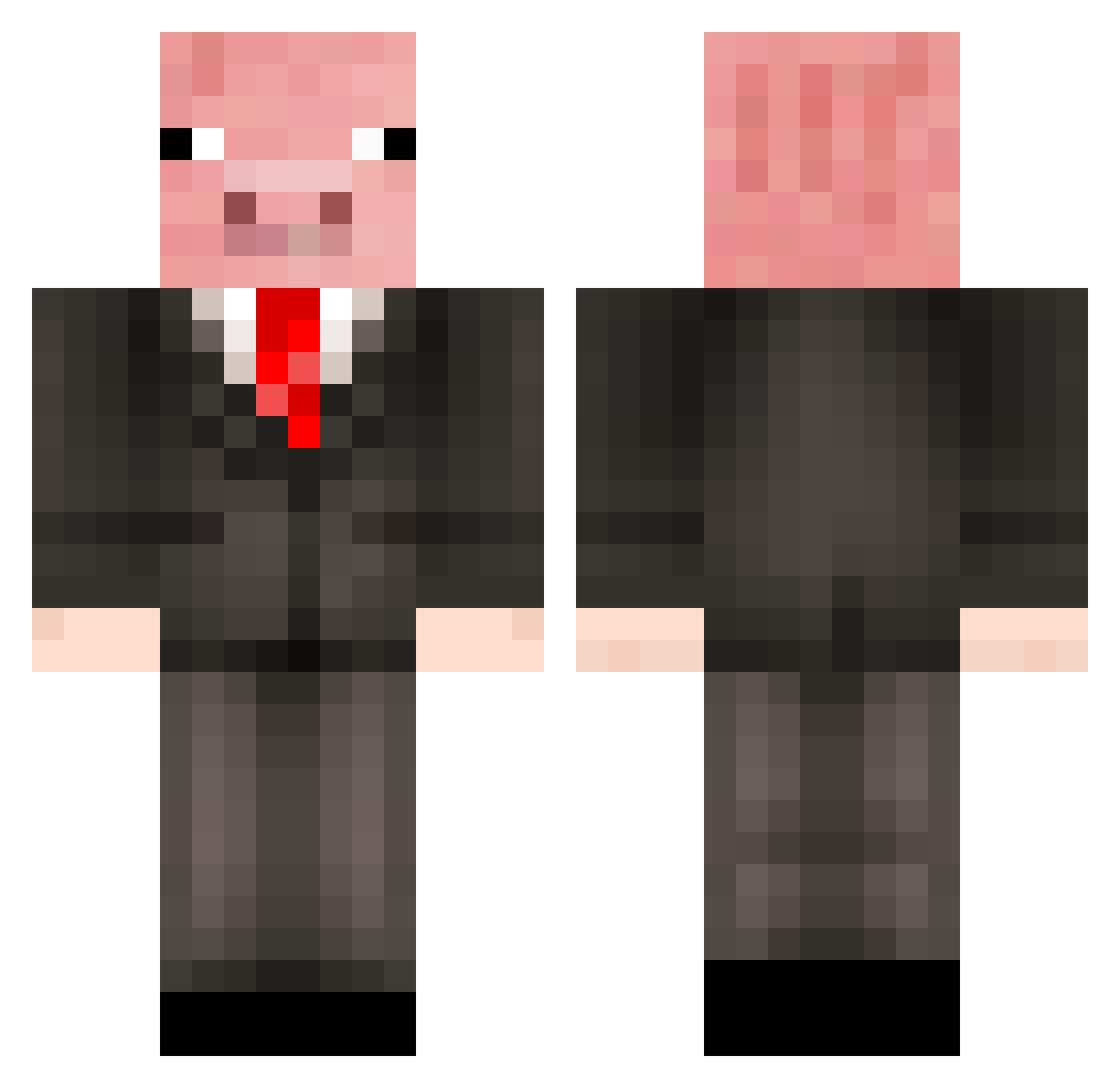
Current Minecraft skin of the player PoisnedDonuts, loaded from the official Mojang API. Rotate the 3D model with your mouse or finger, then download the skin as a PNG file and use it in Minecraft: Bedrock Edition or Java Edition for free. When PoisnedDonuts changes their skin, this page updates automatically and the old skin stays in the history below.
Other players with this skin (479)
PoisnedDonuts was the 391st player we have seen with this skin, first spotted on 18.10.2026. The same skin was seen on these players. Open a nickname to see their current skin and skin history.
 Sweetpapadip DrPapanak Pigkiller4550 rolypolyoly green_yeti JPG2006 _BusinessBacon_ Jax728 Gorgonzzo keanyko Taximan337 Dr_Grey JJoey360 SickCuntJoey vishal1 Kapsuzet DanMcSwag arrowhead2016 Kendlerino xrosscountry ThatOddTetrapod Cambraia001 CharGuy3 DroopyGoop PrivateE1Bravo LUKEN22 johannasvan mounttemple dannyvdzande FotbollsFelix8 JiaNuo History123 xXmegasharkerXx badjackal4Z anne0724 InsaneDev Stianspin PigersonThePig piggypiggy212122 NightmareDSC FaffyGaff hockeyguy_1517 Amnasic Tychondrius HerrGris CrazyBoy505 tobias_messi starfighter3344 rodneyvarn maximiliaan2002 Veraxis_Royalty grahamcox85 Zyntaxxx Mixemikkel gleqk Chevyman8784 minibob1 SneakyPiglet osk03 Finallly
More Pig Minecraft skins
How to install the PoisnedDonuts skin
- Press the Download button above to save the skin as a PNG file.
- Minecraft: Bedrock Edition (PE): open the Dressing Room from the main menu (or tap your character → Edit Character), go to Classic Skins → Owned, press the + (new skin) button, choose the downloaded PNG and pick the Classic (Steve) model. Works on PC and mobile; consoles cannot import custom skins.
- Minecraft: Java Edition: open the Minecraft Launcher, go to the Skins tab, click New Skin, load the PNG, pick the Classic (Steve) model and press Save & Use. You can also upload it at minecraft.net → Profile → Change Skin.
The skin does not show up after import - what should I do?
Restart Minecraft and open the Dressing Room again - imported skins sometimes appear only after a restart. Also make sure you selected the imported skin and picked the Classic (Steve) model.
Which model should I choose, Classic or Slim?
This skin is designed for the Classic (Steve) model. If you pick the wrong model, the arms of the skin will look stretched or squeezed.
Is the skin of PoisnedDonuts free to download?
Yes. Press Download, save the PNG file and use it in Minecraft: Bedrock Edition or Java Edition - no payment or registration needed. The skin also works on multiplayer servers and Realms.
More skins
Looking for more? Go back to all Minecraft skins and check the top skins of the week, month and all time, or find any player's skin by nickname.