
PledgorJr - Minecraft Skins & Skin History
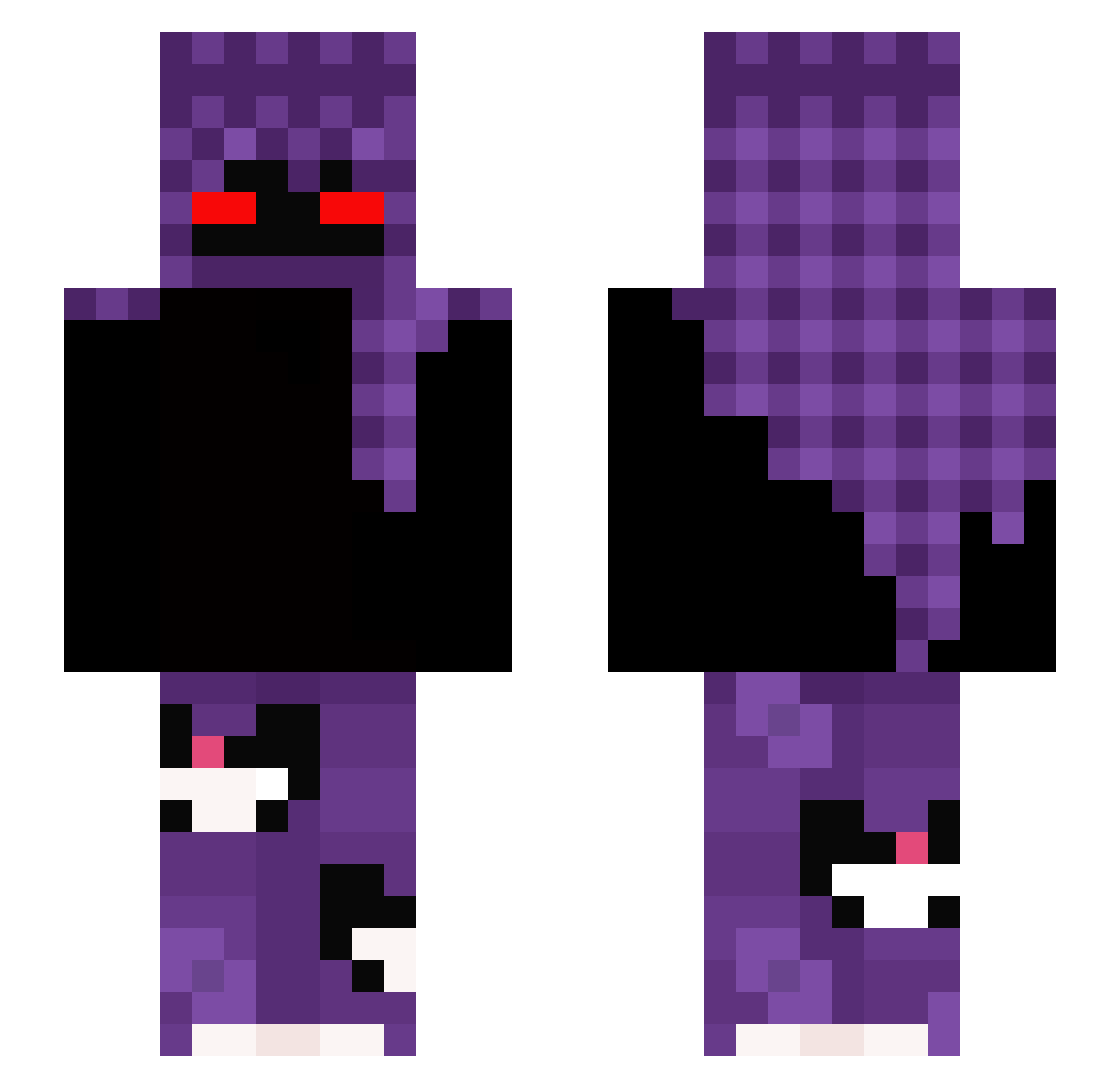
Current Minecraft skin of the player PledgorJr, loaded from the official Mojang API. Rotate the 3D model with your mouse or finger, then download the skin as a PNG file and use it in Minecraft: Bedrock Edition or Java Edition for free. When PledgorJr changes their skin, this page updates automatically and the old skin stays in the history below.
Other players with this skin (324)
PledgorJr was the 114th player we have seen with this skin, first spotted on 04.09.2026. The same skin was seen on these players. Open a nickname to see their current skin and skin history.
 Sharkbyq Xqyen
 groserpipi OrganicMelk Dzemikk2 pierozek_312 IVIeows jokskii Fieto_ ImNika_ Leo_Alegre Kapuchino__ xvenu _twx CancheBot10 Intel9X Mystery184 kivimuzkarpuz Ayransnay3009 MimiMathy L1SEKK Jxxlxn kikus121 euqeg s4Kayzox andjr ZerkosPvP GibiNXsus kafol blueHuhn AuswahlBirke759 Kairox101 yoneTokyo BLACK_8889 smiiiyy xxDIVINExx NRGlux11 SayaQX SteKing00 Xu35 Orzelekk TH3PAPE xXTORTELLOXx Purpholio Alykels maksiu2312 whytheway 5jx_ Felpzera_ Johnny9800 Farosmc ToB7raaK kayyak_ FDEQ itzz_antxk srrzicky ebk_43 xXkEvInXx_1 StrongTerminator NinjaBr1
More Cat Minecraft skins
How to install the PledgorJr skin
- Press the Download button above to save the skin as a PNG file.
- Minecraft: Bedrock Edition (PE): open the Dressing Room from the main menu (or tap your character → Edit Character), go to Classic Skins → Owned, press the + (new skin) button, choose the downloaded PNG and pick the Slim (Alex) model. Works on PC and mobile; consoles cannot import custom skins.
- Minecraft: Java Edition: open the Minecraft Launcher, go to the Skins tab, click New Skin, load the PNG, pick the Slim (Alex) model and press Save & Use. You can also upload it at minecraft.net → Profile → Change Skin.
The skin does not show up after import - what should I do?
Restart Minecraft and open the Dressing Room again - imported skins sometimes appear only after a restart. Also make sure you selected the imported skin and picked the Slim (Alex) model.
Which model should I choose, Classic or Slim?
This skin is designed for the Slim (Alex) model. If you pick the wrong model, the arms of the skin will look stretched or squeezed.
Is the skin of PledgorJr free to download?
Yes. Press Download, save the PNG file and use it in Minecraft: Bedrock Edition or Java Edition - no payment or registration needed. The skin also works on multiplayer servers and Realms.
More skins
Looking for more? Go back to all Minecraft skins and check the top skins of the week, month and all time, or find any player's skin by nickname.