
Platinum101 - Minecraft Skins & Skin History
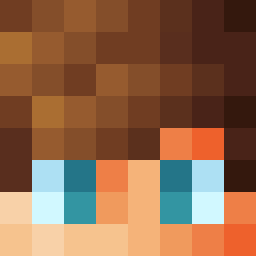
Current Minecraft skin of the player Platinum101, loaded from the official Mojang API. Rotate the 3D model with your mouse or finger, then download the skin as a PNG file and use it in Minecraft: Bedrock Edition or Java Edition for free. When Platinum101 changes their skin, this page updates automatically and the old skin stays in the history below.

Other players with this skin (55)
Platinum101 was the 10th player we have seen with this skin, first spotted on 31.07.2026. The same skin was seen on these players. Open a nickname to see their current skin and skin history.
 DinoThere4Dino Jango2013 Osky_boyyy
 boby71 angelo2123 ElvinYT
 LilFoggy21 max382404 Burland Elvis11111 huangxiang123 Tbosama
 bash3po2 HalitArslan10 UN_Jung
 virgonvo
 Rockoin PositiveThinking
 Robi0608 tsumugu0809 Dynamic_GamerYT Umbrary Andrey_Kot diog0silvaz Maik4572 shulya251 iloveyou2400 clickkmc_ Volkrayne berryyou CameronRG klypelv40 itsMarioL klyven3 cH3sSieee Alvarad0 XZzhou VVVVV_ Imer0n rileytou Plebowsky MMMMWMMMM panpan333 PuntoAccapo Catsweets unicornio_azul Yeathatsthough rls33 fesfsf Apmeh1001 rFloki asu0207 MaKuu14 kickedtwidder V_N_L_L
How to install the Platinum101 skin
- Press the Download button above to save the skin as a PNG file.
- Minecraft: Bedrock Edition (PE): open the Dressing Room from the main menu (or tap your character → Edit Character), go to Classic Skins → Owned, press the + (new skin) button, choose the downloaded PNG and pick the Classic (Steve) model. Works on PC and mobile; consoles cannot import custom skins.
- Minecraft: Java Edition: open the Minecraft Launcher, go to the Skins tab, click New Skin, load the PNG, pick the Classic (Steve) model and press Save & Use. You can also upload it at minecraft.net → Profile → Change Skin.
The skin does not show up after import - what should I do?
Restart Minecraft and open the Dressing Room again - imported skins sometimes appear only after a restart. Also make sure you selected the imported skin and picked the Classic (Steve) model.
Which model should I choose, Classic or Slim?
This skin is designed for the Classic (Steve) model. If you pick the wrong model, the arms of the skin will look stretched or squeezed.
Is the skin of Platinum101 free to download?
Yes. Press Download, save the PNG file and use it in Minecraft: Bedrock Edition or Java Edition - no payment or registration needed. The skin also works on multiplayer servers and Realms.
More skins
Looking for more? Go back to all Minecraft skins and check the top skins of the week, month and all time, or find any player's skin by nickname.