
PinguinTV_Gamer - Minecraft Skins & Skin History
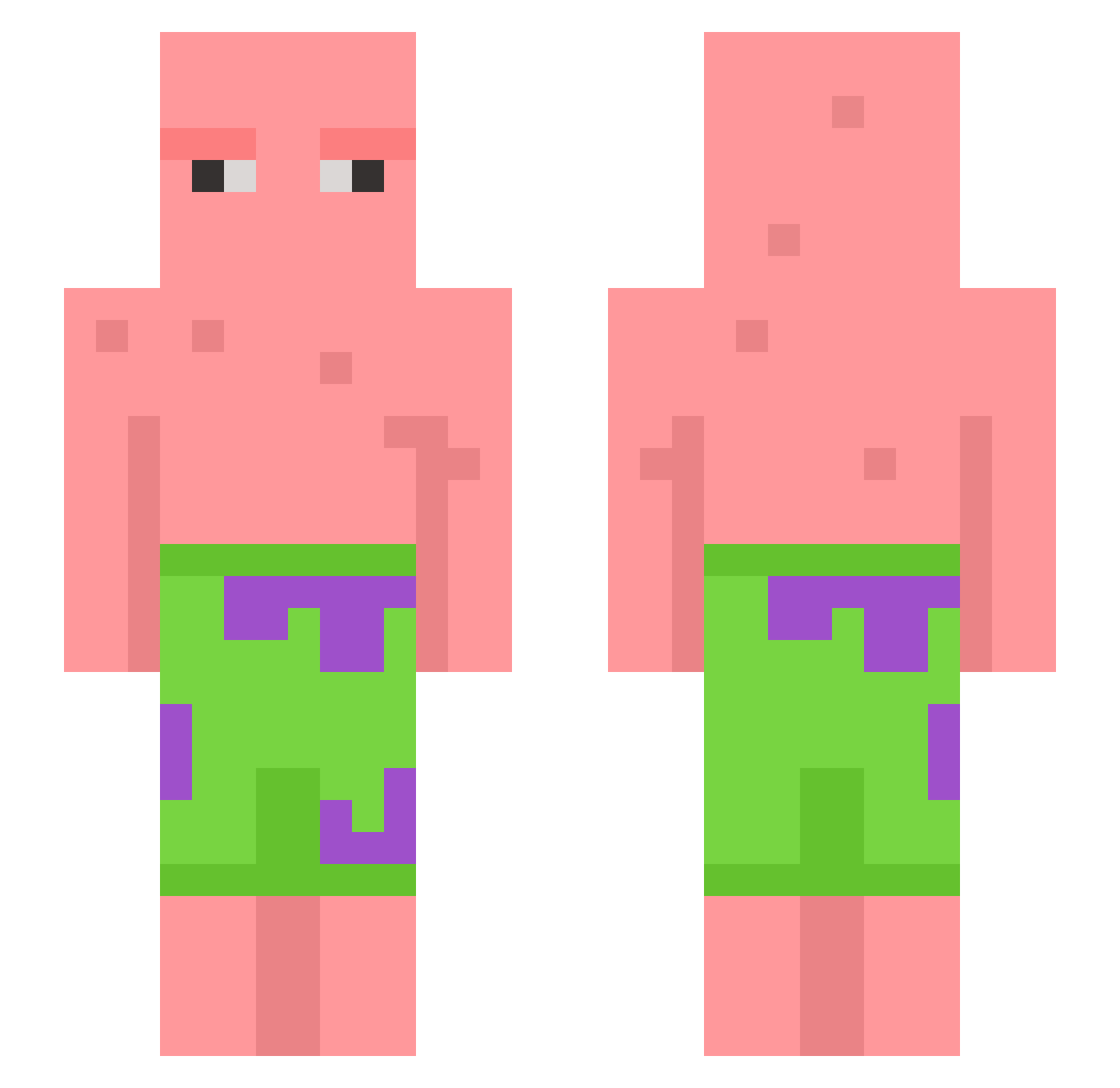
Current Minecraft skin of the player PinguinTV_Gamer, loaded from the official Mojang API. Rotate the 3D model with your mouse or finger, then download the skin as a PNG file and use it in Minecraft: Bedrock Edition or Java Edition for free. When PinguinTV_Gamer changes their skin, this page updates automatically and the old skin stays in the history below.
Other players with this skin (668)
PinguinTV_Gamer was the 606th player we have seen with this skin, first spotted on 01.11.2026. The same skin was seen on these players. Open a nickname to see their current skin and skin history.
 Sixboy06 soonwoo_1112 DanteSyyx chika1595 Hayrold AtomicD wqsah ploopy8008 ChemoKeith Harhar_ noviceeeeeeeeee Maximiliaantje25 Stinocasino SushiRoll23 SauceKipiK_91 justFlowerlove rogerps Benngis SEOP2DA JammaLlama Snaville Natiea _Kok ememsee Mascarello_77 cumber6969 bootylicker30 shaz3333 Zarrelito Helpzy b00mAner Illlusive crowbait2213 Death1098 SubtleNoodle Reekie15 Okew1 ichsprengdichweg droitsdehomme Arniii17 leafeon220 Gobonch DerekL17 osjunn suxluca lukatus FireCitCat frickyourmom lahzlo ketodiet01 sneakysnek161 ToasT9494 Valoit stinkhead__ Creamplecathedrl BEmre95 targetm3 pattysensei Epyks1 Hamid_GRIP
More Patrick Star Minecraft skins
See all 661 Patrick Star skins
How to install the PinguinTV_Gamer skin
- Press the Download button above to save the skin as a PNG file.
- Minecraft: Bedrock Edition (PE): open the Dressing Room from the main menu (or tap your character → Edit Character), go to Classic Skins → Owned, press the + (new skin) button, choose the downloaded PNG and pick the Slim (Alex) model. Works on PC and mobile; consoles cannot import custom skins.
- Minecraft: Java Edition: open the Minecraft Launcher, go to the Skins tab, click New Skin, load the PNG, pick the Slim (Alex) model and press Save & Use. You can also upload it at minecraft.net → Profile → Change Skin.
The skin does not show up after import - what should I do?
Restart Minecraft and open the Dressing Room again - imported skins sometimes appear only after a restart. Also make sure you selected the imported skin and picked the Slim (Alex) model.
Which model should I choose, Classic or Slim?
This skin is designed for the Slim (Alex) model. If you pick the wrong model, the arms of the skin will look stretched or squeezed.
Is the skin of PinguinTV_Gamer free to download?
Yes. Press Download, save the PNG file and use it in Minecraft: Bedrock Edition or Java Edition - no payment or registration needed. The skin also works on multiplayer servers and Realms.
More skins
Looking for more? Go back to all Minecraft skins and check the top skins of the week, month and all time, or find any player's skin by nickname.