
PhoenixArch - Minecraft Skins & Skin History
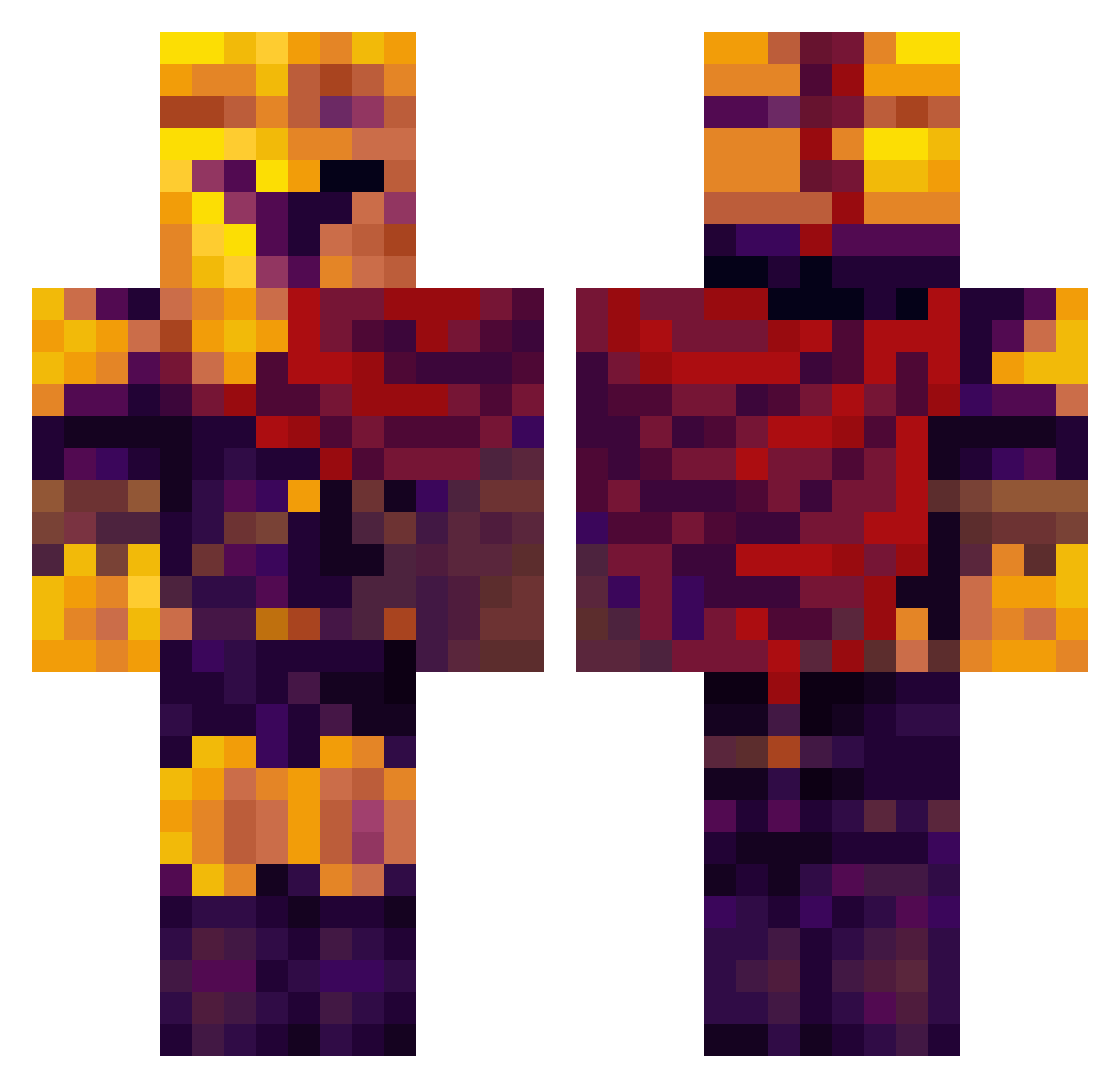
Current Minecraft skin of the player PhoenixArch, loaded from the official Mojang API. Rotate the 3D model with your mouse or finger, then download the skin as a PNG file and use it in Minecraft: Bedrock Edition or Java Edition for free. When PhoenixArch changes their skin, this page updates automatically and the old skin stays in the history below.
Other players with this skin (422)
PhoenixArch was the 379th player we have seen with this skin, first spotted on 30.10.2026. The same skin was seen on these players. Open a nickname to see their current skin and skin history.
 WurstMonster Vanish198 Pluto_05 kley44 JINJIN223 mellobye Mighty_Mustachio Ugerino Darknezz01 Killervexx kleinhorni BallisticVoid Karlheinz73529 fluffigerflorian katkat188 chrysalis7 shynee0 WintersRumors vortexia1 nemedli BlazeWizard1130 SuperTrooper483 DonJoneS10 TypicallyAsian _qilin_ BoogieMan8650 lemongamer178 Bluesunday1 Gronkable AWPology killeremy Zinzillo plucagamer8 liaammmm DanMaster142 Educon_Xom9I4kov joshuachum ChikenMCnugget ZanBtv sebbasttiaa lucaspks42 Ghosteternal07 Leo_bdf ArthurNunes LeKaktus25 EmperorErklin Sergiio_18 LuisR145 Arminboy_ ZakiOuchai DaniDLG Audric04 ANIME10678 jinsayy dworzan11 DN_Prim Gamerlcpo FrLjA GrantedGlue17 Angipangii
More Spartan Minecraft skins
How to install the PhoenixArch skin
- Press the Download button above to save the skin as a PNG file.
- Minecraft: Bedrock Edition (PE): open the Dressing Room from the main menu (or tap your character → Edit Character), go to Classic Skins → Owned, press the + (new skin) button, choose the downloaded PNG and pick the Classic (Steve) model. Works on PC and mobile; consoles cannot import custom skins.
- Minecraft: Java Edition: open the Minecraft Launcher, go to the Skins tab, click New Skin, load the PNG, pick the Classic (Steve) model and press Save & Use. You can also upload it at minecraft.net → Profile → Change Skin.
The skin does not show up after import - what should I do?
Restart Minecraft and open the Dressing Room again - imported skins sometimes appear only after a restart. Also make sure you selected the imported skin and picked the Classic (Steve) model.
Which model should I choose, Classic or Slim?
This skin is designed for the Classic (Steve) model. If you pick the wrong model, the arms of the skin will look stretched or squeezed.
Is the skin of PhoenixArch free to download?
Yes. Press Download, save the PNG file and use it in Minecraft: Bedrock Edition or Java Edition - no payment or registration needed. The skin also works on multiplayer servers and Realms.
More skins
Looking for more? Go back to all Minecraft skins and check the top skins of the week, month and all time, or find any player's skin by nickname.