
Phoenix13_ - Minecraft Skins & Skin History
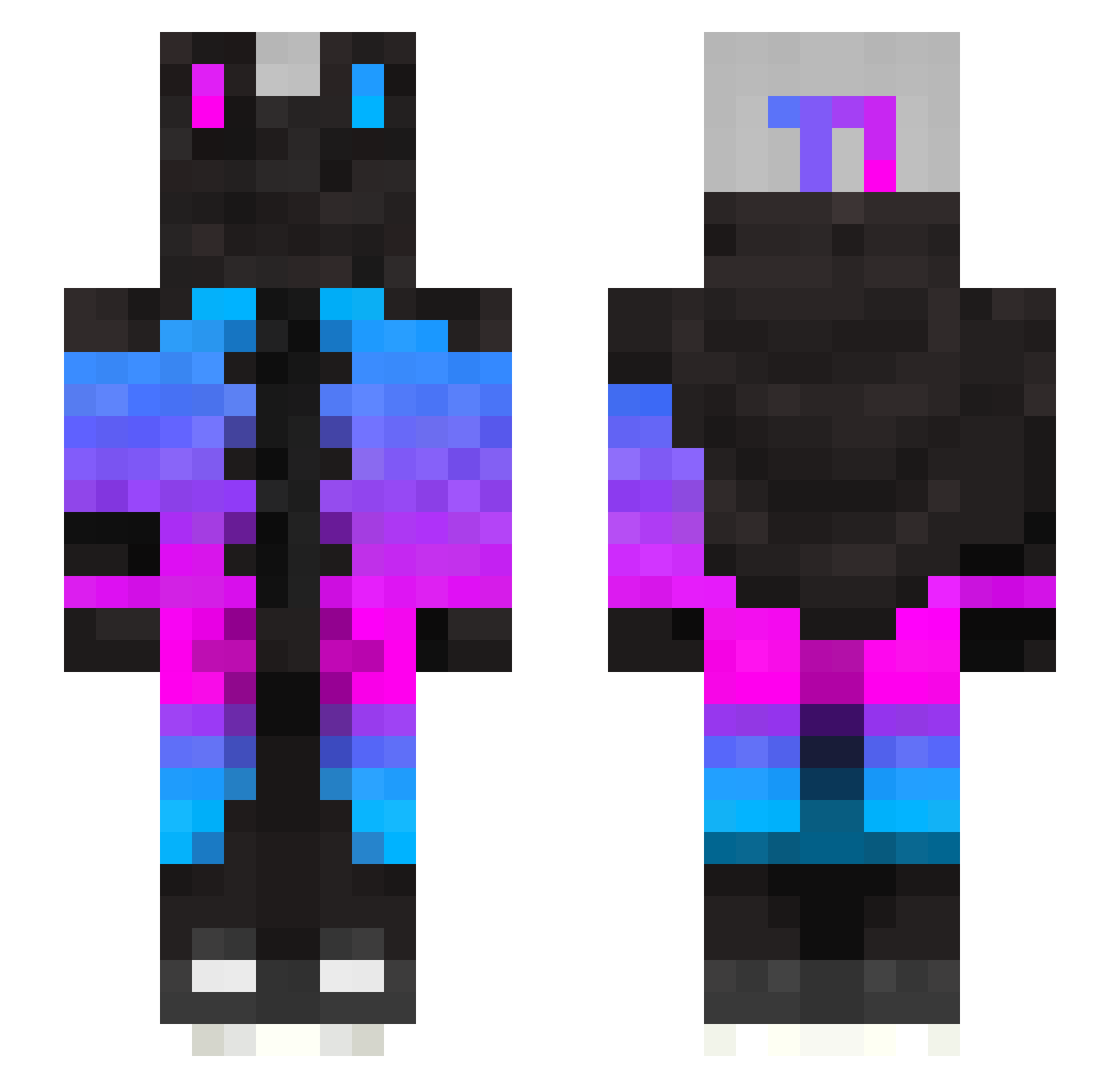
Current Minecraft skin of the player Phoenix13_, loaded from the official Mojang API. Rotate the 3D model with your mouse or finger, then download the skin as a PNG file and use it in Minecraft: Bedrock Edition or Java Edition for free. When Phoenix13_ changes their skin, this page updates automatically and the old skin stays in the history below.
Other players with this skin (336)
Phoenix13_ was the 263rd player we have seen with this skin, first spotted on 29.10.2026. The same skin was seen on these players. Open a nickname to see their current skin and skin history.
 Mikolaj_jk The_leqend Criotro47 Matveos_21 Fiefox2 GoldenB0ngos MC_Jack_117 Ducknessss JC_GB Ritakuan ProphecyGamer baimoxuan Crizik UltraTom2021 _AcidRain_ xiyuan001 yutaq Farlogx KINGrjdz Teomeyolotl Aemmd ItsZaneHalt MISSVOV Kaparex Egg4444 FISH103023 mliku MabTera63 Spazious xTosh69 vrabciii DrillMoney ayazbaba_X manunan1 JayyOG MAGOLALA notmadmark LifeOfJG Arthurz1N Goranash98 Gorzak ItsSaDSouL muxiala xSharky_ LauraBeil2 BigDuccc LE_GISMO VOYSTAN Healer187 LAMELAXA RutorYV Setoru_Arasaka Stroukz_ ItzGiianiis cjuyjj sither nathaniel727 andreasg3 6_jlo Smoothley
More Gradient Minecraft skins
How to install the Phoenix13_ skin
- Press the Download button above to save the skin as a PNG file.
- Minecraft: Bedrock Edition (PE): open the Dressing Room from the main menu (or tap your character → Edit Character), go to Classic Skins → Owned, press the + (new skin) button, choose the downloaded PNG and pick the Slim (Alex) model. Works on PC and mobile; consoles cannot import custom skins.
- Minecraft: Java Edition: open the Minecraft Launcher, go to the Skins tab, click New Skin, load the PNG, pick the Slim (Alex) model and press Save & Use. You can also upload it at minecraft.net → Profile → Change Skin.
The skin does not show up after import - what should I do?
Restart Minecraft and open the Dressing Room again - imported skins sometimes appear only after a restart. Also make sure you selected the imported skin and picked the Slim (Alex) model.
Which model should I choose, Classic or Slim?
This skin is designed for the Slim (Alex) model. If you pick the wrong model, the arms of the skin will look stretched or squeezed.
Is the skin of Phoenix13_ free to download?
Yes. Press Download, save the PNG file and use it in Minecraft: Bedrock Edition or Java Edition - no payment or registration needed. The skin also works on multiplayer servers and Realms.
More skins
Looking for more? Go back to all Minecraft skins and check the top skins of the week, month and all time, or find any player's skin by nickname.