
PhoQ_tu - Minecraft Skins & Skin History
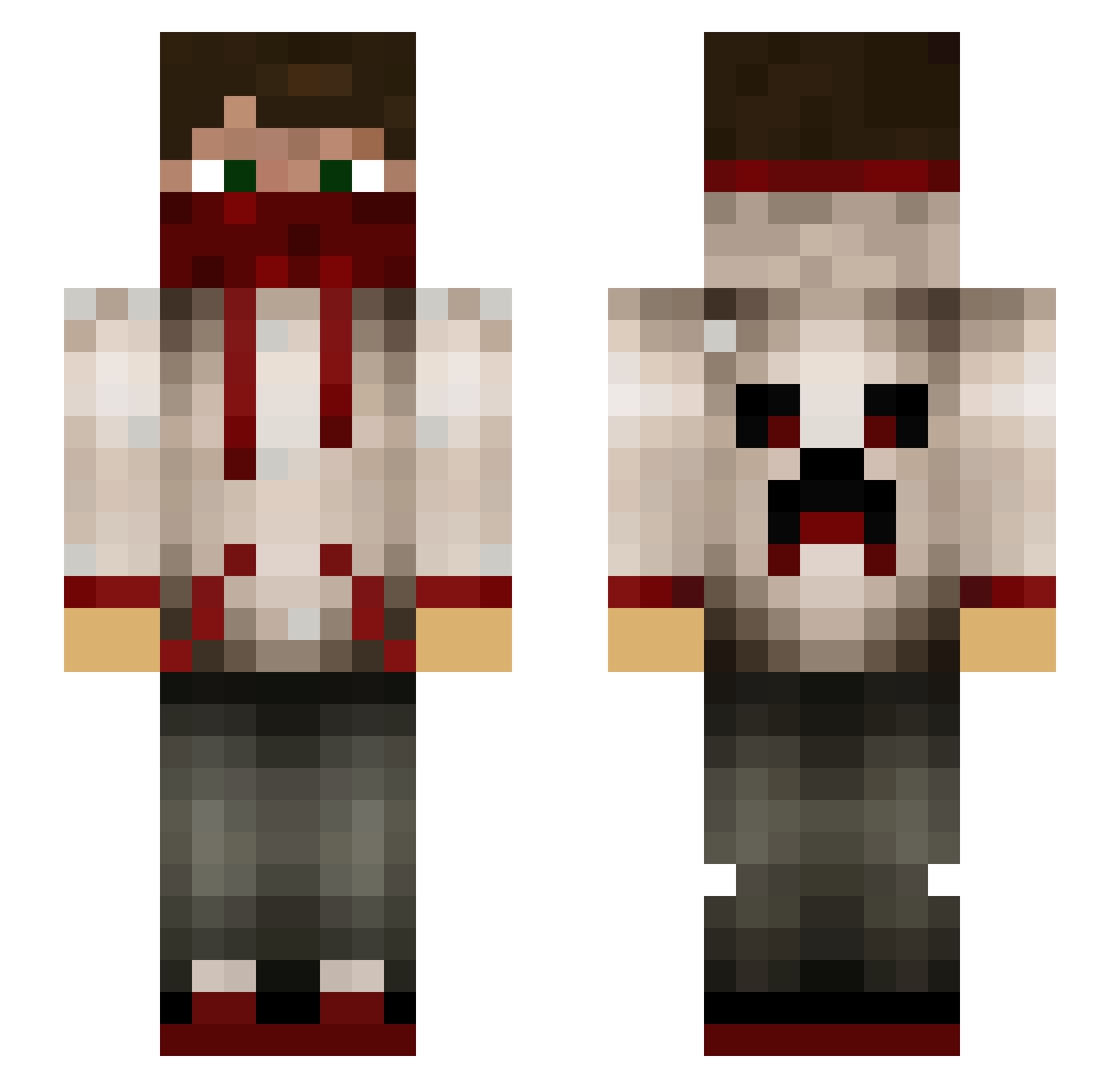
Current Minecraft skin of the player PhoQ_tu, loaded from the official Mojang API. Rotate the 3D model with your mouse or finger, then download the skin as a PNG file and use it in Minecraft: Bedrock Edition or Java Edition for free. When PhoQ_tu changes their skin, this page updates automatically and the old skin stays in the history below.
Other players with this skin (78)
PhoQ_tu was the 4th player we have seen with this skin, first spotted on 05.08.2026. The same skin was seen on these players. Open a nickname to see their current skin and skin history.
 degast200 Trilp_ jaggedosprey mikker01 mikuaaaaaaaa Dannoninoo Da7om00ksa Z19Z19 XUANAQ__GG rowaltaz wrongupdate DerEifeler98 chiefhadeef nickob1994 ConnorWayne44 Sleint BananaMandu Alexiiinhos MildlyConcussed ElCarrea2 craftertom2002 midodaf98 RickMan7 yy1461 kidtulon PaladinDad99 Whilpus Beymax122 Zaniacv Levithen008 WorldSaver55 xSlinz Unique_Enough Shad0wthug TheBuilderZ JEFREEMC eetswa2099 DavidSkere TOVTOVI Qsno_opyQ CaptainShadowZz Hansusu0316 TammoB _New_Drone_ Paddioo timo393 rogerps33 GoldenApple205 wifebeater9 Goozery lilpecker33 d3ighty Jopas23 SilverWing247 JoshiYoshi98 ksr7 veaizh Mikeanike SwashbuckleHrue ThePepsiGuy
More Bandana Minecraft skins
How to install the PhoQ_tu skin
- Press the Download button above to save the skin as a PNG file.
- Minecraft: Bedrock Edition (PE): open the Dressing Room from the main menu (or tap your character → Edit Character), go to Classic Skins → Owned, press the + (new skin) button, choose the downloaded PNG and pick the Slim (Alex) model. Works on PC and mobile; consoles cannot import custom skins.
- Minecraft: Java Edition: open the Minecraft Launcher, go to the Skins tab, click New Skin, load the PNG, pick the Slim (Alex) model and press Save & Use. You can also upload it at minecraft.net → Profile → Change Skin.
The skin does not show up after import - what should I do?
Restart Minecraft and open the Dressing Room again - imported skins sometimes appear only after a restart. Also make sure you selected the imported skin and picked the Slim (Alex) model.
Which model should I choose, Classic or Slim?
This skin is designed for the Slim (Alex) model. If you pick the wrong model, the arms of the skin will look stretched or squeezed.
Is the skin of PhoQ_tu free to download?
Yes. Press Download, save the PNG file and use it in Minecraft: Bedrock Edition or Java Edition - no payment or registration needed. The skin also works on multiplayer servers and Realms.
More skins
Looking for more? Go back to all Minecraft skins and check the top skins of the week, month and all time, or find any player's skin by nickname.