
Philips360 - Minecraft Skins & Skin History
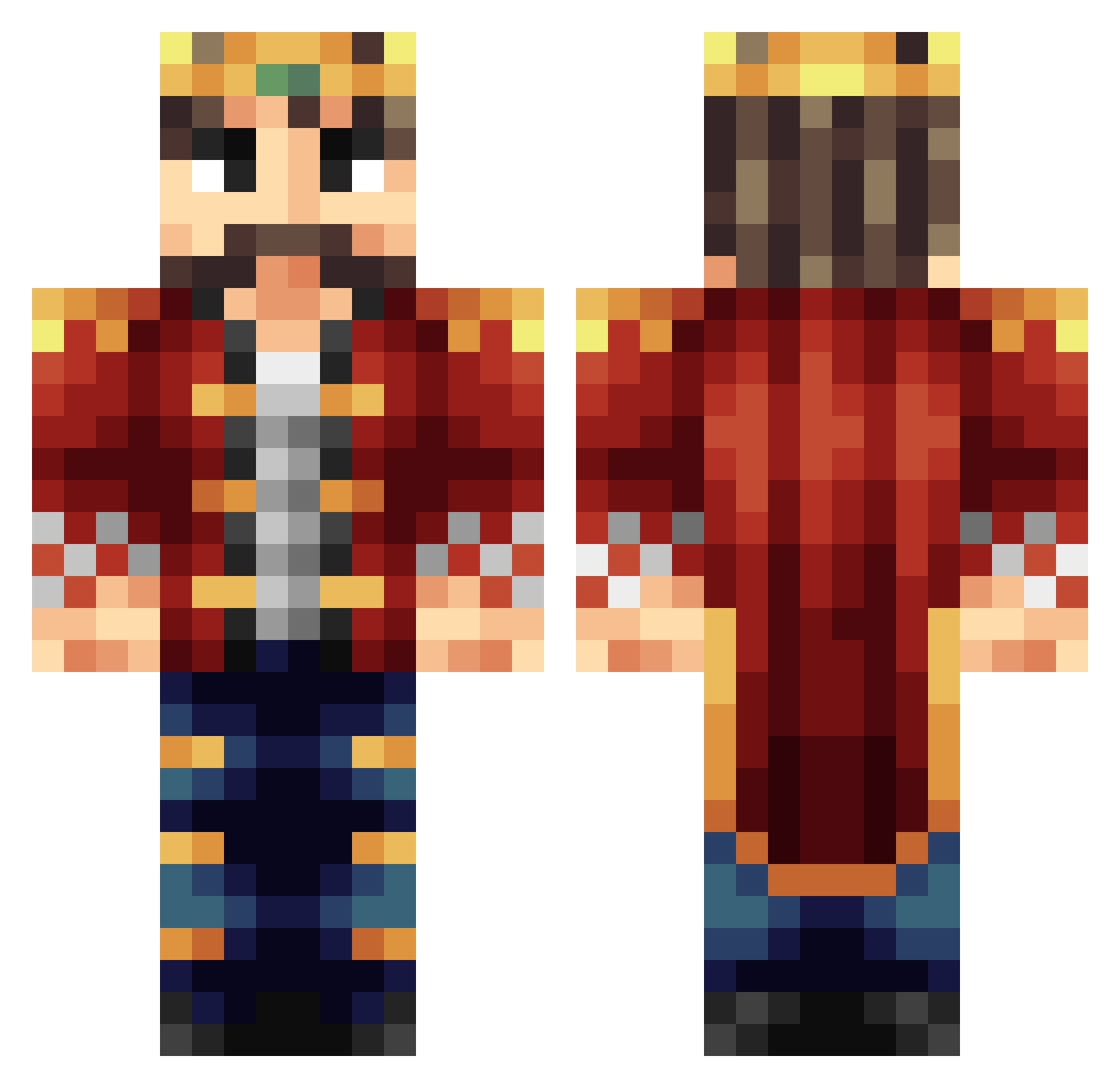
Current Minecraft skin of the player Philips360, loaded from the official Mojang API. Rotate the 3D model with your mouse or finger, then download the skin as a PNG file and use it in Minecraft: Bedrock Edition or Java Edition for free. When Philips360 changes their skin, this page updates automatically and the old skin stays in the history below.
Other players with this skin (451)
Philips360 was the 437th player we have seen with this skin, first spotted on 15.11.2026. The same skin was seen on these players. Open a nickname to see their current skin and skin history.
 Rednaxel alfie6477 flyinglambchops b3e1njj Mr_Kingpinn GPS4ever Catostar55 daveDJ43 ModernGamerXD Pastorn81 Gedoorah ultryn_ Mr_Solus gunira1 Stormflash xScarlatto bondey101 Kyle730 Spandex99 ztheking angusrocks02 ImDeadSerious Alyammahi nmnoz FloMaar wdjh_nl taxdeedsale Nemrys Sirius__black_ Kalexio EyeOfTheNether LanceLotik erorikok1512 Duren_Duran JohnnnnyBoY MuskelDorff Sin2Win TheBearGamer HerrScheer LordVorgato MiniBear10 Exiouncy lerrah th3wishmaster JustinJames JRYANC idoeatcake sohxuanyi robster20000 mike14149 11Hubble_BuildIt Mojo_legend123 Buegelbrett Kalvoda62 Valor_Night thekingisking12 pancakelover35 Godpilled KingStoneheart sigma013
More Streamer Minecraft skins
How to install the Philips360 skin
- Press the Download button above to save the skin as a PNG file.
- Minecraft: Bedrock Edition (PE): open the Dressing Room from the main menu (or tap your character → Edit Character), go to Classic Skins → Owned, press the + (new skin) button, choose the downloaded PNG and pick the Classic (Steve) model. Works on PC and mobile; consoles cannot import custom skins.
- Minecraft: Java Edition: open the Minecraft Launcher, go to the Skins tab, click New Skin, load the PNG, pick the Classic (Steve) model and press Save & Use. You can also upload it at minecraft.net → Profile → Change Skin.
The skin does not show up after import - what should I do?
Restart Minecraft and open the Dressing Room again - imported skins sometimes appear only after a restart. Also make sure you selected the imported skin and picked the Classic (Steve) model.
Which model should I choose, Classic or Slim?
This skin is designed for the Classic (Steve) model. If you pick the wrong model, the arms of the skin will look stretched or squeezed.
Is the skin of Philips360 free to download?
Yes. Press Download, save the PNG file and use it in Minecraft: Bedrock Edition or Java Edition - no payment or registration needed. The skin also works on multiplayer servers and Realms.
More skins
Looking for more? Go back to all Minecraft skins and check the top skins of the week, month and all time, or find any player's skin by nickname.