
Philipptheking2 - Minecraft Skins & Skin History
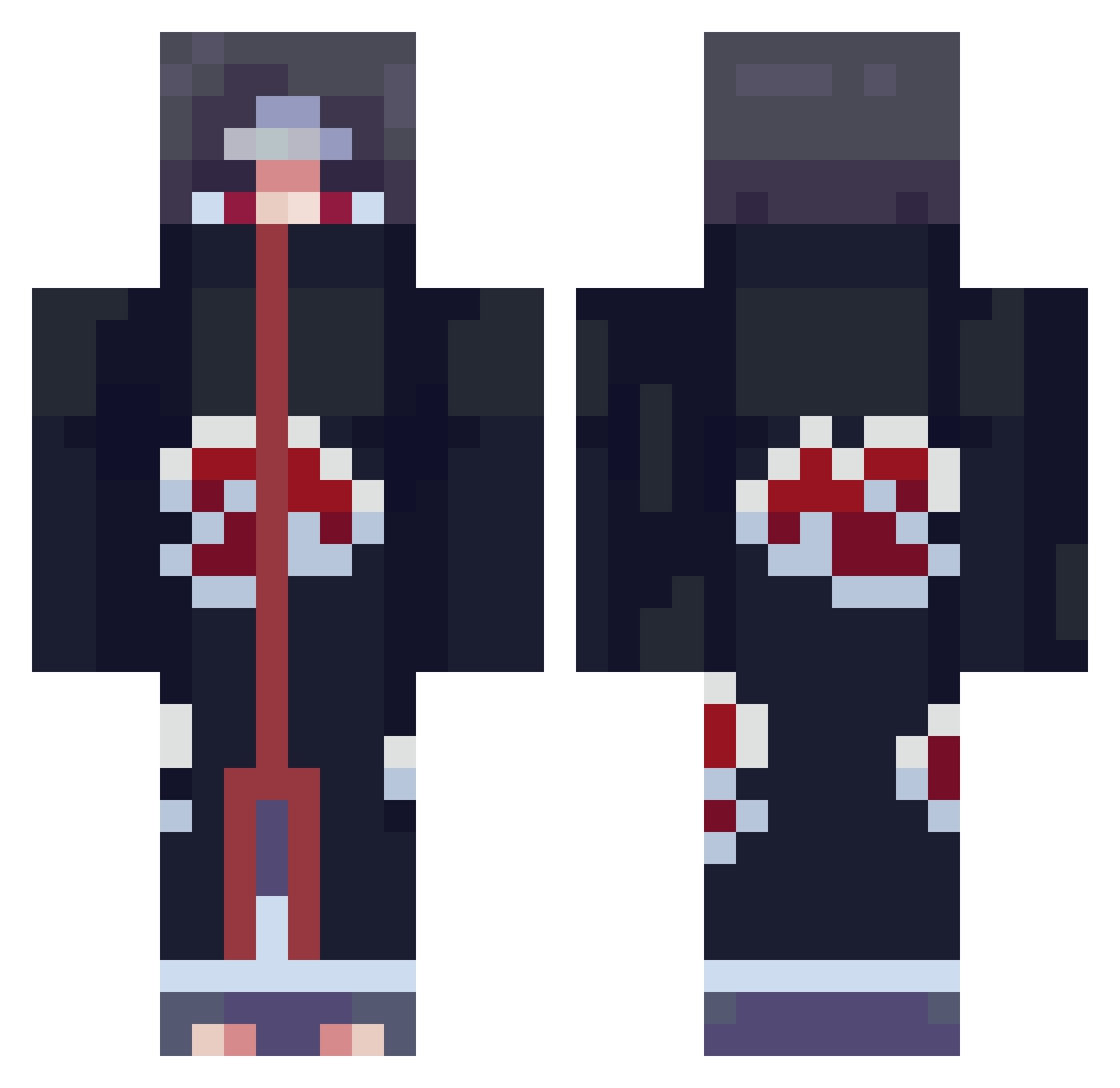
Current Minecraft skin of the player Philipptheking2, loaded from the official Mojang API. Rotate the 3D model with your mouse or finger, then download the skin as a PNG file and use it in Minecraft: Bedrock Edition or Java Edition for free. When Philipptheking2 changes their skin, this page updates automatically and the old skin stays in the history below.
Other players with this skin (709)
Philipptheking2 was the 18th player we have seen with this skin, first spotted on 23.07.2026. The same skin was seen on these players. Open a nickname to see their current skin and skin history.
 ztsparkz VeNuM16 Duansinian Flam919 TehJamLordx Un1Joy Hyraeth_ CapitanPelocho NikMaxximus unscqnnedV2 Knidck Thesabonis007 X00Lendo00X Smilemark CptXeron whitechocolate97 Joshocalypse chilli2k2 Schniddi_ GoShapyss MHRAyo tuhan7 spvoir El_Gran_Tirano CAGeorge0322 mstr_heisenberg woahhje Lockchain ButteredBrownies L30nldas bryanvelasco AvengedAxis Homem_Pinguim
 Tamakisbaby Koklikox VSATxSuizide Ryze_idk 1yoong Shadow_King11 corri kkab2 JayWavyyy MiggyXbox Joooonnyy DaviRob45 Jewish_Oven911 ArtemGGgameSS qoqoq SozGirlzButImGay PoTTerpurp Marcus543 CriticalBee Alvarez_07 Nberth spencerphoenix Minimin222 KippieAyoubb KaitoChanX DudeoMatt FaZe_H3rp3s666
More Itachi Uchiha Minecraft skins
See all 319 Itachi Uchiha skins
How to install the Philipptheking2 skin
- Press the Download button above to save the skin as a PNG file.
- Minecraft: Bedrock Edition (PE): open the Dressing Room from the main menu (or tap your character → Edit Character), go to Classic Skins → Owned, press the + (new skin) button, choose the downloaded PNG and pick the Classic (Steve) model. Works on PC and mobile; consoles cannot import custom skins.
- Minecraft: Java Edition: open the Minecraft Launcher, go to the Skins tab, click New Skin, load the PNG, pick the Classic (Steve) model and press Save & Use. You can also upload it at minecraft.net → Profile → Change Skin.
The skin does not show up after import - what should I do?
Restart Minecraft and open the Dressing Room again - imported skins sometimes appear only after a restart. Also make sure you selected the imported skin and picked the Classic (Steve) model.
Which model should I choose, Classic or Slim?
This skin is designed for the Classic (Steve) model. If you pick the wrong model, the arms of the skin will look stretched or squeezed.
Is the skin of Philipptheking2 free to download?
Yes. Press Download, save the PNG file and use it in Minecraft: Bedrock Edition or Java Edition - no payment or registration needed. The skin also works on multiplayer servers and Realms.
More skins
Looking for more? Go back to all Minecraft skins and check the top skins of the week, month and all time, or find any player's skin by nickname.