
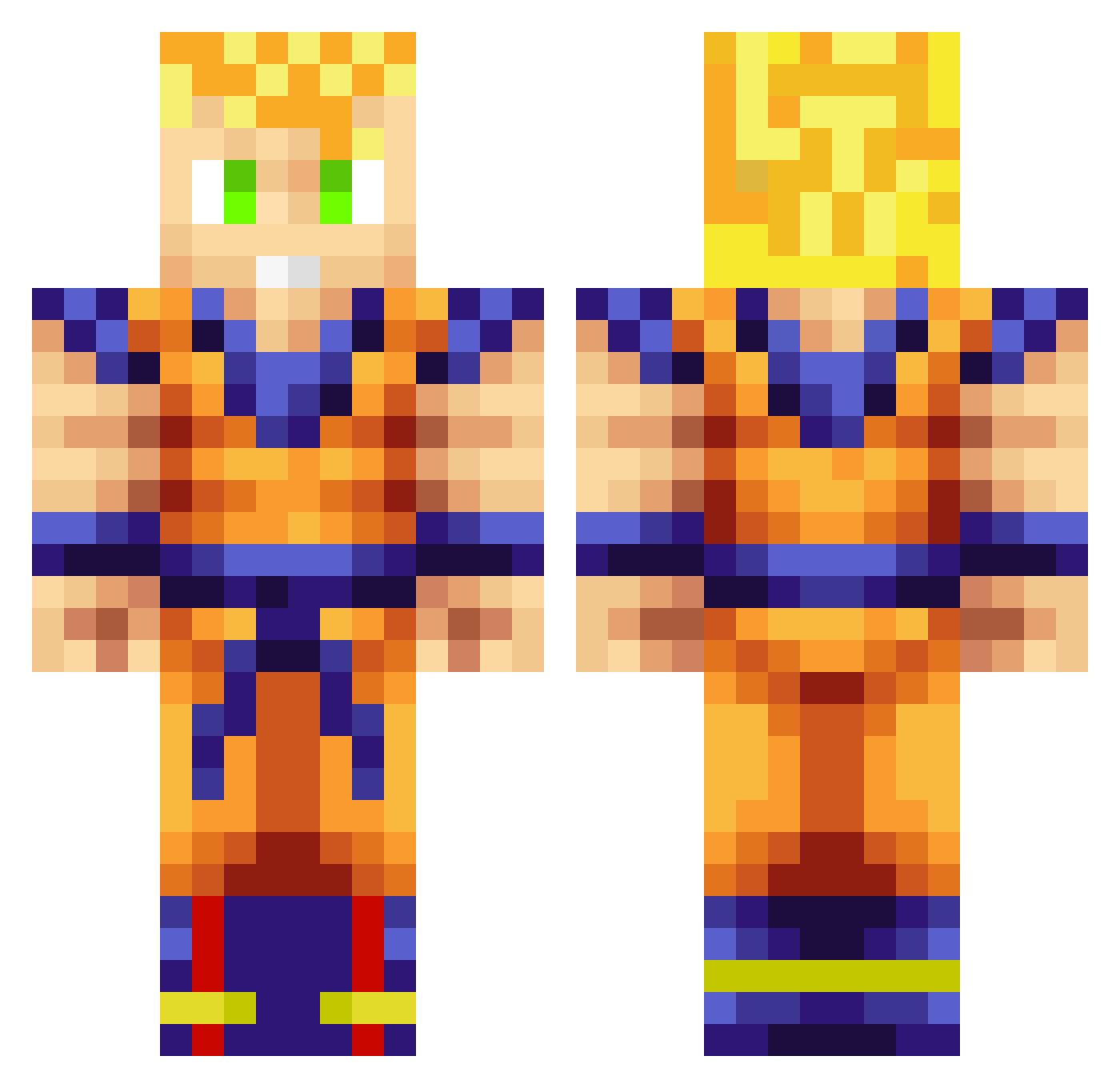
Current Minecraft skin of the player Philhelm, loaded from the official Mojang API. Rotate the 3D model with your mouse or finger, then download the skin as a PNG file and use it in Minecraft: Bedrock Edition or Java Edition for free. When Philhelm changes their skin, this page updates automatically and the old skin stays in the history below.
Other players with this skin (705)
Philhelm was the 452nd player we have seen with this skin, first spotted on 21.09.2026. The same skin was seen on these players. Open a nickname to see their current skin and skin history.
 Fruxy VivaLaGinga3 MrTchatcheur maracas89 theocouturier jalibear pablogaming4 mitsunushi killaanz LaGHaRtO bjornborgs Ethereal_Rune supernoodle99 Zarpr qmmmmm Chiron1 Runmybro BlackWallSt Ryatuf Goose1004ok ZevoCx MarcDonald GoochBeard TsToMaS415 semmlerr92 LeSaiyeN Chip_Packet BillFang LockySayn MuCkIG Jarome35 Burlo91 FinalCreeper50 polishpolak Oliviaton sean_ward RETRO_MAN06 daKriz95 M3X1C4N850 SonGokussjb alexander2500 IBen LuNaTiC_Maddox berrettaman Blinki21 Creeper87x asko77145 Orbix19 adamd20 Finalez BOTLego SSJGokuBlue Simplenator Leykor Famalem Kyrellia Gavinem Jerebeat KIYO0710 JohnReedaBook
More Goku Minecraft skins
How to install the Philhelm skin
- Press the Download button above to save the skin as a PNG file.
- Minecraft: Bedrock Edition (PE): open the Dressing Room from the main menu (or tap your character → Edit Character), go to Classic Skins → Owned, press the + (new skin) button, choose the downloaded PNG and pick the Classic (Steve) model. Works on PC and mobile; consoles cannot import custom skins.
- Minecraft: Java Edition: open the Minecraft Launcher, go to the Skins tab, click New Skin, load the PNG, pick the Classic (Steve) model and press Save & Use. You can also upload it at minecraft.net → Profile → Change Skin.
The skin does not show up after import - what should I do?
Restart Minecraft and open the Dressing Room again - imported skins sometimes appear only after a restart. Also make sure you selected the imported skin and picked the Classic (Steve) model.
Which model should I choose, Classic or Slim?
This skin is designed for the Classic (Steve) model. If you pick the wrong model, the arms of the skin will look stretched or squeezed.
Is the skin of Philhelm free to download?
Yes. Press Download, save the PNG file and use it in Minecraft: Bedrock Edition or Java Edition - no payment or registration needed. The skin also works on multiplayer servers and Realms.
More skins
Looking for more? Go back to all Minecraft skins and check the top skins of the week, month and all time, or find any player's skin by nickname.