
Phennas - Minecraft Skins & Skin History
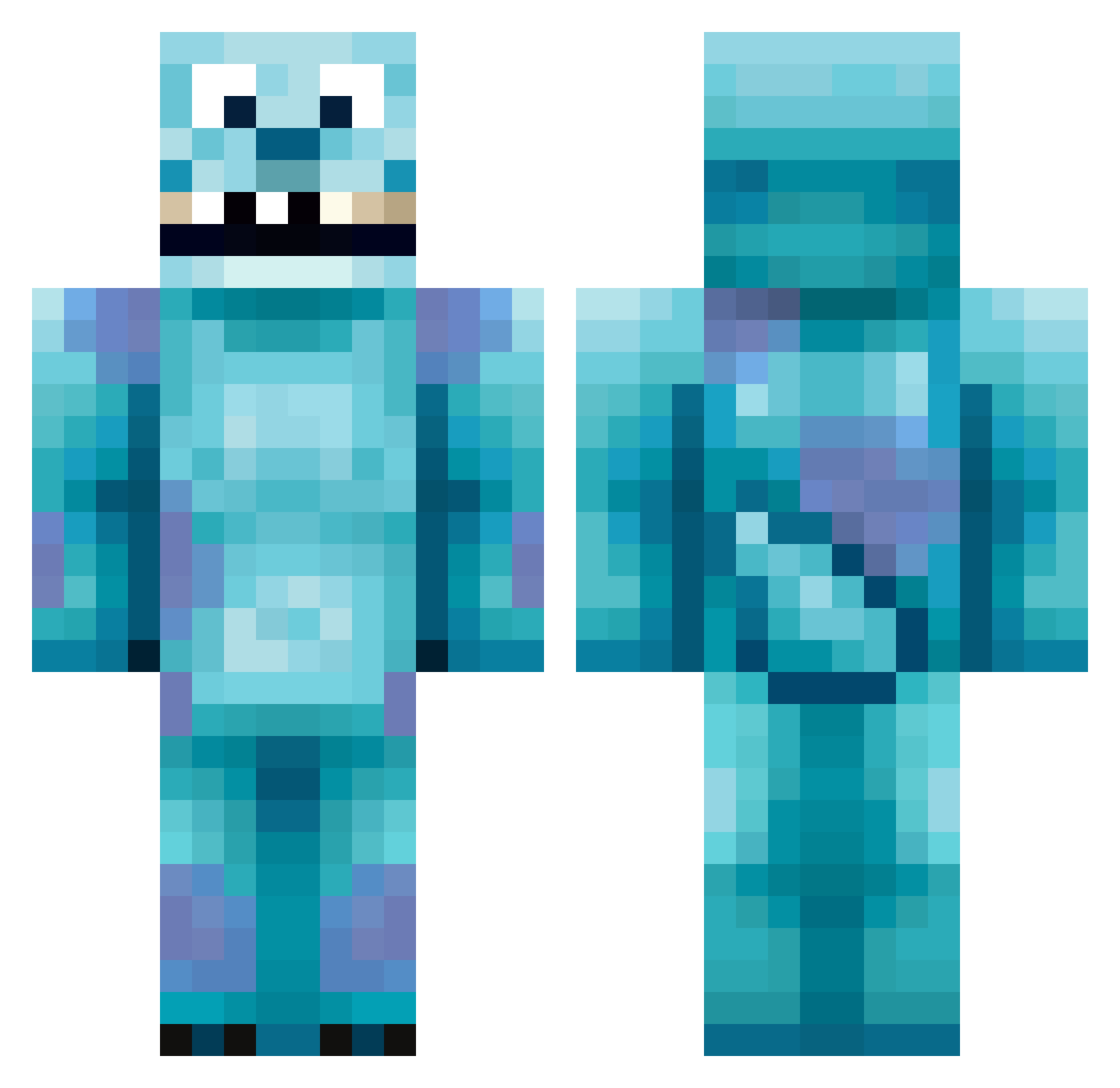
Current Minecraft skin of the player Phennas, loaded from the official Mojang API. Rotate the 3D model with your mouse or finger, then download the skin as a PNG file and use it in Minecraft: Bedrock Edition or Java Edition for free. When Phennas changes their skin, this page updates automatically and the old skin stays in the history below.
Other players with this skin (418)
Phennas was the 277th player we have seen with this skin, first spotted on 04.10.2026. The same skin was seen on these players. Open a nickname to see their current skin and skin history.
 MGFGAME KokoskiKid mike683 Sambro15 ghostbomber33 OneGreenOneBlue petterni NaoLeProute Sebbsson03 monkeykoning emelia0109 Chaazzer SomethingCarter SuGuSuPra LuckyBoris YoureEasy TheRealParlock jsaxer20 firebearytk s2tz angel1900 Some_Weird_Kid Beastman2496 Jaspervz L_eander Diggy0204 Grackulah Cl1ntB3astwood Leggy_Blonde101 DKK1N925 lass19 ehehron7 Domo2525 Josh_Murray01 IdaLover iComboHard_ plantje2501 gLNostalgic Beany138 asvbydd bluff_OR Noeffe Chuck1521 DanTret DisneyDolphin Sullyy_ milster797 Timecraf GooberBirt WookieBalls1 ewanbrandon10 Jiraya2913 Haimmie Sulli2K10 SrNeon livvyhumphrey GoldDaddy76 JeBolleMama lxurnexoxo 14miren
More Sulley Minecraft skins
How to install the Phennas skin
- Press the Download button above to save the skin as a PNG file.
- Minecraft: Bedrock Edition (PE): open the Dressing Room from the main menu (or tap your character → Edit Character), go to Classic Skins → Owned, press the + (new skin) button, choose the downloaded PNG and pick the Classic (Steve) model. Works on PC and mobile; consoles cannot import custom skins.
- Minecraft: Java Edition: open the Minecraft Launcher, go to the Skins tab, click New Skin, load the PNG, pick the Classic (Steve) model and press Save & Use. You can also upload it at minecraft.net → Profile → Change Skin.
The skin does not show up after import - what should I do?
Restart Minecraft and open the Dressing Room again - imported skins sometimes appear only after a restart. Also make sure you selected the imported skin and picked the Classic (Steve) model.
Which model should I choose, Classic or Slim?
This skin is designed for the Classic (Steve) model. If you pick the wrong model, the arms of the skin will look stretched or squeezed.
Is the skin of Phennas free to download?
Yes. Press Download, save the PNG file and use it in Minecraft: Bedrock Edition or Java Edition - no payment or registration needed. The skin also works on multiplayer servers and Realms.
More skins
Looking for more? Go back to all Minecraft skins and check the top skins of the week, month and all time, or find any player's skin by nickname.