
Pheemawat - Minecraft Skins & Skin History
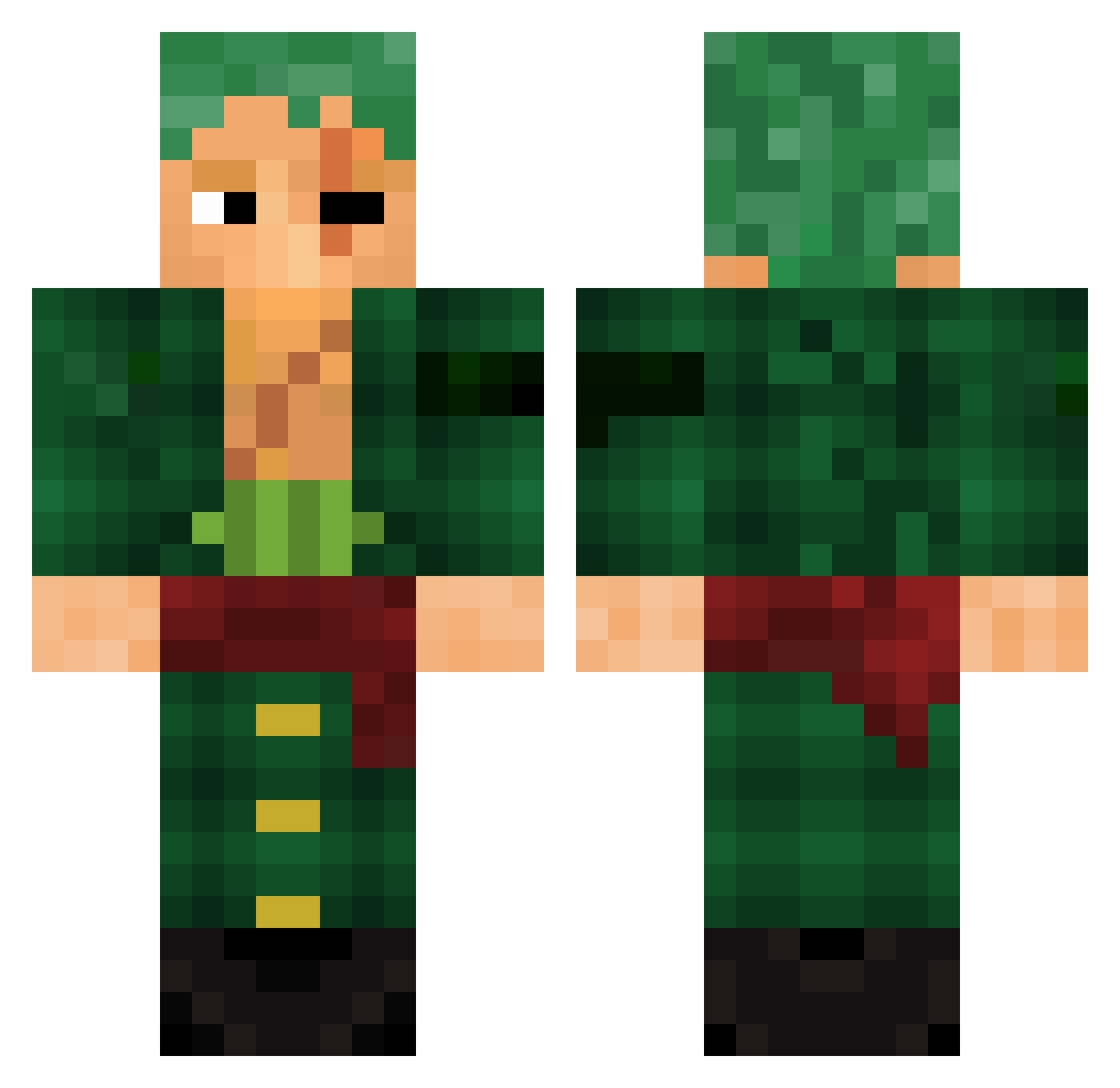
Current Minecraft skin of the player Pheemawat, loaded from the official Mojang API. Rotate the 3D model with your mouse or finger, then download the skin as a PNG file and use it in Minecraft: Bedrock Edition or Java Edition for free. When Pheemawat changes their skin, this page updates automatically and the old skin stays in the history below.
Other players with this skin (786)
Pheemawat was the 86th player we have seen with this skin, first spotted on 02.08.2026. The same skin was seen on these players. Open a nickname to see their current skin and skin history.
 Andris9118 turboslayer0712 bladeee111 PIR4TE_HUNTER_ joikonomis23 MrMarioPizza Rustbanshee TioZuku Dracaaryss OrteyP brand0n297 rah0925 DownTown53 ViaStarr DAEM0 _MrBanks_ Gunnerrask Azargol Fatih12341234 11Zoro11 Arvaker SamuraiGio H2G5 hardrockfox Wietzkid Drewskii2K HandyRock jhoanandres119 Andreikujo STyWOop PapaOngle GuntakuGamer Aka1r0 Ismailkhan20 MEXICUTIONER27 Halostrike497 Starboy_Ts jujuTora tmdrjs12 ZepixYT CODYZRIOT ShaqileOatmeal26 DANKSquirrel49 1DeZi Not_TeeMA yennnypoo Emermonster29 Angezockt9797 T1G3RW00DY maci_00 d1mm_ BigZoroFan Cocolin13 ajmiiqx Louison258 Salmane aleGrondona Ak1480 Izouya Psychoiko
More Roronoa Zoro Minecraft skins
See all 291 Roronoa Zoro skins
How to install the Pheemawat skin
- Press the Download button above to save the skin as a PNG file.
- Minecraft: Bedrock Edition (PE): open the Dressing Room from the main menu (or tap your character → Edit Character), go to Classic Skins → Owned, press the + (new skin) button, choose the downloaded PNG and pick the Classic (Steve) model. Works on PC and mobile; consoles cannot import custom skins.
- Minecraft: Java Edition: open the Minecraft Launcher, go to the Skins tab, click New Skin, load the PNG, pick the Classic (Steve) model and press Save & Use. You can also upload it at minecraft.net → Profile → Change Skin.
The skin does not show up after import - what should I do?
Restart Minecraft and open the Dressing Room again - imported skins sometimes appear only after a restart. Also make sure you selected the imported skin and picked the Classic (Steve) model.
Which model should I choose, Classic or Slim?
This skin is designed for the Classic (Steve) model. If you pick the wrong model, the arms of the skin will look stretched or squeezed.
Is the skin of Pheemawat free to download?
Yes. Press Download, save the PNG file and use it in Minecraft: Bedrock Edition or Java Edition - no payment or registration needed. The skin also works on multiplayer servers and Realms.
More skins
Looking for more? Go back to all Minecraft skins and check the top skins of the week, month and all time, or find any player's skin by nickname.