
Petite_Limule - Minecraft Skins & Skin History
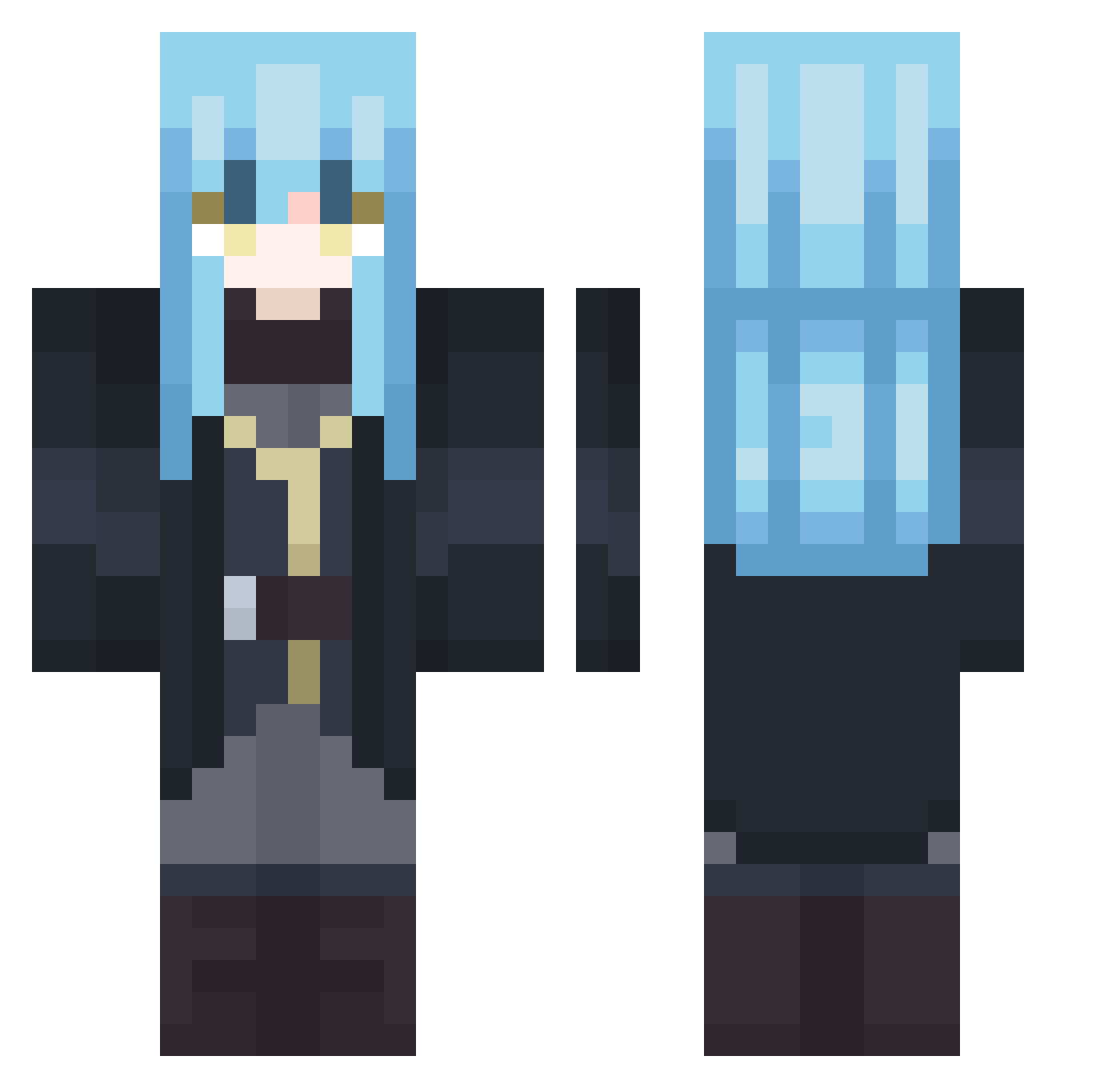
Current Minecraft skin of the player Petite_Limule, loaded from the official Mojang API. Rotate the 3D model with your mouse or finger, then download the skin as a PNG file and use it in Minecraft: Bedrock Edition or Java Edition for free. When Petite_Limule changes their skin, this page updates automatically and the old skin stays in the history below.
Other players with this skin (502)
Petite_Limule was the 426th player we have seen with this skin, first spotted on 04.11.2026. The same skin was seen on these players. Open a nickname to see their current skin and skin history.
 Mihaker215 GTSRXzz Loku710 blacqsword Rimuwuuu Act_yukkuri TioSlime98 RimuruTempest404 QuJing21 0Nozil0 G_White_G Nightowo esad2011 0u0b0228 DrSnow _JCKO_ SunnyJoy25 xnccox Lakellef Meow4U_UwU yuyannnn Conversa Fearedv Antoine7777 bobesponjas Jusliko Nao1722 5cl LimuleT1 BlueHulk1008 ModiPizza Qwix890 augustzaza007 TheEriick117 Astat86 Snnarh Altair1_2289 loulou592 Kira_Yoshikage2 gutrillaf Sevenseee Lan_Gou_ Blindjustice01 DanielYsag Falc_ Arut_5 EpsiLoNz_00 nebetsuu CalBearsDude RAGNAROEK9908 RikkaTnS ItzYuzuru Overdun DirtyHISOKA Zeboll Fhaleen okami_kurai Luunger jawad2011 ImBatman13LATS
More Rimuru Tempest Minecraft skins
See all 283 Rimuru Tempest skins
How to install the Petite_Limule skin
- Press the Download button above to save the skin as a PNG file.
- Minecraft: Bedrock Edition (PE): open the Dressing Room from the main menu (or tap your character → Edit Character), go to Classic Skins → Owned, press the + (new skin) button, choose the downloaded PNG and pick the Classic (Steve) model. Works on PC and mobile; consoles cannot import custom skins.
- Minecraft: Java Edition: open the Minecraft Launcher, go to the Skins tab, click New Skin, load the PNG, pick the Classic (Steve) model and press Save & Use. You can also upload it at minecraft.net → Profile → Change Skin.
The skin does not show up after import - what should I do?
Restart Minecraft and open the Dressing Room again - imported skins sometimes appear only after a restart. Also make sure you selected the imported skin and picked the Classic (Steve) model.
Which model should I choose, Classic or Slim?
This skin is designed for the Classic (Steve) model. If you pick the wrong model, the arms of the skin will look stretched or squeezed.
Is the skin of Petite_Limule free to download?
Yes. Press Download, save the PNG file and use it in Minecraft: Bedrock Edition or Java Edition - no payment or registration needed. The skin also works on multiplayer servers and Realms.
More skins
Looking for more? Go back to all Minecraft skins and check the top skins of the week, month and all time, or find any player's skin by nickname.