
Petermorup - Minecraft Skins & Skin History
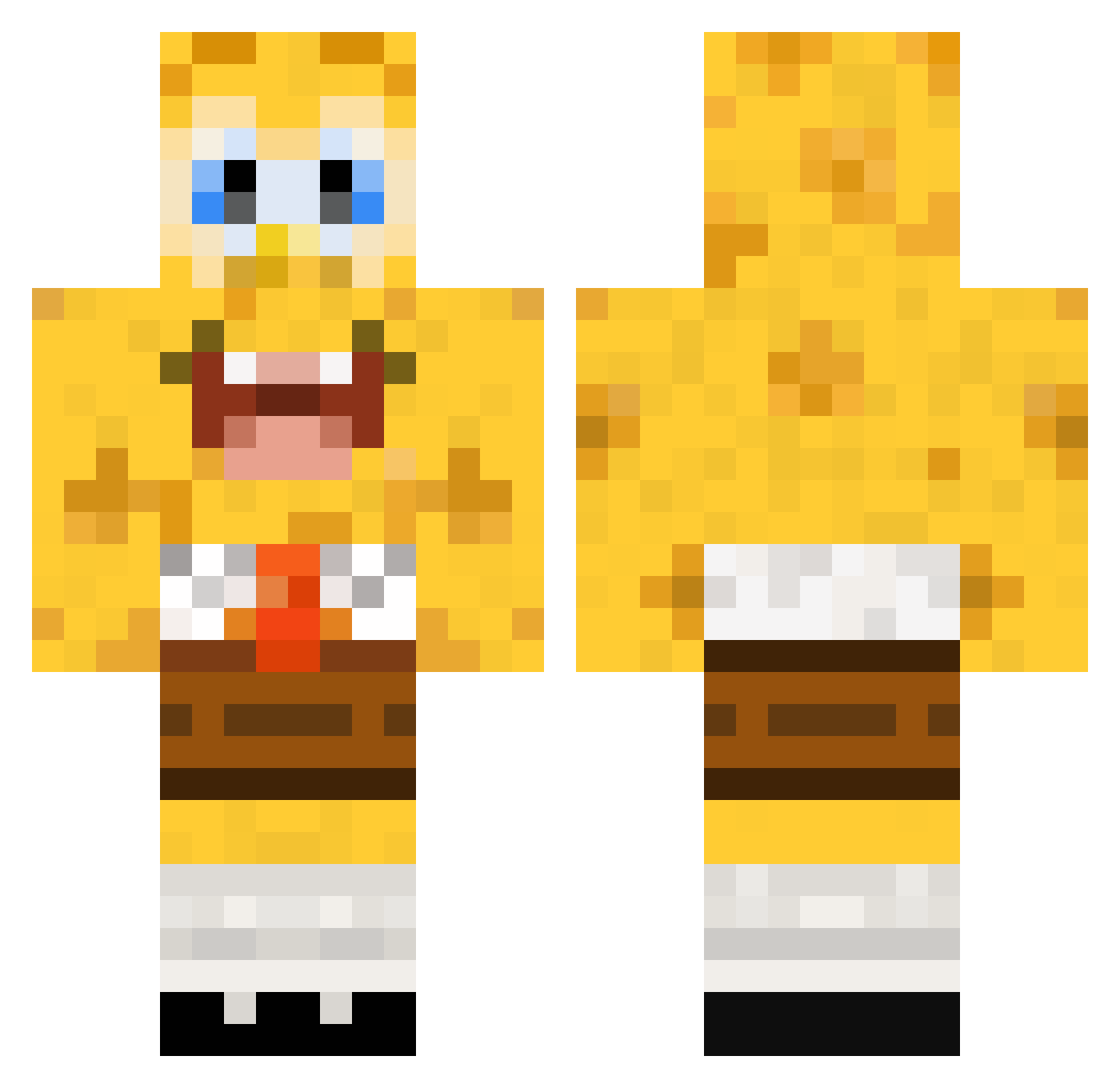
Current Minecraft skin of the player Petermorup, loaded from the official Mojang API. Rotate the 3D model with your mouse or finger, then download the skin as a PNG file and use it in Minecraft: Bedrock Edition or Java Edition for free. When Petermorup changes their skin, this page updates automatically and the old skin stays in the history below.
Other players with this skin (448)
Petermorup was the 63rd player we have seen with this skin, first spotted on 11.08.2026. The same skin was seen on these players. Open a nickname to see their current skin and skin history.
 TupariuS marksuthers tonton0604 carlocarre SANGMIN77 Sparkino StewartTillyer German_Craft2000 NinoFcz Alainvador evanfarkas97 DonStinoZ mac_attack_101 ehorn zshudak10 CaptainCrabs8 CharlesR14 Bertodsera remipauw Eare odash Brynolf33 LionheartEXE Mohamed_1321 Wolfman_2 foorang ciscog I_Be_Trollin YoniTheGreat mads_kkk liquidska ClientInjection Branko50 TheCandyMan1696 kakashi433 friedman1234 eller85 Mufikzx harjotisgay pinkpritty Owenmn ZrudZ Bobjo1017 SpongeLennon TAFIT17 silvergun358 Mountaincow22 Krischan1992 FreezZzOne aliceesha Finny1995 Bambusboy92 Baggy91VLB incyaa Abzam123 yacou137 MortenD1K egda99 dejavu0815 Chimpanjoe
More Cartoon Minecraft skins
How to install the Petermorup skin
- Press the Download button above to save the skin as a PNG file.
- Minecraft: Bedrock Edition (PE): open the Dressing Room from the main menu (or tap your character → Edit Character), go to Classic Skins → Owned, press the + (new skin) button, choose the downloaded PNG and pick the Classic (Steve) model. Works on PC and mobile; consoles cannot import custom skins.
- Minecraft: Java Edition: open the Minecraft Launcher, go to the Skins tab, click New Skin, load the PNG, pick the Classic (Steve) model and press Save & Use. You can also upload it at minecraft.net → Profile → Change Skin.
The skin does not show up after import - what should I do?
Restart Minecraft and open the Dressing Room again - imported skins sometimes appear only after a restart. Also make sure you selected the imported skin and picked the Classic (Steve) model.
Which model should I choose, Classic or Slim?
This skin is designed for the Classic (Steve) model. If you pick the wrong model, the arms of the skin will look stretched or squeezed.
Is the skin of Petermorup free to download?
Yes. Press Download, save the PNG file and use it in Minecraft: Bedrock Edition or Java Edition - no payment or registration needed. The skin also works on multiplayer servers and Realms.
More skins
Looking for more? Go back to all Minecraft skins and check the top skins of the week, month and all time, or find any player's skin by nickname.