
Peste13 - Minecraft Skins & Skin History
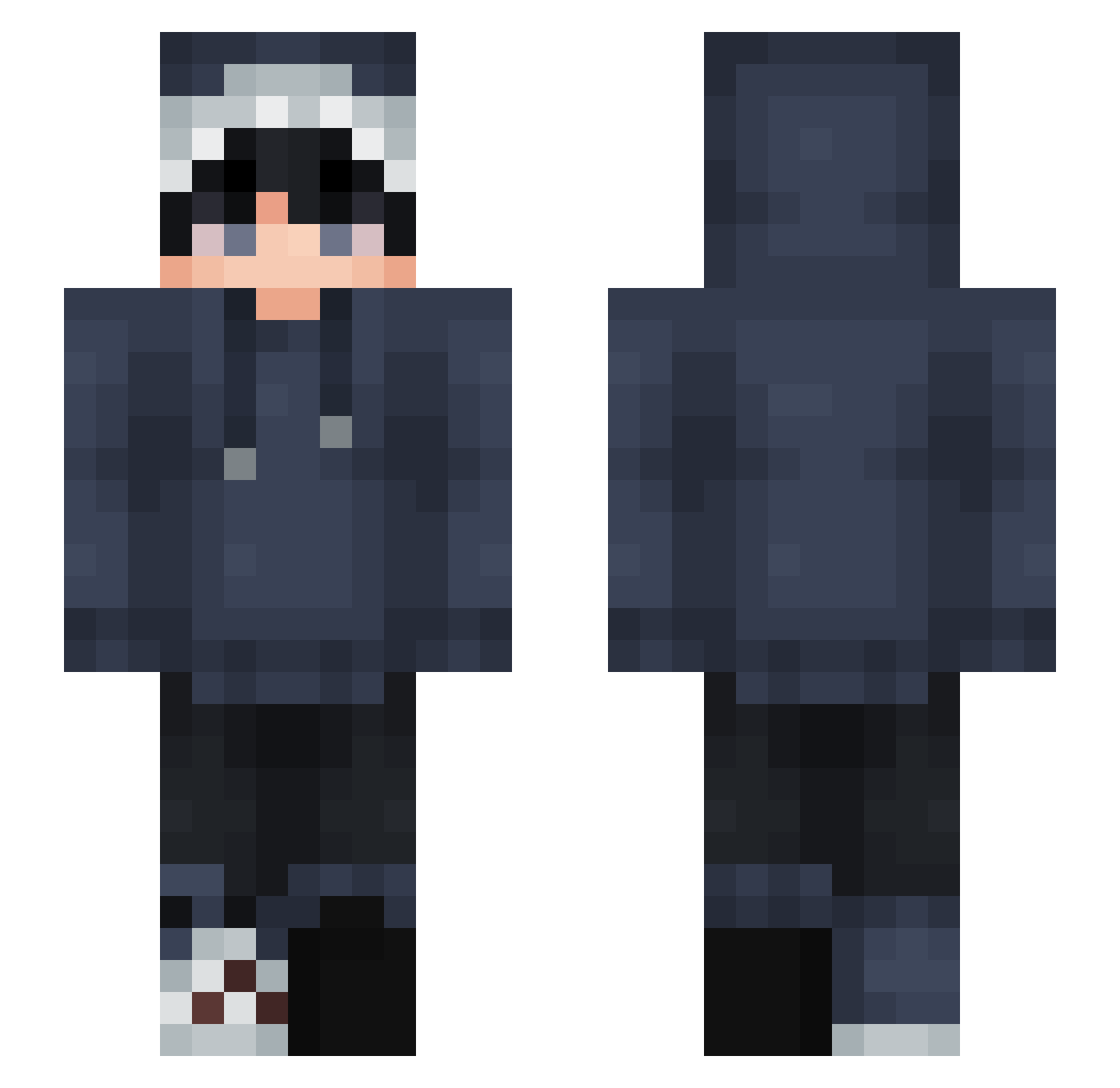
Current Minecraft skin of the player Peste13, loaded from the official Mojang API. Rotate the 3D model with your mouse or finger, then download the skin as a PNG file and use it in Minecraft: Bedrock Edition or Java Edition for free. When Peste13 changes their skin, this page updates automatically and the old skin stays in the history below.
Other players with this skin (827)
Peste13 was the 90th player we have seen with this skin, first spotted on 05.08.2026. The same skin was seen on these players. Open a nickname to see their current skin and skin history.
 Sensuelle ThePowerRanger LegendPewPew nicejih xBaqi_ FakeTwix29 jiangyanj ChrisMyG J_Man_28 Alou4 XTimo1234 STARSTEAM_X TomHrms pigsic Mimooow Taurci _aerick_ Denizzzzzzzzzz andersuu Nametooshort Venzel TomaatTobias akaDriftz TylerTC_07 LoTeXX MoonlitDraco putio1225 Eshark_dk YULE66 Walfture milenacg ItsFireBot Aurora013 MCMarkoo Sokacha Micropa bfgxw jonathan1996 RayzoeQ Arunike DoubleD162004 Mosky_ aoi0135 Pokeman_77 s1ssyyy Itz_Appa24 Crxmn AskingZeus81 1gnolle Newton_ni Mikael_Dhatz Royal_Occult SIDHARTH12 anita_max_win_ Floxxy17 sunmoon124 JJLin927 Waumann Walkerhzx resolvedHyena6
How to install the Peste13 skin
- Press the Download button above to save the skin as a PNG file.
- Minecraft: Bedrock Edition (PE): open the Dressing Room from the main menu (or tap your character → Edit Character), go to Classic Skins → Owned, press the + (new skin) button, choose the downloaded PNG and pick the Slim (Alex) model. Works on PC and mobile; consoles cannot import custom skins.
- Minecraft: Java Edition: open the Minecraft Launcher, go to the Skins tab, click New Skin, load the PNG, pick the Slim (Alex) model and press Save & Use. You can also upload it at minecraft.net → Profile → Change Skin.
The skin does not show up after import - what should I do?
Restart Minecraft and open the Dressing Room again - imported skins sometimes appear only after a restart. Also make sure you selected the imported skin and picked the Slim (Alex) model.
Which model should I choose, Classic or Slim?
This skin is designed for the Slim (Alex) model. If you pick the wrong model, the arms of the skin will look stretched or squeezed.
Is the skin of Peste13 free to download?
Yes. Press Download, save the PNG file and use it in Minecraft: Bedrock Edition or Java Edition - no payment or registration needed. The skin also works on multiplayer servers and Realms.
More skins
Looking for more? Go back to all Minecraft skins and check the top skins of the week, month and all time, or find any player's skin by nickname.