
PercyKqv - Minecraft Skins & Skin History
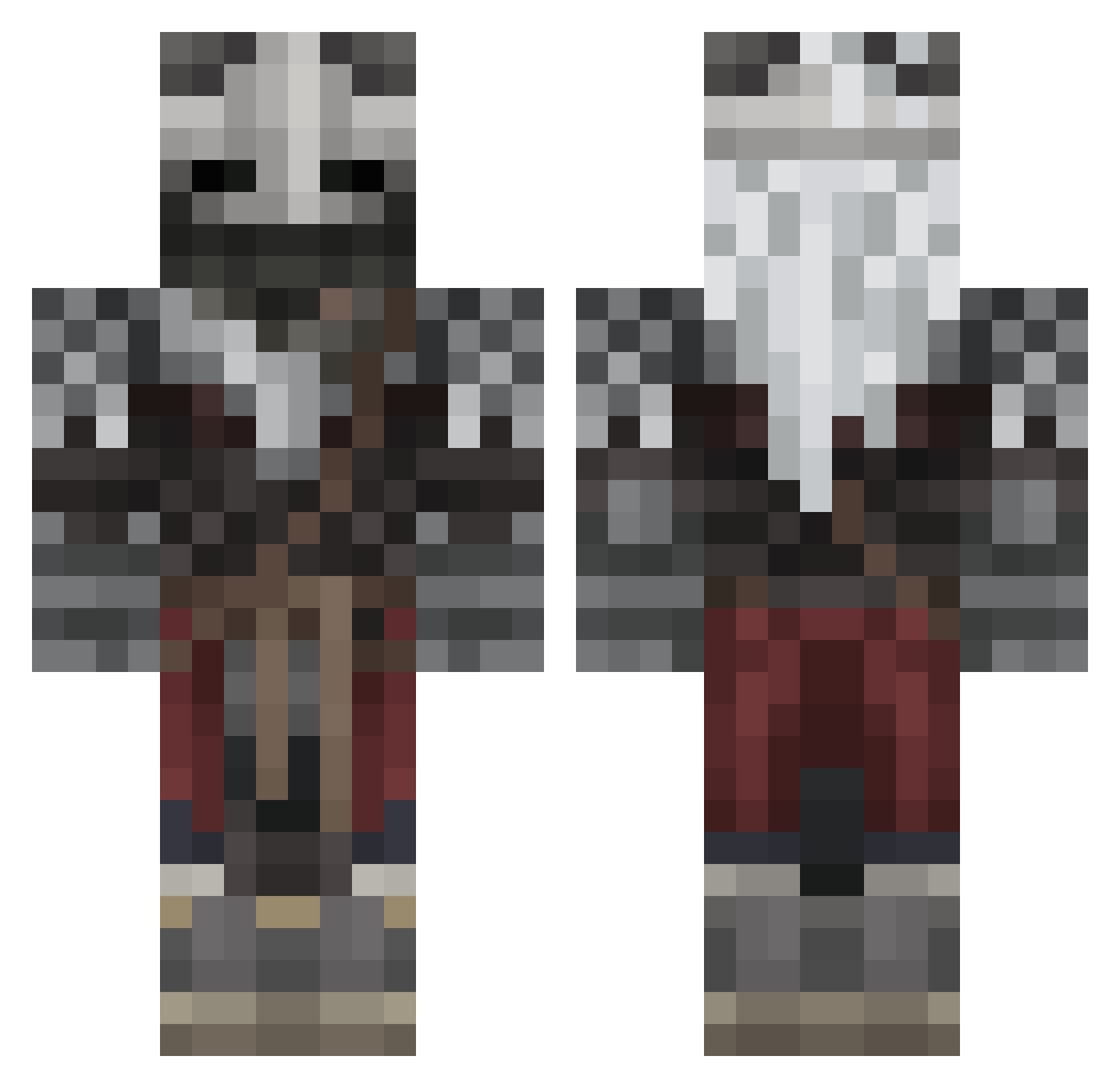
Current Minecraft skin of the player PercyKqv, loaded from the official Mojang API. Rotate the 3D model with your mouse or finger, then download the skin as a PNG file and use it in Minecraft: Bedrock Edition or Java Edition for free. When PercyKqv changes their skin, this page updates automatically and the old skin stays in the history below.
Other players with this skin (566)
PercyKqv was the 536th player we have seen with this skin, first spotted on 27.10.2026. The same skin was seen on these players. Open a nickname to see their current skin and skin history.
 SapphireCyanide Yukati RapierBoss noobthenewbie Viidiant helikod DeeJayVEVO P_diddy124 JITGian No1wind Dracorex200823 lexli008 RabodeGalo hyunwoo_DA RICEo7 MangoFrappuccino THIJMEN200 JetstreamSam69 9ty_9_ hexasynthetic rdevoniscool sedetsyy Mabdinoor SmoyerYT SyneticsLovesBBC ArabMimi franchisestill Chroshimon KetchoopRed EoJardas seasidebakery blasters24 Ar2DGON n1bbax JFEXD Concitro Dippy122 Crash14_ Andretv777 DaHumanBanjo MrOneil_ AshkorFrost adamjamescheers _NullUsername_ Leadslinger7503 Matrox_05 SINGLEEYE Gaatuna IWillGuideThee Aevrim WitoldZabujca jakeish21 PeakyGum2 Anormalcrab W_ebba JamBam425 BlackerSpiderman KrishnaV124 Cerbe_rus Alyokhin
More Warrior Minecraft skins
How to install the PercyKqv skin
- Press the Download button above to save the skin as a PNG file.
- Minecraft: Bedrock Edition (PE): open the Dressing Room from the main menu (or tap your character → Edit Character), go to Classic Skins → Owned, press the + (new skin) button, choose the downloaded PNG and pick the Classic (Steve) model. Works on PC and mobile; consoles cannot import custom skins.
- Minecraft: Java Edition: open the Minecraft Launcher, go to the Skins tab, click New Skin, load the PNG, pick the Classic (Steve) model and press Save & Use. You can also upload it at minecraft.net → Profile → Change Skin.
The skin does not show up after import - what should I do?
Restart Minecraft and open the Dressing Room again - imported skins sometimes appear only after a restart. Also make sure you selected the imported skin and picked the Classic (Steve) model.
Which model should I choose, Classic or Slim?
This skin is designed for the Classic (Steve) model. If you pick the wrong model, the arms of the skin will look stretched or squeezed.
Is the skin of PercyKqv free to download?
Yes. Press Download, save the PNG file and use it in Minecraft: Bedrock Edition or Java Edition - no payment or registration needed. The skin also works on multiplayer servers and Realms.
More skins
Looking for more? Go back to all Minecraft skins and check the top skins of the week, month and all time, or find any player's skin by nickname.