
PeepoKrumshark - Minecraft Skins & Skin History
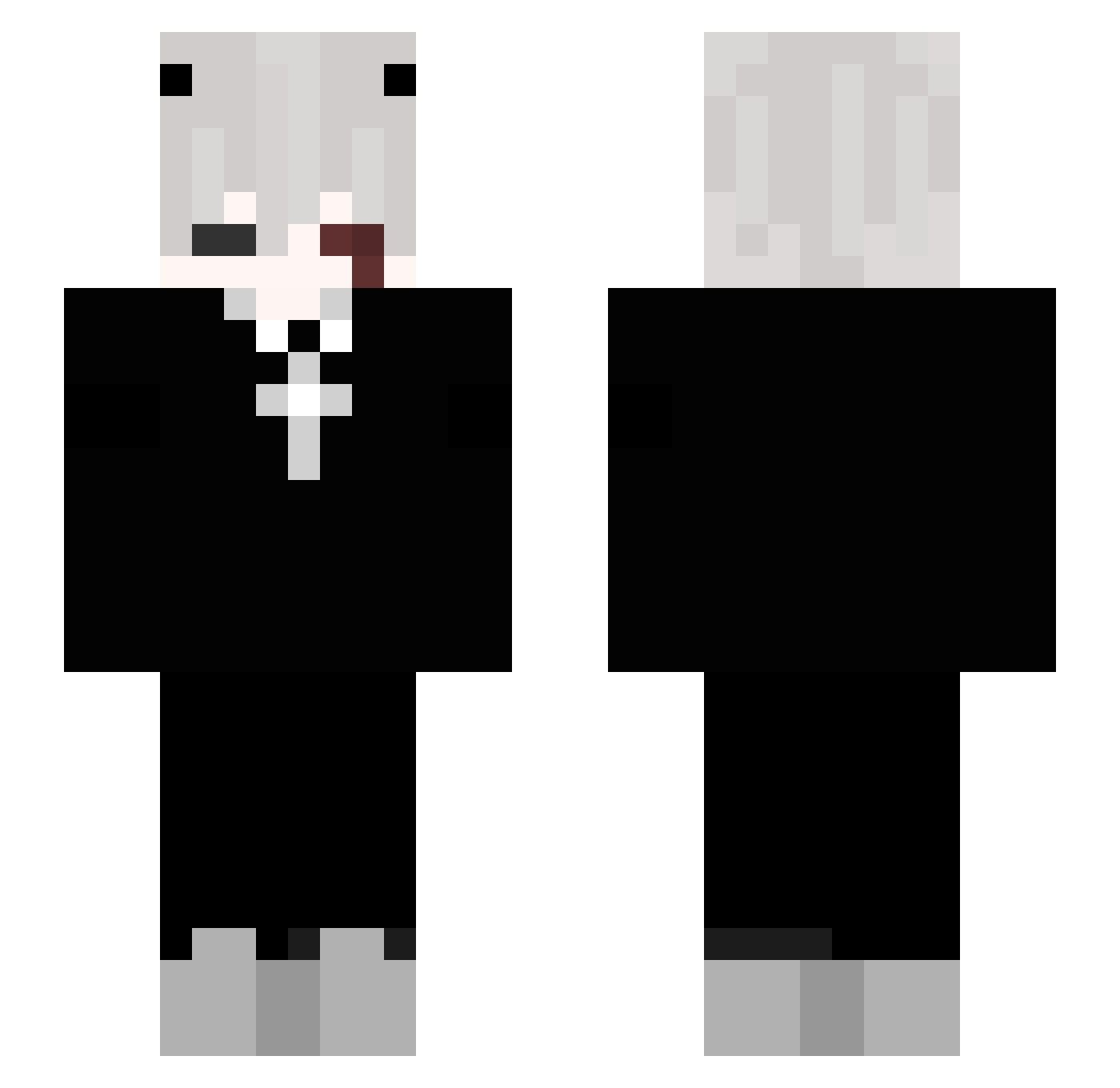
Current Minecraft skin of the player PeepoKrumshark, loaded from the official Mojang API. Rotate the 3D model with your mouse or finger, then download the skin as a PNG file and use it in Minecraft: Bedrock Edition or Java Edition for free. When PeepoKrumshark changes their skin, this page updates automatically and the old skin stays in the history below.
Other players with this skin (207)
PeepoKrumshark was the 187th player we have seen with this skin, first spotted on 22.10.2026. The same skin was seen on these players. Open a nickname to see their current skin and skin history.
 Mitashki_tashki xVaPeZzz Fynuz CoxinhaX Resster2331 xdevildante antek0513 nanakusasan InternalSlumber blingthegod Freylaig vi1y foxyuki13 TeaLeafb guzga DEAMONIUM22 AdamixV2115 Johnsi Kushal1 dmartlew NotKri MokryEdzio PigJaiouo MegaMansion99 18bumpercar meganemo120 NewFox199 _Midagent_ HoTzBoT X4RT yPewDR0_ Shader06 snauzk_dark432 illlidan KetamineClientV2 Divinity_M4n04h Wolf_Shadow_1 SMR4GAMER xParsy_ dubersao _kriki_mod_YT Dilon696 RicardoMilos1337 HeckJaws Meochaii SLayer0670 NyaGabe winter9460 Wh4terso LORDZSAMA henrkkj Inglesby MolesOnFTop qCryS microfreed Szatan_ _NNUCLEUS_ m7md_q8k HikoBaba53 zexxx167
More Cross Minecraft skins
How to install the PeepoKrumshark skin
- Press the Download button above to save the skin as a PNG file.
- Minecraft: Bedrock Edition (PE): open the Dressing Room from the main menu (or tap your character → Edit Character), go to Classic Skins → Owned, press the + (new skin) button, choose the downloaded PNG and pick the Slim (Alex) model. Works on PC and mobile; consoles cannot import custom skins.
- Minecraft: Java Edition: open the Minecraft Launcher, go to the Skins tab, click New Skin, load the PNG, pick the Slim (Alex) model and press Save & Use. You can also upload it at minecraft.net → Profile → Change Skin.
The skin does not show up after import - what should I do?
Restart Minecraft and open the Dressing Room again - imported skins sometimes appear only after a restart. Also make sure you selected the imported skin and picked the Slim (Alex) model.
Which model should I choose, Classic or Slim?
This skin is designed for the Slim (Alex) model. If you pick the wrong model, the arms of the skin will look stretched or squeezed.
Is the skin of PeepoKrumshark free to download?
Yes. Press Download, save the PNG file and use it in Minecraft: Bedrock Edition or Java Edition - no payment or registration needed. The skin also works on multiplayer servers and Realms.
More skins
Looking for more? Go back to all Minecraft skins and check the top skins of the week, month and all time, or find any player's skin by nickname.