
Paul619 - Minecraft Skins & Skin History
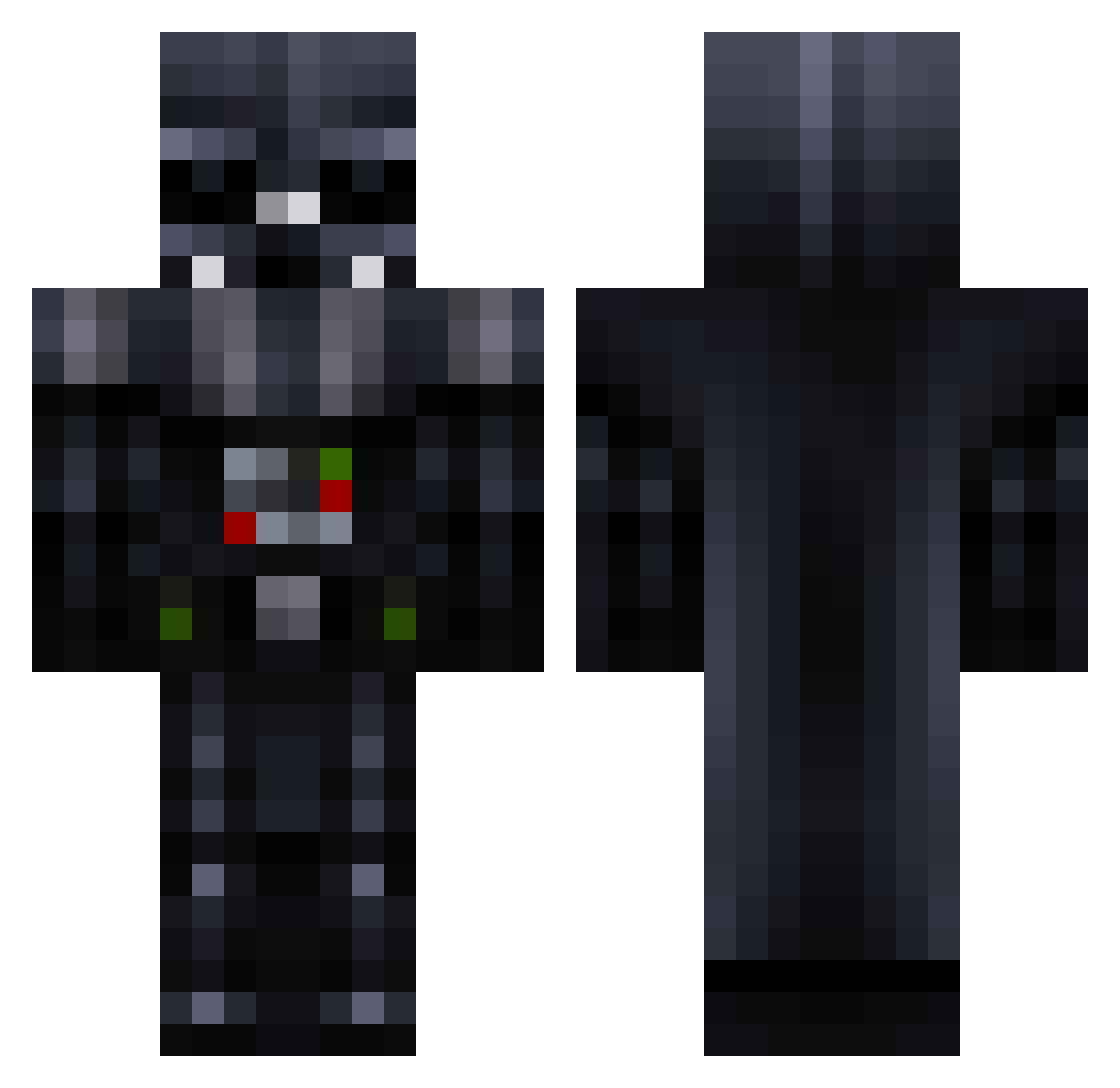
Current Minecraft skin of the player Paul619, loaded from the official Mojang API. Rotate the 3D model with your mouse or finger, then download the skin as a PNG file and use it in Minecraft: Bedrock Edition or Java Edition for free. When Paul619 changes their skin, this page updates automatically and the old skin stays in the history below.
Other players with this skin (257)
Paul619 was the 21st player we have seen with this skin, first spotted on 30.07.2026. The same skin was seen on these players. Open a nickname to see their current skin and skin history.
 Darling_H una111 thiccdumptrucc Moritzinjo Darth_Vader41 Vesledam NARUTO222 X_WingAce Zauki_hd KotzMitRotz Ozzynotmeta Lord_Remus Pandiicorn ColinGotJokes Sideshow788 inclusiv3 DDARTH_SITH JusticeGX Axrace1 Foulscreen lUnderRatedl ChickenDaWizard3 reeetardedkid Rafaeluu19 Brightsparx1996 shengrou DARTHVAPOR76 arnav_kumar6969 Sirth97 Noahenwolf JustGotWicked Sploh Leo_Watch destruction1944 MYUNGRAN EmilM1necraft ShadowDragonCD JKhanoo TheMightyGrannyy GhostlyBoost StarWars_Darth fishm4ilbox Refreshing_BJ CaptSharkyx Demonslayer658 HEISENBERG9122 pureststealth1 lostworld2024 Sakura35 themilkman1414 StarWars_Vader Rhorien IAyazStrafex Alyxyia matteomasuka TheGreatGrackle WinterRanger88 yoshi6289 DartVaper Mottakuu
More Darth Vader Minecraft skins
How to install the Paul619 skin
- Press the Download button above to save the skin as a PNG file.
- Minecraft: Bedrock Edition (PE): open the Dressing Room from the main menu (or tap your character → Edit Character), go to Classic Skins → Owned, press the + (new skin) button, choose the downloaded PNG and pick the Classic (Steve) model. Works on PC and mobile; consoles cannot import custom skins.
- Minecraft: Java Edition: open the Minecraft Launcher, go to the Skins tab, click New Skin, load the PNG, pick the Classic (Steve) model and press Save & Use. You can also upload it at minecraft.net → Profile → Change Skin.
The skin does not show up after import - what should I do?
Restart Minecraft and open the Dressing Room again - imported skins sometimes appear only after a restart. Also make sure you selected the imported skin and picked the Classic (Steve) model.
Which model should I choose, Classic or Slim?
This skin is designed for the Classic (Steve) model. If you pick the wrong model, the arms of the skin will look stretched or squeezed.
Is the skin of Paul619 free to download?
Yes. Press Download, save the PNG file and use it in Minecraft: Bedrock Edition or Java Edition - no payment or registration needed. The skin also works on multiplayer servers and Realms.
More skins
Looking for more? Go back to all Minecraft skins and check the top skins of the week, month and all time, or find any player's skin by nickname.