
PasokQT - Minecraft Skins & Skin History
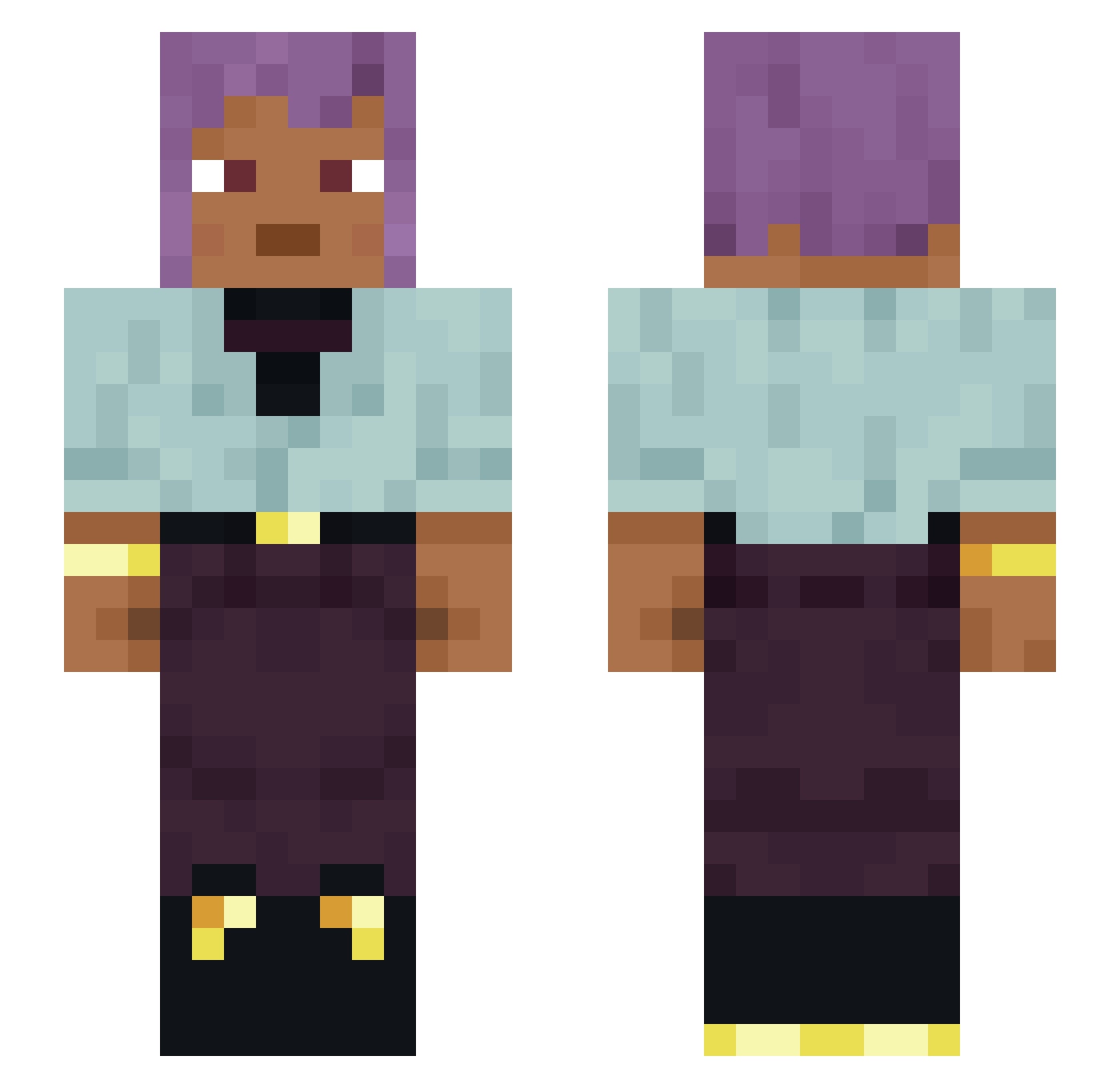
Current Minecraft skin of the player PasokQT, loaded from the official Mojang API. Rotate the 3D model with your mouse or finger, then download the skin as a PNG file and use it in Minecraft: Bedrock Edition or Java Edition for free. When PasokQT changes their skin, this page updates automatically and the old skin stays in the history below.
Other players with this skin (1120)
PasokQT was the 66th player we have seen with this skin, first spotted on 31.07.2026. The same skin was seen on these players. Open a nickname to see their current skin and skin history.
 sans Scuddle Kerem1356790 Ultra62 BB_Buffalo
 khakicocky Knops Sae_rex Torfel _b0mb4 TechnosElbow21 Negritude Ninepence 0UTTASPACE Winegrower Unchivalrous spookryn Ujang cricetus Advocation TheAetherverse Hana02 nonaqueous IdkTf Kayda7293 Anticrisis SBlaster505 SplashiHD Izzarelli39 ian343 punctum PMPuns Bismar Bignonia pleaseletmeplay yesilmaske 69dinonuggies360 oowjazaka Besteal aftersong AuriR TheAedZ Polariscope SMricky ideating
 xLUx77 Geoff72 MachaBerry Polemicist Belcher Incepts ChopKing420 Thumbprint WMSMLTM45 _Prettylongname_ LucienGrey Embryonary oRhys31 Permutations ancientswag
How to install the PasokQT skin
- Press the Download button above to save the skin as a PNG file.
- Minecraft: Bedrock Edition (PE): open the Dressing Room from the main menu (or tap your character → Edit Character), go to Classic Skins → Owned, press the + (new skin) button, choose the downloaded PNG and pick the Slim (Alex) model. Works on PC and mobile; consoles cannot import custom skins.
- Minecraft: Java Edition: open the Minecraft Launcher, go to the Skins tab, click New Skin, load the PNG, pick the Slim (Alex) model and press Save & Use. You can also upload it at minecraft.net → Profile → Change Skin.
The skin does not show up after import - what should I do?
Restart Minecraft and open the Dressing Room again - imported skins sometimes appear only after a restart. Also make sure you selected the imported skin and picked the Slim (Alex) model.
Which model should I choose, Classic or Slim?
This skin is designed for the Slim (Alex) model. If you pick the wrong model, the arms of the skin will look stretched or squeezed.
Is the skin of PasokQT free to download?
Yes. Press Download, save the PNG file and use it in Minecraft: Bedrock Edition or Java Edition - no payment or registration needed. The skin also works on multiplayer servers and Realms.
More skins
Looking for more? Go back to all Minecraft skins and check the top skins of the week, month and all time, or find any player's skin by nickname.