
Parrtnerr - Minecraft Skins & Skin History
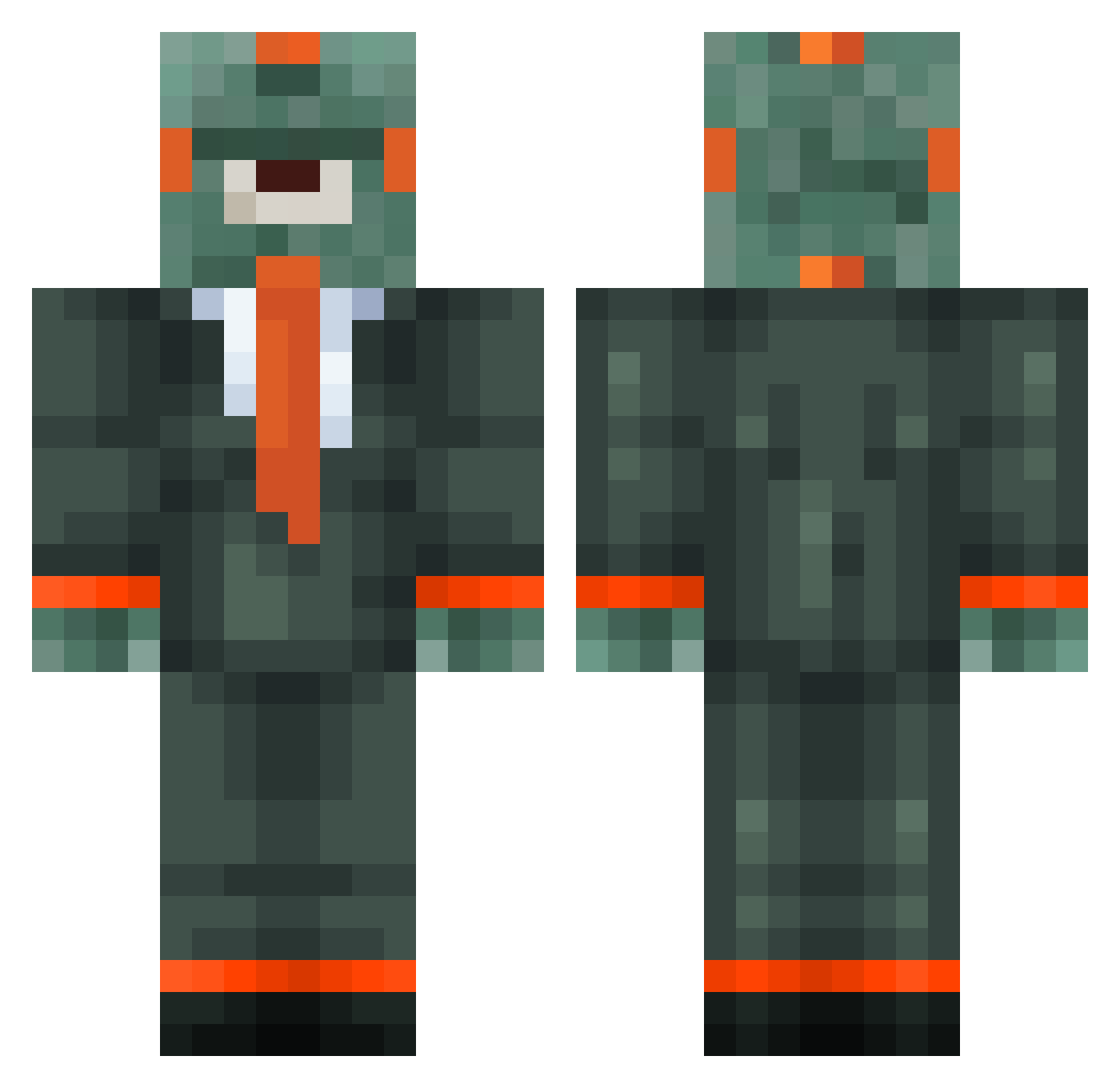
Current Minecraft skin of the player Parrtnerr, loaded from the official Mojang API. Rotate the 3D model with your mouse or finger, then download the skin as a PNG file and use it in Minecraft: Bedrock Edition or Java Edition for free. When Parrtnerr changes their skin, this page updates automatically and the old skin stays in the history below.
Other players with this skin (55)
Parrtnerr was the 17th player we have seen with this skin, first spotted on 02.09.2026. The same skin was seen on these players. Open a nickname to see their current skin and skin history.
 Rosentopf FrogZardBCoot Alveolitis BlubBot7 resident_gardian NUMIIIIII opanex Ethogenesis BlubBot3 Shadowwxz michael987648 Robomonster1 Fnife R3xhy
 bobdiegokevin46 Salmon9931 BlubBot Stoach BigPapaPumpMan Saphireking BlubBot5 angrypickles_18 Clone_trop_Ben Trilosion Guardian270 BlubBot1 AltVerse_ov3_AV QAQLemonade Duck_37 PitterMC Oizysthanatos ERROR2345 Glitch_ ShroudedHydra P3ACHBOI23 Iustin1212 CaptainCyoomin foilthefool Alpengleiter BlubAlts_R5vY leon7802 Sv2_Grim_dbu LinhFox1uwUwU Vladimir_Glutenn BigCamLad Subsidize bwtony13 BlubBot6 Sv2Corei83 SKBD_bOOHw_12 juandimcr LORDMARIZA PASIR6fxj23sezoz Mr_Fishman scottmo43
More Cyclops Minecraft skins
How to install the Parrtnerr skin
- Press the Download button above to save the skin as a PNG file.
- Minecraft: Bedrock Edition (PE): open the Dressing Room from the main menu (or tap your character → Edit Character), go to Classic Skins → Owned, press the + (new skin) button, choose the downloaded PNG and pick the Classic (Steve) model. Works on PC and mobile; consoles cannot import custom skins.
- Minecraft: Java Edition: open the Minecraft Launcher, go to the Skins tab, click New Skin, load the PNG, pick the Classic (Steve) model and press Save & Use. You can also upload it at minecraft.net → Profile → Change Skin.
The skin does not show up after import - what should I do?
Restart Minecraft and open the Dressing Room again - imported skins sometimes appear only after a restart. Also make sure you selected the imported skin and picked the Classic (Steve) model.
Which model should I choose, Classic or Slim?
This skin is designed for the Classic (Steve) model. If you pick the wrong model, the arms of the skin will look stretched or squeezed.
Is the skin of Parrtnerr free to download?
Yes. Press Download, save the PNG file and use it in Minecraft: Bedrock Edition or Java Edition - no payment or registration needed. The skin also works on multiplayer servers and Realms.
More skins
Looking for more? Go back to all Minecraft skins and check the top skins of the week, month and all time, or find any player's skin by nickname.