
Papi_Guga - Minecraft Skins & Skin History
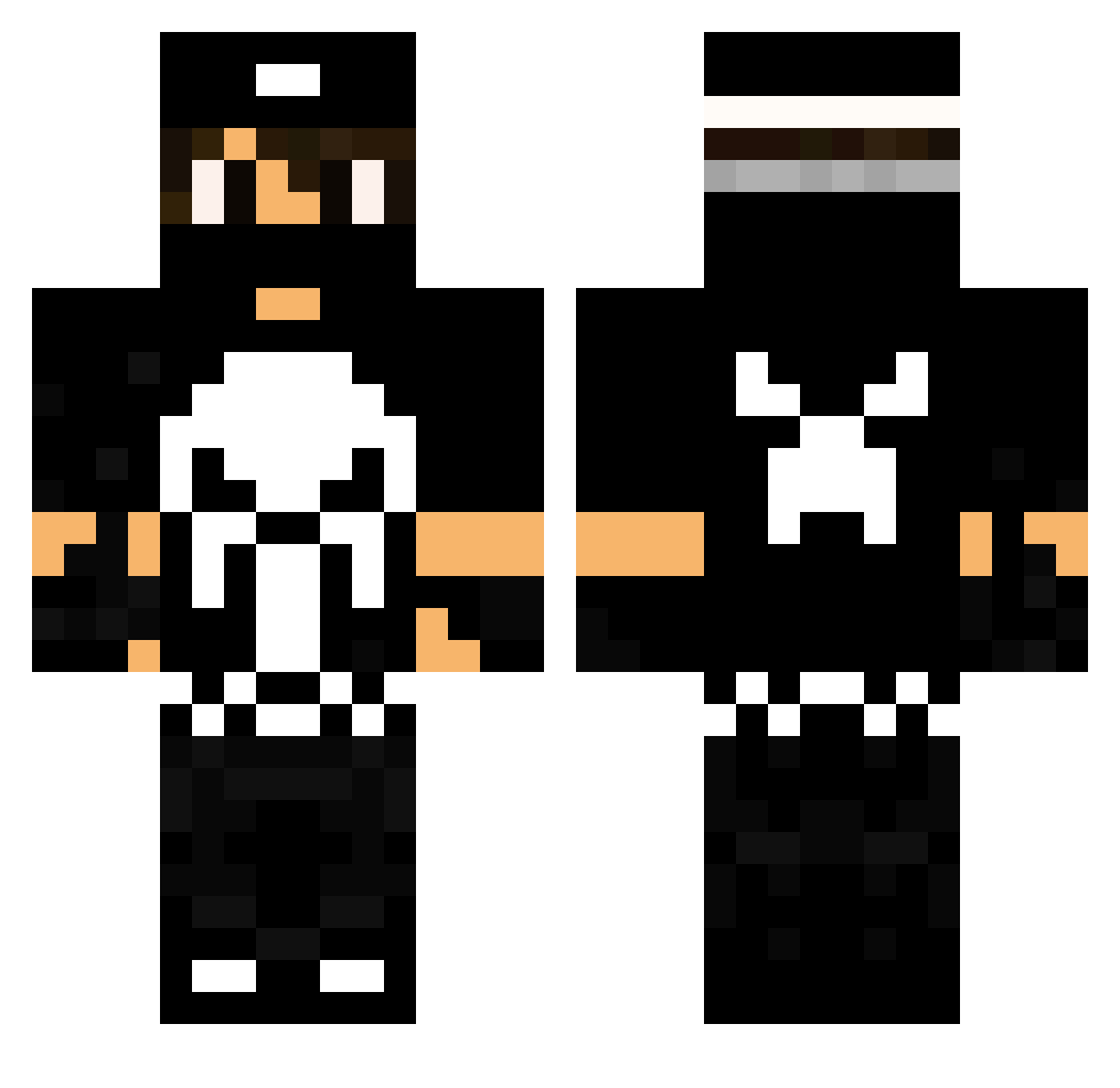
Current Minecraft skin of the player Papi_Guga, loaded from the official Mojang API. Rotate the 3D model with your mouse or finger, then download the skin as a PNG file and use it in Minecraft: Bedrock Edition or Java Edition for free. When Papi_Guga changes their skin, this page updates automatically and the old skin stays in the history below.
Other players with this skin (107)
Papi_Guga was the 32nd player we have seen with this skin, first spotted on 23.08.2026. The same skin was seen on these players. Open a nickname to see their current skin and skin history.
 Nuri1025 Mal_CZ MiPa_HD44 sthivu Footsy19 skbiribinha NIELSFCB Deamogie DynamoZ OLLIE4JC McMatsu RankCraft _Freakozoid_ KireKiller iTzOnLyPvP CoNeJo23 grimreaper426 kouillegoche GodZxFuRiA AndrewGould MeDaEz mat5615 Yo_boi_546 Moromind RenanBortolo Alberto024 airton Zennyboy101 MrBrownRashed lerodrigues1412 Anubitzs WexSK99 SHARK1_ Fernandim_09 bassie321 dudi123 BruMoure Homemrepolho PC4640 xTzGhost_ Danielopes_ ChromeADV Paranormoli LuckyCR KeyZak_ epigore ze_felipe Ariel1214 Kaze1n Methesda Roger_Jackson MafiaGPlay Rayen_YT Jacopo_Carlos HelgaHautDrauf kmarxvii Koredori Monster440 Blackdaz77 iiMHWoos98
More The Punisher Minecraft skins
See all 155 The Punisher skins
How to install the Papi_Guga skin
- Press the Download button above to save the skin as a PNG file.
- Minecraft: Bedrock Edition (PE): open the Dressing Room from the main menu (or tap your character → Edit Character), go to Classic Skins → Owned, press the + (new skin) button, choose the downloaded PNG and pick the Classic (Steve) model. Works on PC and mobile; consoles cannot import custom skins.
- Minecraft: Java Edition: open the Minecraft Launcher, go to the Skins tab, click New Skin, load the PNG, pick the Classic (Steve) model and press Save & Use. You can also upload it at minecraft.net → Profile → Change Skin.
The skin does not show up after import - what should I do?
Restart Minecraft and open the Dressing Room again - imported skins sometimes appear only after a restart. Also make sure you selected the imported skin and picked the Classic (Steve) model.
Which model should I choose, Classic or Slim?
This skin is designed for the Classic (Steve) model. If you pick the wrong model, the arms of the skin will look stretched or squeezed.
Is the skin of Papi_Guga free to download?
Yes. Press Download, save the PNG file and use it in Minecraft: Bedrock Edition or Java Edition - no payment or registration needed. The skin also works on multiplayer servers and Realms.
More skins
Looking for more? Go back to all Minecraft skins and check the top skins of the week, month and all time, or find any player's skin by nickname.