
Paninibig - Minecraft Skins & Skin History
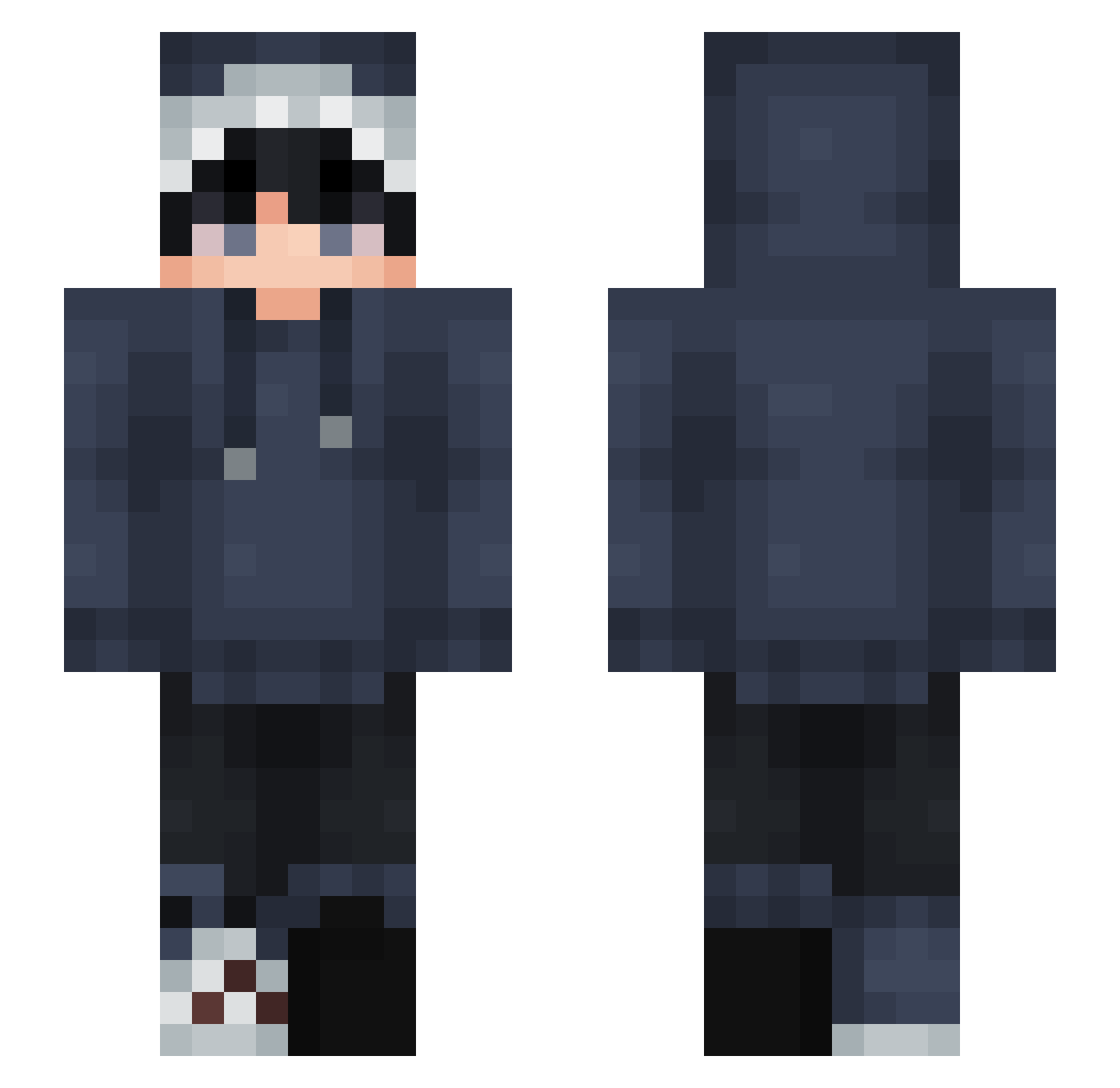
Current Minecraft skin of the player Paninibig, loaded from the official Mojang API. Rotate the 3D model with your mouse or finger, then download the skin as a PNG file and use it in Minecraft: Bedrock Edition or Java Edition for free. When Paninibig changes their skin, this page updates automatically and the old skin stays in the history below.
Other players with this skin (827)
Paninibig was the 190th player we have seen with this skin, first spotted on 19.08.2026. The same skin was seen on these players. Open a nickname to see their current skin and skin history.
 cksdn10 plincofarmador sleepydraqon alejandrot01 BABYSHABZ dgg4by Vexorx I_Tia_I beb4488 H_Deuk
 abstraCT198 YKennen _Velvetox syrian76 PhoenixFeder379 yeet_god4 coolboy93 NightSlayer2050 Titolino88 iCica wander329 Phaserrrr CrunchyNapkin13 Lynxx247
 LeliProGamer2013 weoew_ Fish9773 Kara7u Jslgy Vizo_Is_Loppy LeCubeCarre zabkasa sksmsmy BCZDNC molie5723 Potatokingmaster Valk9402 NiYKX Nero_BH17 Xiao_xi071117 RitterMats ColUrKING Perspect_ve P_Peo3147 WzChaMP NotVonn MinterSh1Fu stripestripes00 Rowan_Cp lagon21 __garden__ Melvabot JBroBurrito g0tichk1tten xK0x Marquyn iiDqmy Cracked_Frozy LongDongLi theblackbug70
How to install the Paninibig skin
- Press the Download button above to save the skin as a PNG file.
- Minecraft: Bedrock Edition (PE): open the Dressing Room from the main menu (or tap your character → Edit Character), go to Classic Skins → Owned, press the + (new skin) button, choose the downloaded PNG and pick the Slim (Alex) model. Works on PC and mobile; consoles cannot import custom skins.
- Minecraft: Java Edition: open the Minecraft Launcher, go to the Skins tab, click New Skin, load the PNG, pick the Slim (Alex) model and press Save & Use. You can also upload it at minecraft.net → Profile → Change Skin.
The skin does not show up after import - what should I do?
Restart Minecraft and open the Dressing Room again - imported skins sometimes appear only after a restart. Also make sure you selected the imported skin and picked the Slim (Alex) model.
Which model should I choose, Classic or Slim?
This skin is designed for the Slim (Alex) model. If you pick the wrong model, the arms of the skin will look stretched or squeezed.
Is the skin of Paninibig free to download?
Yes. Press Download, save the PNG file and use it in Minecraft: Bedrock Edition or Java Edition - no payment or registration needed. The skin also works on multiplayer servers and Realms.
More skins
Looking for more? Go back to all Minecraft skins and check the top skins of the week, month and all time, or find any player's skin by nickname.