
Pam2bastia - Minecraft Skins & Skin History
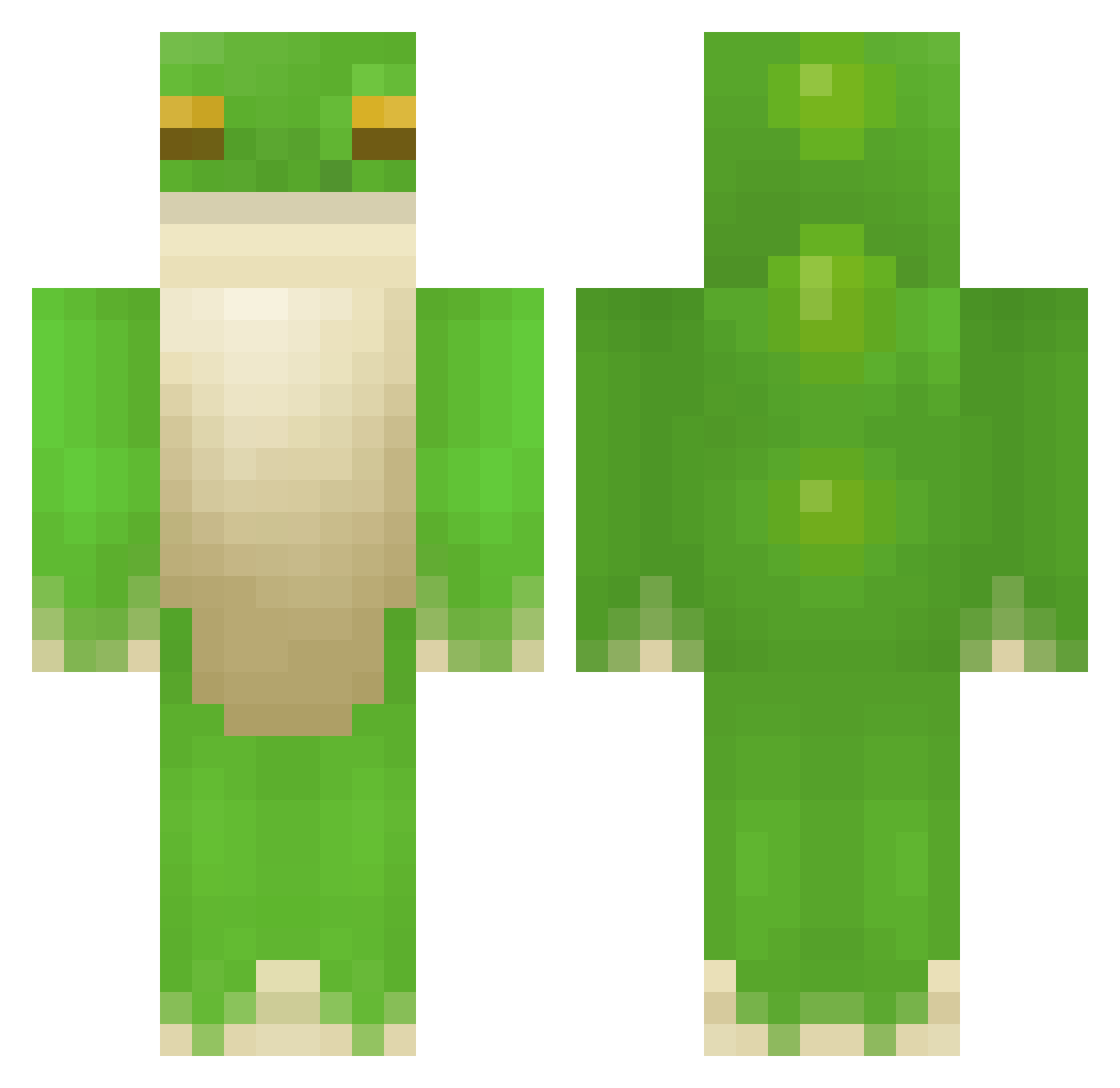
Current Minecraft skin of the player Pam2bastia, loaded from the official Mojang API. Rotate the 3D model with your mouse or finger, then download the skin as a PNG file and use it in Minecraft: Bedrock Edition or Java Edition for free. When Pam2bastia changes their skin, this page updates automatically and the old skin stays in the history below.
Other players with this skin (408)
Pam2bastia was the 283rd player we have seen with this skin, first spotted on 08.10.2026. The same skin was seen on these players. Open a nickname to see their current skin and skin history.
 samchae01 BigPimpinlol Oct0man kermitos0011 baronwalsh Bruhenda SimFour vonnster55 Varientus MC785603 AsianCookieboy_ Pretentios sammyjah zeTrud stabtarzan spear172 Stupidfish233 dapaoshu Demented_Frog Ayzac121 SkittleFrog mrvivona LaRanaRey biggcheems ALEXQSO rancidmilk69 Trinleas13 KEROST0412 Iou94 Frogthedragonkin Nicholieoli ItzZayMC shroompt jerichoCAI Choanocyte BaileyBot123 Zaba_gsn sea__weed MyBlacKettle iluvmorg ChilledCaprisun nippuru Jeangautier69 Meltingpath UnknownVitamin cashewsarenuts alhatt StickySticky RookCook Snokded TheSpeedrunDude forthgh E1ias147 gengoob GoldSphinx779 R4zolaxy64 cheestoastt simcat17 StealthyFroggy Sekeisdead
More Frog Minecraft skins
How to install the Pam2bastia skin
- Press the Download button above to save the skin as a PNG file.
- Minecraft: Bedrock Edition (PE): open the Dressing Room from the main menu (or tap your character → Edit Character), go to Classic Skins → Owned, press the + (new skin) button, choose the downloaded PNG and pick the Classic (Steve) model. Works on PC and mobile; consoles cannot import custom skins.
- Minecraft: Java Edition: open the Minecraft Launcher, go to the Skins tab, click New Skin, load the PNG, pick the Classic (Steve) model and press Save & Use. You can also upload it at minecraft.net → Profile → Change Skin.
The skin does not show up after import - what should I do?
Restart Minecraft and open the Dressing Room again - imported skins sometimes appear only after a restart. Also make sure you selected the imported skin and picked the Classic (Steve) model.
Which model should I choose, Classic or Slim?
This skin is designed for the Classic (Steve) model. If you pick the wrong model, the arms of the skin will look stretched or squeezed.
Is the skin of Pam2bastia free to download?
Yes. Press Download, save the PNG file and use it in Minecraft: Bedrock Edition or Java Edition - no payment or registration needed. The skin also works on multiplayer servers and Realms.
More skins
Looking for more? Go back to all Minecraft skins and check the top skins of the week, month and all time, or find any player's skin by nickname.