
Pablovm - Minecraft Skins & Skin History
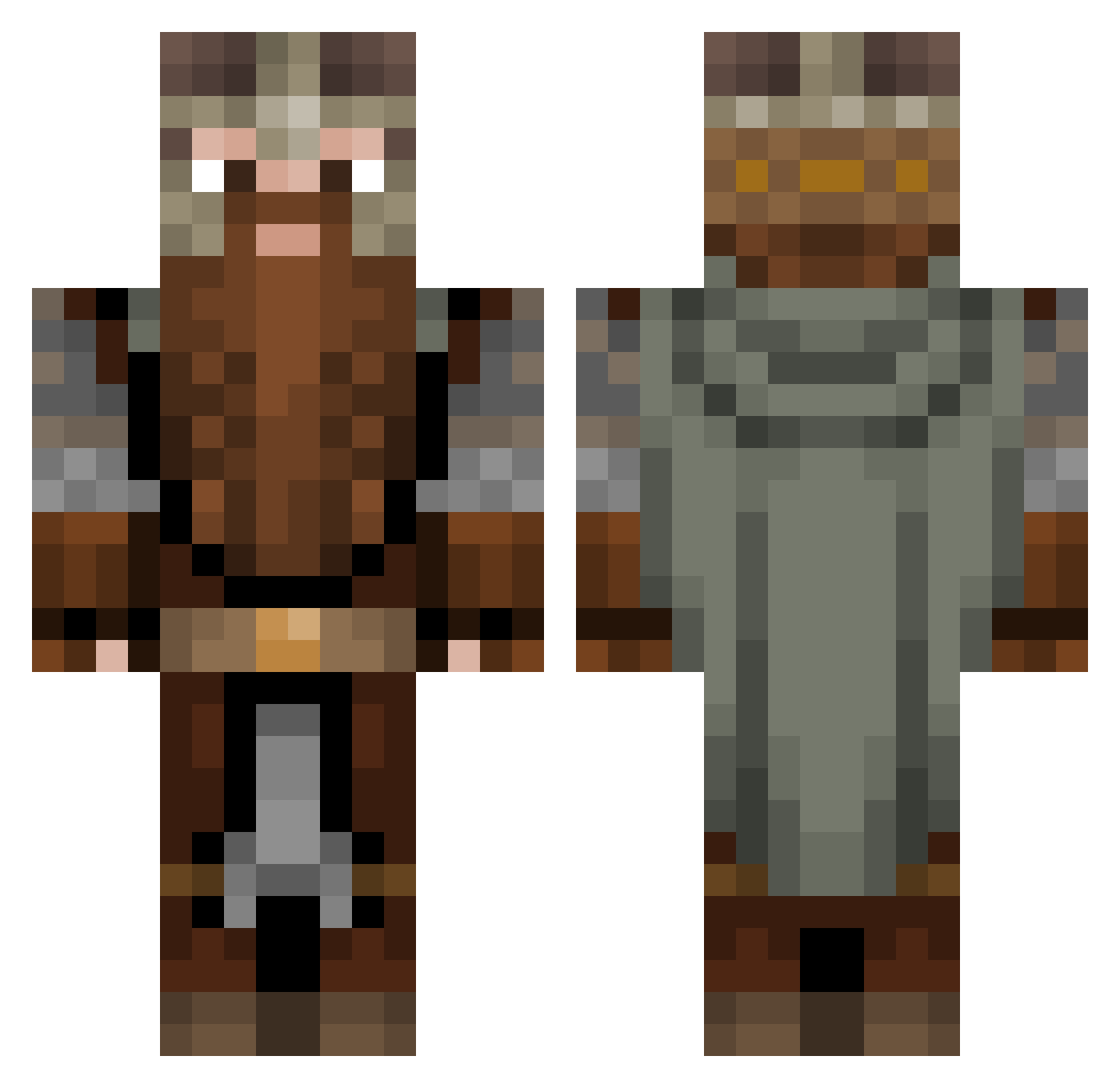
Current Minecraft skin of the player Pablovm, loaded from the official Mojang API. Rotate the 3D model with your mouse or finger, then download the skin as a PNG file and use it in Minecraft: Bedrock Edition or Java Edition for free. When Pablovm changes their skin, this page updates automatically and the old skin stays in the history below.
Other players with this skin (53)
Pablovm was the 22nd player we have seen with this skin, first spotted on 12.09.2026. The same skin was seen on these players. Open a nickname to see their current skin and skin history.
 Hobbyhorn admagic06 LianchuCz Saxdasm morgontr0tt SpeedRazor Bladed_fox1 Ezrahhhh OrmaLifewild Tungdil14 Admiral_Sneve Tahitil2 MrSteveCreep Grim_Creepers Horkoyd IA007 Combfish LePilgrim Ventriloquizsm PJ019 elij_66 Night_Munkey Obfusco Schwarzmaler Buxe27 Soviet_Spycrab Alex48765 Dark_Wish Moewenfels emilgamer20090 BornToDig Ronict El_Pirlone Seraphia13 DirtDr DretonHUN DokhiHietala RyanFrankDaTanka CROFFYANTIDOTE Jens220 NeonBaron MustardG66 VericonMoth Npex42 DiabolicaBanana deadMAN_PRO Tillata3 btSx21 Icymadness RowdieRussian _Mister99_ Rei_Silver Lejoub
More Dwarf Minecraft skins
How to install the Pablovm skin
- Press the Download button above to save the skin as a PNG file.
- Minecraft: Bedrock Edition (PE): open the Dressing Room from the main menu (or tap your character → Edit Character), go to Classic Skins → Owned, press the + (new skin) button, choose the downloaded PNG and pick the Classic (Steve) model. Works on PC and mobile; consoles cannot import custom skins.
- Minecraft: Java Edition: open the Minecraft Launcher, go to the Skins tab, click New Skin, load the PNG, pick the Classic (Steve) model and press Save & Use. You can also upload it at minecraft.net → Profile → Change Skin.
The skin does not show up after import - what should I do?
Restart Minecraft and open the Dressing Room again - imported skins sometimes appear only after a restart. Also make sure you selected the imported skin and picked the Classic (Steve) model.
Which model should I choose, Classic or Slim?
This skin is designed for the Classic (Steve) model. If you pick the wrong model, the arms of the skin will look stretched or squeezed.
Is the skin of Pablovm free to download?
Yes. Press Download, save the PNG file and use it in Minecraft: Bedrock Edition or Java Edition - no payment or registration needed. The skin also works on multiplayer servers and Realms.
More skins
Looking for more? Go back to all Minecraft skins and check the top skins of the week, month and all time, or find any player's skin by nickname.