
Paaad96 - Minecraft Skins & Skin History
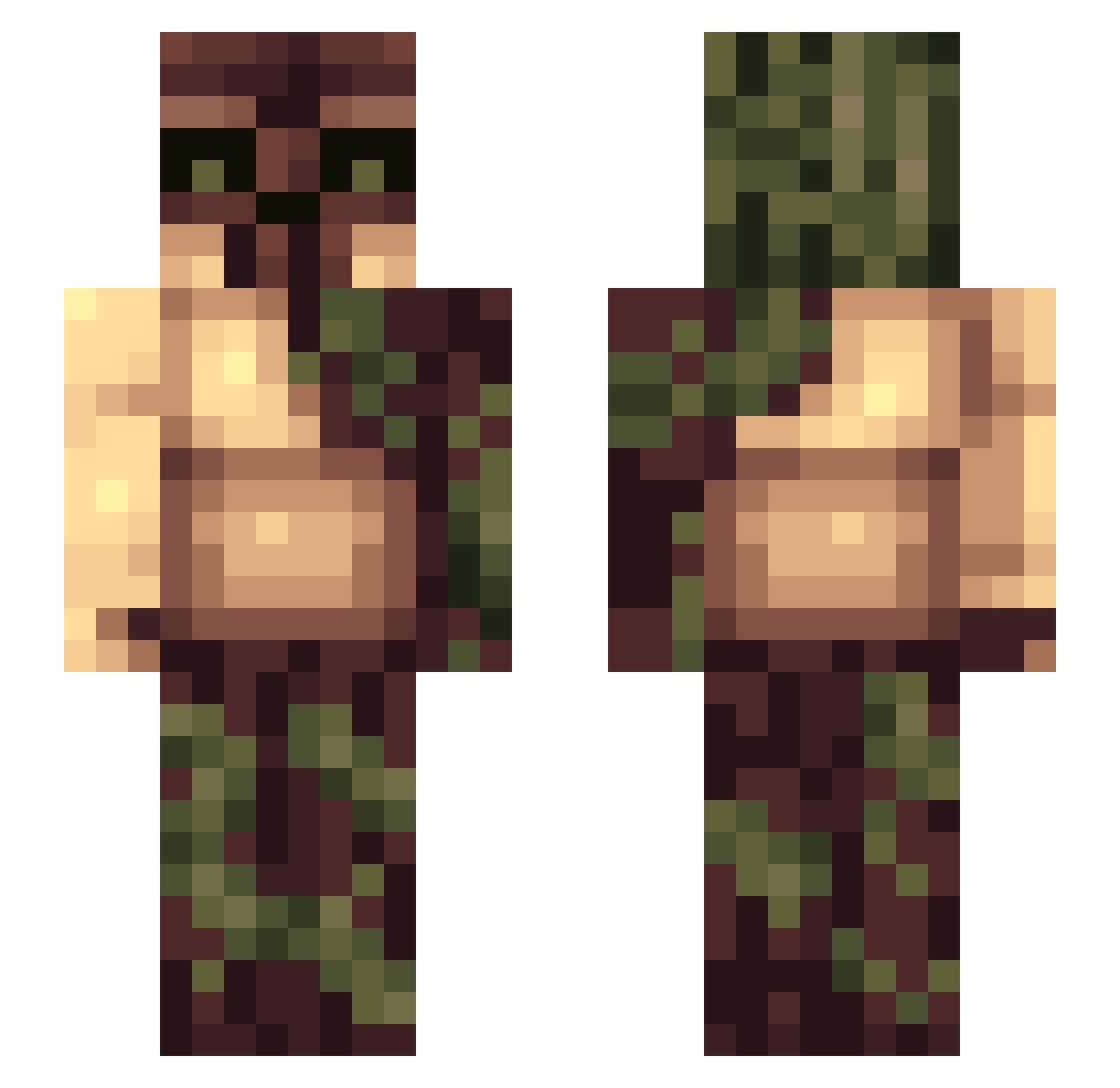
Current Minecraft skin of the player Paaad96, loaded from the official Mojang API. Rotate the 3D model with your mouse or finger, then download the skin as a PNG file and use it in Minecraft: Bedrock Edition or Java Edition for free. When Paaad96 changes their skin, this page updates automatically and the old skin stays in the history below.
Other players with this skin (196)
Paaad96 was the 158th player we have seen with this skin, first spotted on 17.10.2026. The same skin was seen on these players. Open a nickname to see their current skin and skin history.
 gibbsys Mechagoblin Kamodar wesleynick SimXnet Klaxc GamesGamerTG PokiMomo ezrabro BBBRRRRUUUUHHHH Xratigo rasmi123 BangerMuffin AWastrel Leonin_ bobberr randomguynr1 DatBlueHorse Kid_32 nieks CawCawCaw HRodriguez7 jchristoph xSkarrg General668 chillaboy94 iDerek icyflame21 jpkasch 10s037 Vimto223 SovkoKot superfret360 Mochro Bhangi Swampmaster86 Mospider KBMavric TheBigFuzzy Tim_Gerla GeneralChao5 Seiyaku eldest3000 cy_clops Kilomo00 Magus_Exclamus Jan732 Blue0rk insidemyskin Knucker YoungTrapper BOUT_cool NebraskaDaddy hellfire402 HyPe_SCCranezz nhw2003 AlmightyTato Minor6 PatKING25 AsgerELJ
More Golem Minecraft skins
How to install the Paaad96 skin
- Press the Download button above to save the skin as a PNG file.
- Minecraft: Bedrock Edition (PE): open the Dressing Room from the main menu (or tap your character → Edit Character), go to Classic Skins → Owned, press the + (new skin) button, choose the downloaded PNG and pick the Slim (Alex) model. Works on PC and mobile; consoles cannot import custom skins.
- Minecraft: Java Edition: open the Minecraft Launcher, go to the Skins tab, click New Skin, load the PNG, pick the Slim (Alex) model and press Save & Use. You can also upload it at minecraft.net → Profile → Change Skin.
The skin does not show up after import - what should I do?
Restart Minecraft and open the Dressing Room again - imported skins sometimes appear only after a restart. Also make sure you selected the imported skin and picked the Slim (Alex) model.
Which model should I choose, Classic or Slim?
This skin is designed for the Slim (Alex) model. If you pick the wrong model, the arms of the skin will look stretched or squeezed.
Is the skin of Paaad96 free to download?
Yes. Press Download, save the PNG file and use it in Minecraft: Bedrock Edition or Java Edition - no payment or registration needed. The skin also works on multiplayer servers and Realms.
More skins
Looking for more? Go back to all Minecraft skins and check the top skins of the week, month and all time, or find any player's skin by nickname.