
PCCU87 - Minecraft Skins & Skin History
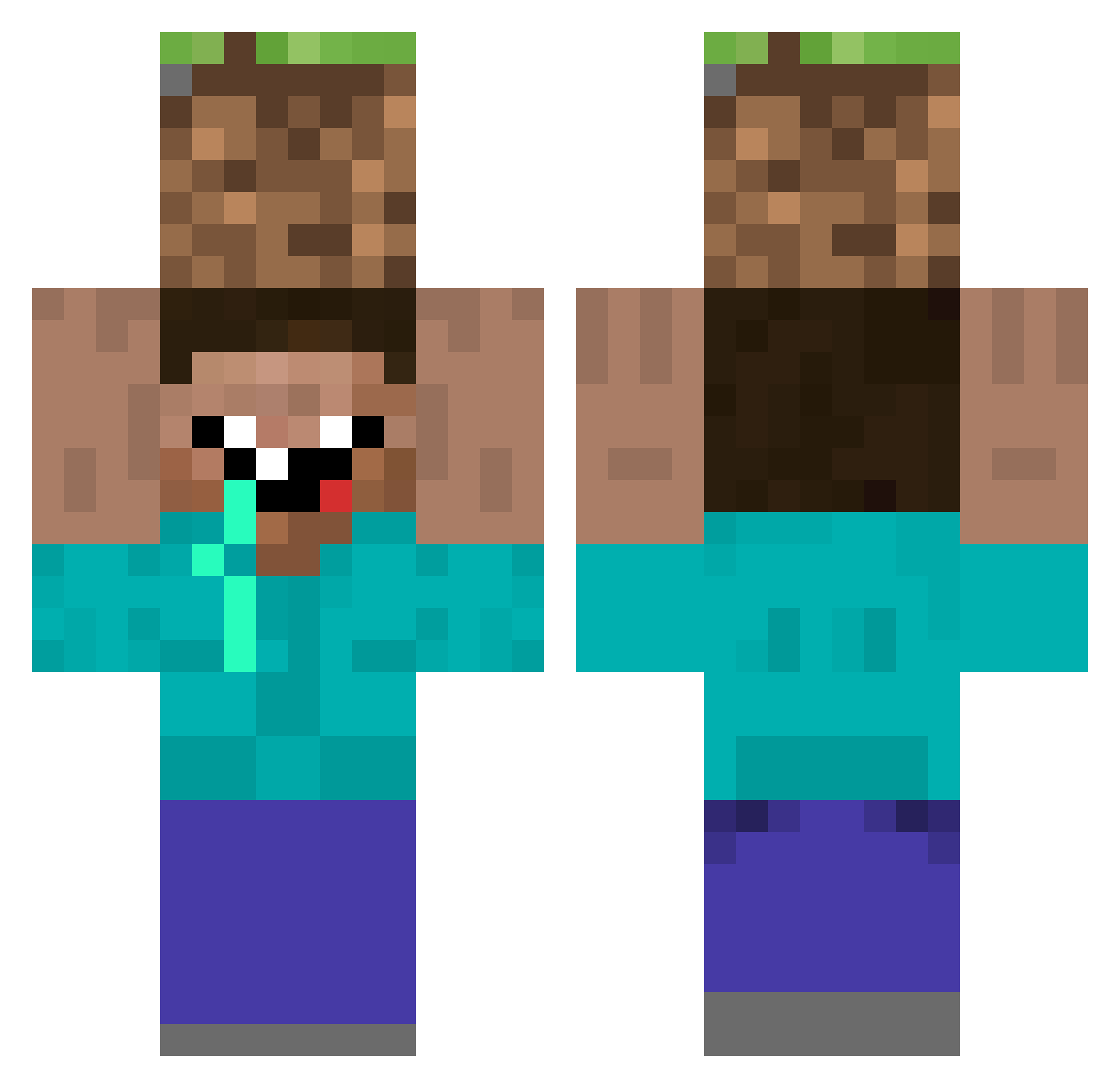
Current Minecraft skin of the player PCCU87, loaded from the official Mojang API. Rotate the 3D model with your mouse or finger, then download the skin as a PNG file and use it in Minecraft: Bedrock Edition or Java Edition for free. When PCCU87 changes their skin, this page updates automatically and the old skin stays in the history below.
Other players with this skin (71)
PCCU87 was the 57th player we have seen with this skin, first spotted on 12.10.2026. The same skin was seen on these players. Open a nickname to see their current skin and skin history.
 vencas GnarlyDude Ciga1998 MrObsidian Gr0undedG DhrCreeper Ossebos Imapotato091 LARIZOKAAKAKAKKA IronWeen zxd LetsPlayLife Cr4zyNic0 Tjalic smarter123 flower999 jellorox H3Al2TY Yuu_xoxo1 swagolaj Ejozzi XeviCH minioteau zhzhihao partikkeli Eje98 BraedenVance Im_Skelly billyisfat43256 Alimex BuffaloBill69 Stinsfire OcO_TxT Itay4all Carey_aF AaronsToast Native_Client illuminatiMLG421 Zenos_VN MommyDaddyBoy100 jonas9rr KizzerDk Jummie K16craft thefinalhack KaniKnor Strawberry100 _cwhite blackshaxx Petitkikou333 mattie9000 assasinx54 GG_regoire Shaiiiz KevinF321 TheMarximus wiax John_Ceana MrClapped DatWasJesse
More Dirt Block Minecraft skins
How to install the PCCU87 skin
- Press the Download button above to save the skin as a PNG file.
- Minecraft: Bedrock Edition (PE): open the Dressing Room from the main menu (or tap your character → Edit Character), go to Classic Skins → Owned, press the + (new skin) button, choose the downloaded PNG and pick the Classic (Steve) model. Works on PC and mobile; consoles cannot import custom skins.
- Minecraft: Java Edition: open the Minecraft Launcher, go to the Skins tab, click New Skin, load the PNG, pick the Classic (Steve) model and press Save & Use. You can also upload it at minecraft.net → Profile → Change Skin.
The skin does not show up after import - what should I do?
Restart Minecraft and open the Dressing Room again - imported skins sometimes appear only after a restart. Also make sure you selected the imported skin and picked the Classic (Steve) model.
Which model should I choose, Classic or Slim?
This skin is designed for the Classic (Steve) model. If you pick the wrong model, the arms of the skin will look stretched or squeezed.
Is the skin of PCCU87 free to download?
Yes. Press Download, save the PNG file and use it in Minecraft: Bedrock Edition or Java Edition - no payment or registration needed. The skin also works on multiplayer servers and Realms.
More skins
Looking for more? Go back to all Minecraft skins and check the top skins of the week, month and all time, or find any player's skin by nickname.