
PAyye - Minecraft Skins & Skin History
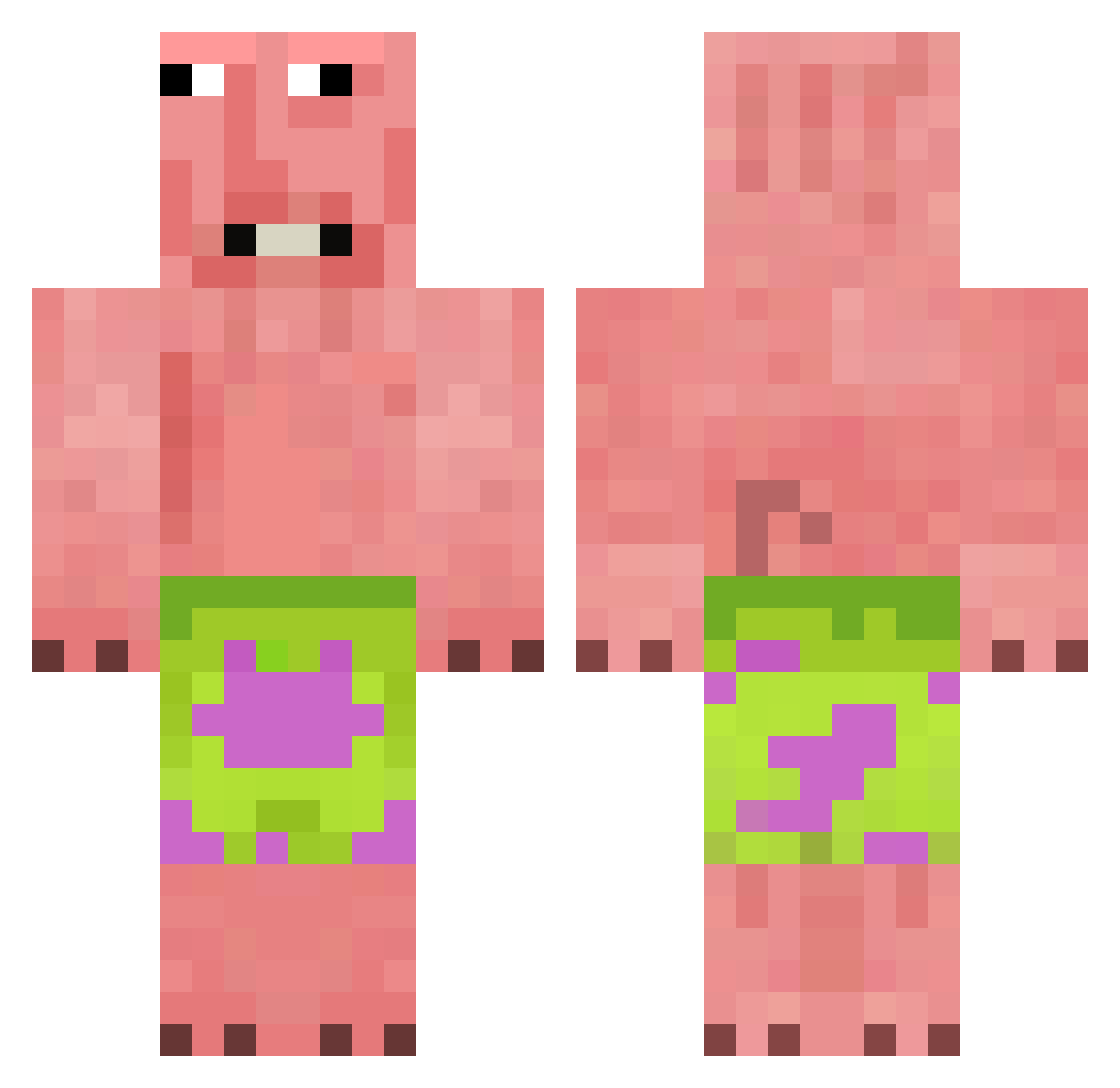
Current Minecraft skin of the player PAyye, loaded from the official Mojang API. Rotate the 3D model with your mouse or finger, then download the skin as a PNG file and use it in Minecraft: Bedrock Edition or Java Edition for free. When PAyye changes their skin, this page updates automatically and the old skin stays in the history below.
Other players with this skin (376)
PAyye was the 265th player we have seen with this skin, first spotted on 04.10.2026. The same skin was seen on these players. Open a nickname to see their current skin and skin history.
 gkdl154 Rushender trtrg joji_king Pichon2598 Soldiergames99 loveyore52 mknug rainerisfatasfl Aspenhh jkdgood shoparla09 WCCICK SquareBeeITBH Pseud0oo CEO0 Big_Boy787 davidneres007 PlayDinoPlay KeptRumble RZEN12 MaLaRz042 LegendaryPro123 Jesusito_4N Haak0n FOOOLKG keaik zlHxperz Longmao23 lishto jojojojoyoung719 Cl0uSSe Sjg89 Kwinki37 lelukgamer AbelGaming123 FILIP__007 Fundurr AlphaCrimz coolguy3604147 TheChampion1345 z7681 Bowleking ricefield66 Ties_Kersten toetickler3241 PrutVilmer ImFaDedd Cross_Re4p3r TheSuperNoose saifys Mellecool2013 Vortex_thebest TenthPuma9234 vikapin Tigger1063 TYANFAN DziadekDoOrzech Pimenta_021 SwatyHeree
More Patrick Star Minecraft skins
See all 612 Patrick Star skins
How to install the PAyye skin
- Press the Download button above to save the skin as a PNG file.
- Minecraft: Bedrock Edition (PE): open the Dressing Room from the main menu (or tap your character → Edit Character), go to Classic Skins → Owned, press the + (new skin) button, choose the downloaded PNG and pick the Classic (Steve) model. Works on PC and mobile; consoles cannot import custom skins.
- Minecraft: Java Edition: open the Minecraft Launcher, go to the Skins tab, click New Skin, load the PNG, pick the Classic (Steve) model and press Save & Use. You can also upload it at minecraft.net → Profile → Change Skin.
The skin does not show up after import - what should I do?
Restart Minecraft and open the Dressing Room again - imported skins sometimes appear only after a restart. Also make sure you selected the imported skin and picked the Classic (Steve) model.
Which model should I choose, Classic or Slim?
This skin is designed for the Classic (Steve) model. If you pick the wrong model, the arms of the skin will look stretched or squeezed.
Is the skin of PAyye free to download?
Yes. Press Download, save the PNG file and use it in Minecraft: Bedrock Edition or Java Edition - no payment or registration needed. The skin also works on multiplayer servers and Realms.
More skins
Looking for more? Go back to all Minecraft skins and check the top skins of the week, month and all time, or find any player's skin by nickname.