
PANM8 - Minecraft Skins & Skin History
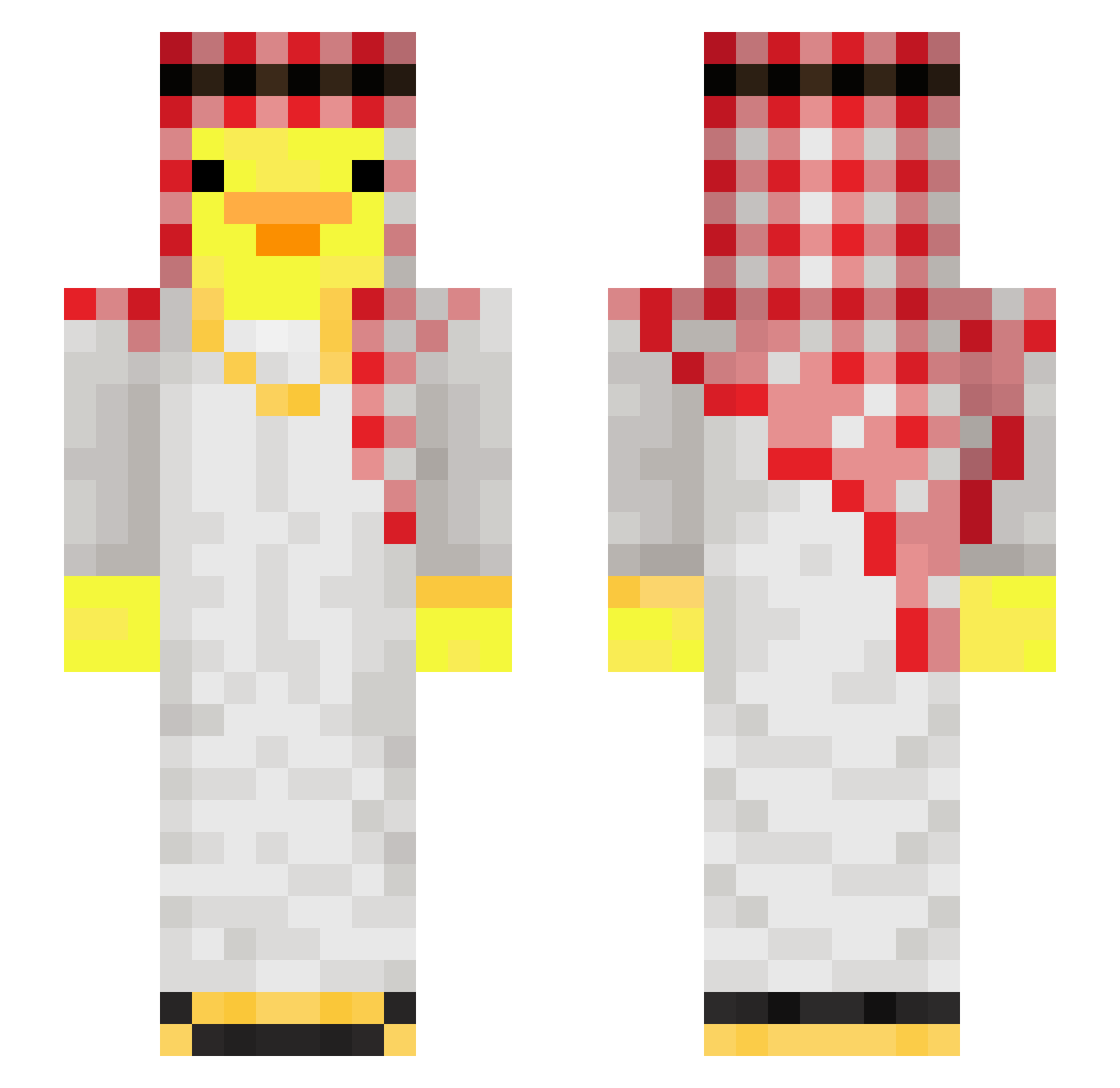
Current Minecraft skin of the player PANM8, loaded from the official Mojang API. Rotate the 3D model with your mouse or finger, then download the skin as a PNG file and use it in Minecraft: Bedrock Edition or Java Edition for free. When PANM8 changes their skin, this page updates automatically and the old skin stays in the history below.
Other players with this skin (121)
PANM8 was the 81st player we have seen with this skin, first spotted on 15.10.2026. The same skin was seen on these players. Open a nickname to see their current skin and skin history.
 GraFJellie84 Banhos_ Eliuth jinseo2019 FreshOTG Iuca7 Dan1heMan RODRITG NoHaxJustAutism5 ND_Ryuuga Fl1xl1b0y JalouxDIMonFils Hexonikk hiel_hmc percy1028 MortalKnight_ Tezel12 Mohaaa_ AlexTheRoachh ELIECER_XFA Efe0729 CornManRuss dlxlxrl Haribo_Dragibus CozyRox Petrichor0802 Mauiboy15 GameManager3739 ponosik52 nimyy_ Nicoc_sng mvysza Chainzhisa Friyz cristianc12 AirFriedBarbie sol444 aurewass AnteK019 kittat25 Pitox12 HortuZ kobayashisyuuhei Mikey_20030 RizzWithTheFrizz VICTOR_Souz victor4o13 abdulilis GamerJosh2671 thaseba mercure27 ZengYu12 Kapselski Macejko06 Evano44 piton9 ipsumm zepeq018 ItsDezox Kizer
More Shemagh Minecraft skins
How to install the PANM8 skin
- Press the Download button above to save the skin as a PNG file.
- Minecraft: Bedrock Edition (PE): open the Dressing Room from the main menu (or tap your character → Edit Character), go to Classic Skins → Owned, press the + (new skin) button, choose the downloaded PNG and pick the Slim (Alex) model. Works on PC and mobile; consoles cannot import custom skins.
- Minecraft: Java Edition: open the Minecraft Launcher, go to the Skins tab, click New Skin, load the PNG, pick the Slim (Alex) model and press Save & Use. You can also upload it at minecraft.net → Profile → Change Skin.
The skin does not show up after import - what should I do?
Restart Minecraft and open the Dressing Room again - imported skins sometimes appear only after a restart. Also make sure you selected the imported skin and picked the Slim (Alex) model.
Which model should I choose, Classic or Slim?
This skin is designed for the Slim (Alex) model. If you pick the wrong model, the arms of the skin will look stretched or squeezed.
Is the skin of PANM8 free to download?
Yes. Press Download, save the PNG file and use it in Minecraft: Bedrock Edition or Java Edition - no payment or registration needed. The skin also works on multiplayer servers and Realms.
More skins
Looking for more? Go back to all Minecraft skins and check the top skins of the week, month and all time, or find any player's skin by nickname.