
PANCAKEZ10101 - Minecraft Skins & Skin History
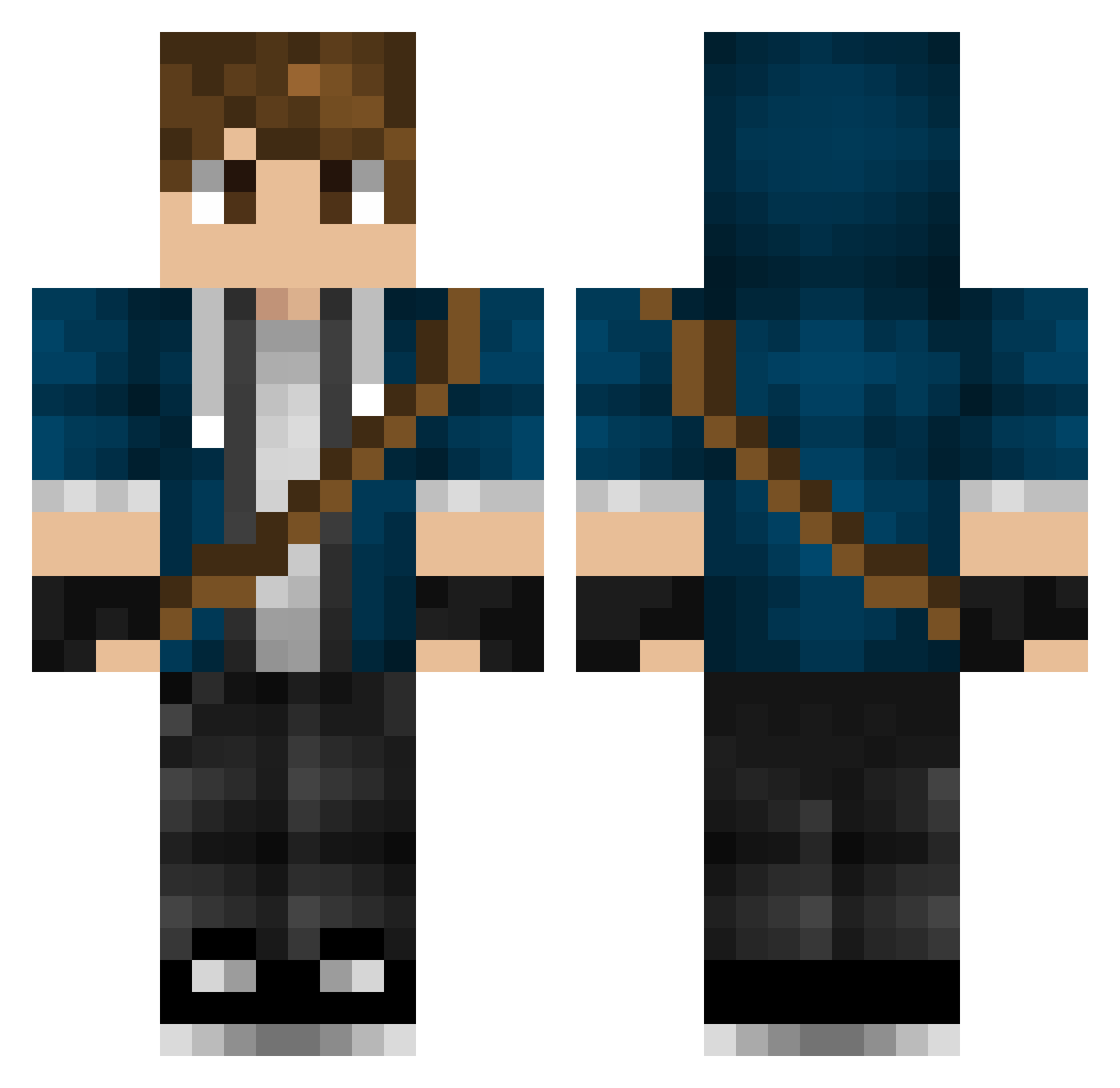
Current Minecraft skin of the player PANCAKEZ10101, loaded from the official Mojang API. Rotate the 3D model with your mouse or finger, then download the skin as a PNG file and use it in Minecraft: Bedrock Edition or Java Edition for free. When PANCAKEZ10101 changes their skin, this page updates automatically and the old skin stays in the history below.
Other players with this skin (447)
PANCAKEZ10101 was the 183rd player we have seen with this skin, first spotted on 06.09.2026. The same skin was seen on these players. Open a nickname to see their current skin and skin history.
 lambvaxx ldarklzero TheRealCH9 keggerz Carxzin ThePebete sete0525 Excalibur140 LuckBack Anubis2899 EmirK01 Bryce84 tanto30 Akinabisu GavrickTheGreat_ julian098 _jojo231_ GaleCantos davidmartigr Zylon_ Kendal_2 Mickeytwok Goluckyland19 Tizzy64 Cazmith Egorka pcnb1 cernysd ShaDeYx Swanny96 MrGuzy alan1975 CrowleyLord _vespah_ SilentStream__ Coysonn LewisHamilton94 Cubesly ArkDanXD Murphyus_ EternalLight007 nollid004 Shipdestroyer7 Piggy_007 ChaosDaws2002 KiaraStrange MrALKS kimkangsan lknowuknow quixxotte Alias45 RiPetitor Gilmortal64 Incanius HCSung0916 ysak1015 BEKillerboyMC ClZbr thedoctorwho666 Franz_04
More Messenger Bag Minecraft skins
See all 535 Messenger Bag skins
How to install the PANCAKEZ10101 skin
- Press the Download button above to save the skin as a PNG file.
- Minecraft: Bedrock Edition (PE): open the Dressing Room from the main menu (or tap your character → Edit Character), go to Classic Skins → Owned, press the + (new skin) button, choose the downloaded PNG and pick the Classic (Steve) model. Works on PC and mobile; consoles cannot import custom skins.
- Minecraft: Java Edition: open the Minecraft Launcher, go to the Skins tab, click New Skin, load the PNG, pick the Classic (Steve) model and press Save & Use. You can also upload it at minecraft.net → Profile → Change Skin.
The skin does not show up after import - what should I do?
Restart Minecraft and open the Dressing Room again - imported skins sometimes appear only after a restart. Also make sure you selected the imported skin and picked the Classic (Steve) model.
Which model should I choose, Classic or Slim?
This skin is designed for the Classic (Steve) model. If you pick the wrong model, the arms of the skin will look stretched or squeezed.
Is the skin of PANCAKEZ10101 free to download?
Yes. Press Download, save the PNG file and use it in Minecraft: Bedrock Edition or Java Edition - no payment or registration needed. The skin also works on multiplayer servers and Realms.
More skins
Looking for more? Go back to all Minecraft skins and check the top skins of the week, month and all time, or find any player's skin by nickname.