
Gilmortal64 - Minecraft Skins & Skin History
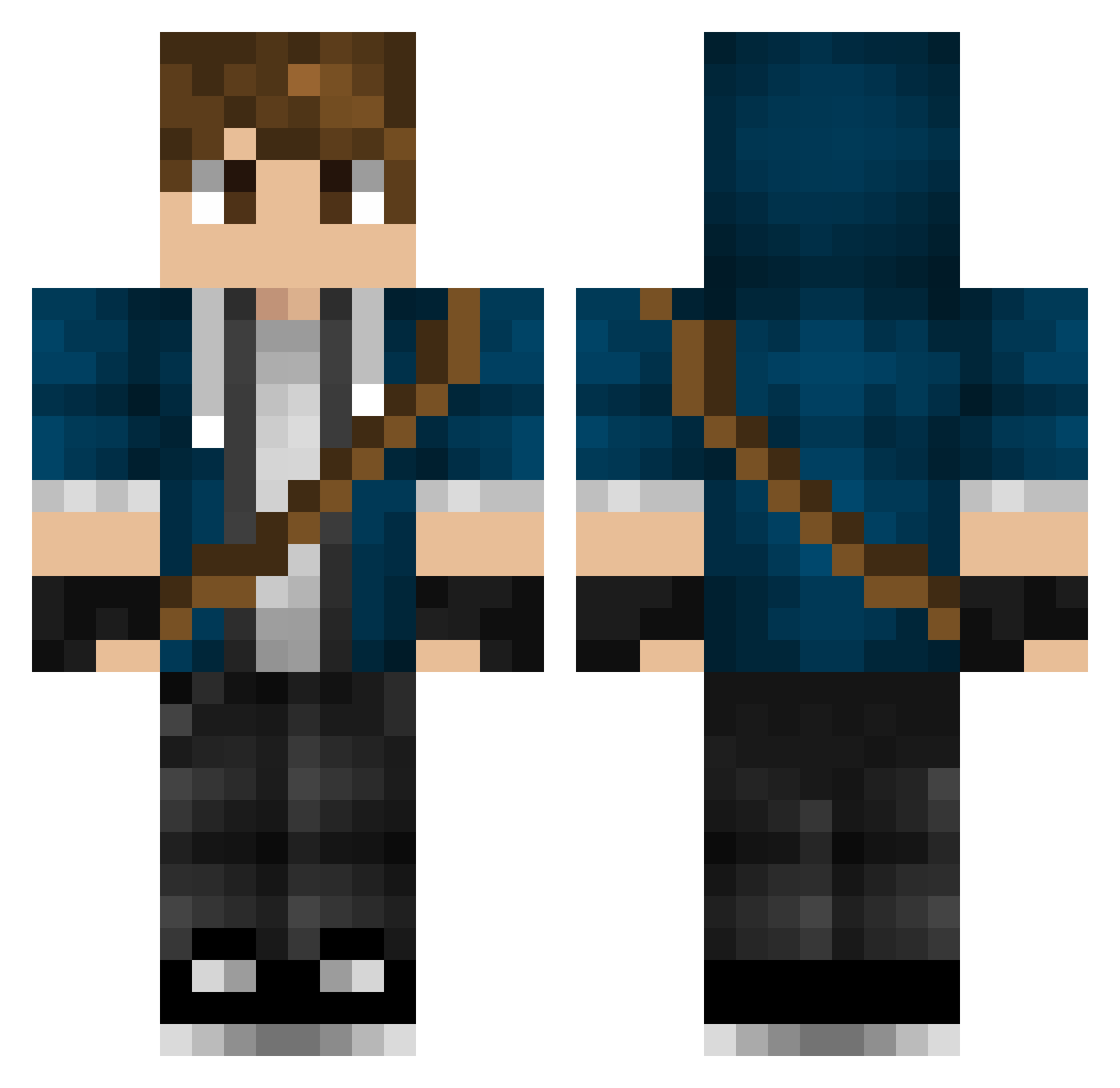
Current Minecraft skin of the player Gilmortal64, loaded from the official Mojang API. Rotate the 3D model with your mouse or finger, then download the skin as a PNG file and use it in Minecraft: Bedrock Edition or Java Edition for free. When Gilmortal64 changes their skin, this page updates automatically and the old skin stays in the history below.
Other players with this skin (447)
Gilmortal64 was the 147th player we have seen with this skin, first spotted on 29.08.2026. The same skin was seen on these players. Open a nickname to see their current skin and skin history.
 Incanius Alias45 HCSung0916 ysak1015 quixxotte Franz_04 kimkangsan atosone IntelligentPower MrALKS Pocketmon6529 kilian2609 ChaosDaws2002 Piggy_007 Vearlin Erotarum Shipdestroyer7 nollid004 Murphyus_ ArkDanXD coolkid_soren LewisHamilton94 SilentStream__ CrowleyLord Derpydood12 Xanithia eikkax MrGuzy ShaDeYx cernysd pcnb1 Egorka fuyu_16 Cazmith Tizzy64 sing22323 Goluckyland19 CrystalAze Mickeytwok kaya_cc Kendal_2 Zylon_ GOATsario davidmartigr benizGG Absol_789 _jojo231_ FawnVolcano julian098 RogerUmel TheRealBasic Akinabisu Hrotc Skreemer Masa808 MrEman04 Bryce84 EmirK01 LuckBack Phil_The_Fish
More Messenger Bag Minecraft skins
See all 535 Messenger Bag skins
How to install the Gilmortal64 skin
- Press the Download button above to save the skin as a PNG file.
- Minecraft: Bedrock Edition (PE): open the Dressing Room from the main menu (or tap your character → Edit Character), go to Classic Skins → Owned, press the + (new skin) button, choose the downloaded PNG and pick the Classic (Steve) model. Works on PC and mobile; consoles cannot import custom skins.
- Minecraft: Java Edition: open the Minecraft Launcher, go to the Skins tab, click New Skin, load the PNG, pick the Classic (Steve) model and press Save & Use. You can also upload it at minecraft.net → Profile → Change Skin.
The skin does not show up after import - what should I do?
Restart Minecraft and open the Dressing Room again - imported skins sometimes appear only after a restart. Also make sure you selected the imported skin and picked the Classic (Steve) model.
Which model should I choose, Classic or Slim?
This skin is designed for the Classic (Steve) model. If you pick the wrong model, the arms of the skin will look stretched or squeezed.
Is the skin of Gilmortal64 free to download?
Yes. Press Download, save the PNG file and use it in Minecraft: Bedrock Edition or Java Edition - no payment or registration needed. The skin also works on multiplayer servers and Realms.
More skins
Looking for more? Go back to all Minecraft skins and check the top skins of the week, month and all time, or find any player's skin by nickname.