
PANAGUANA - Minecraft Skins & Skin History
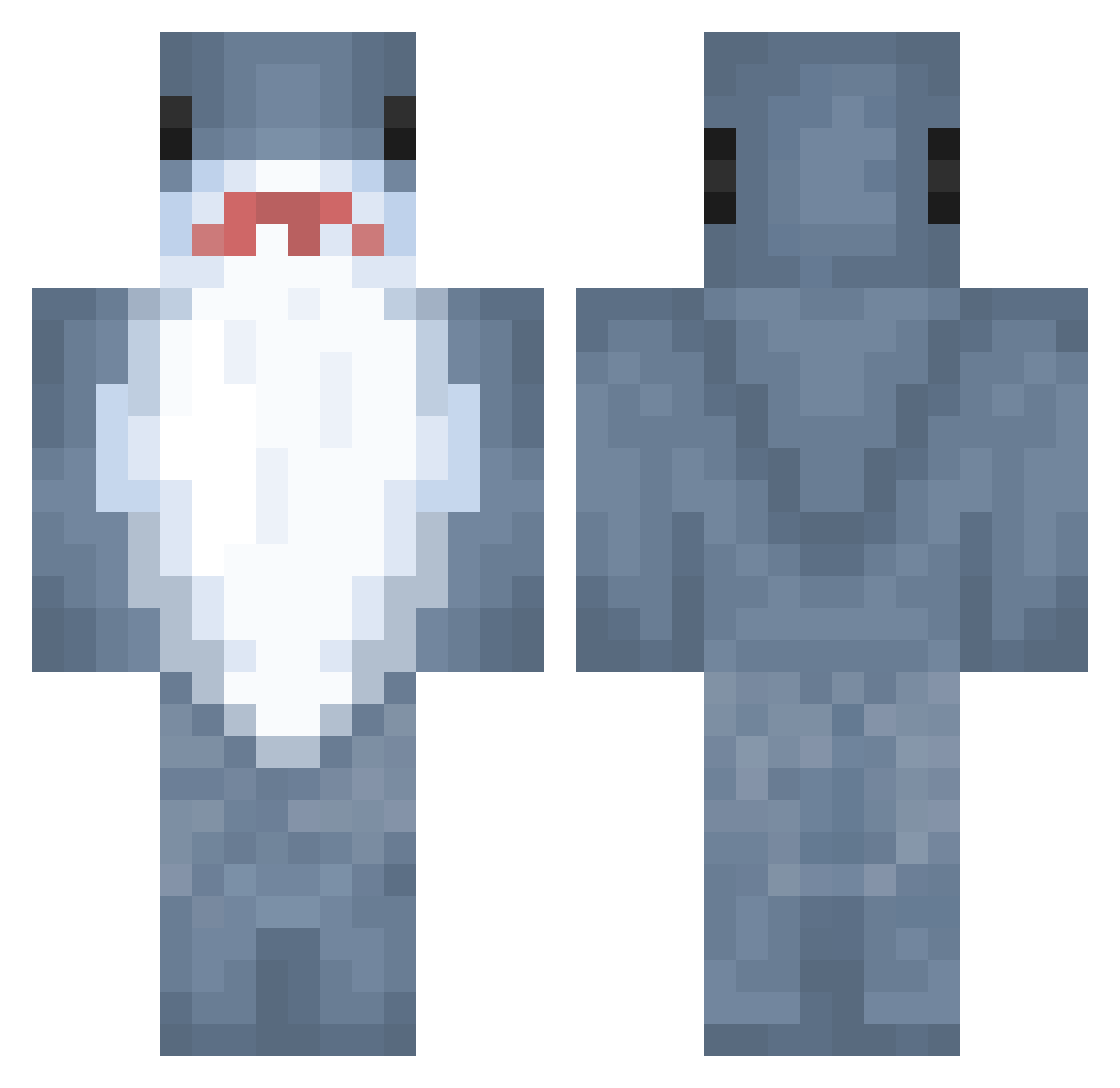
Current Minecraft skin of the player PANAGUANA, loaded from the official Mojang API. Rotate the 3D model with your mouse or finger, then download the skin as a PNG file and use it in Minecraft: Bedrock Edition or Java Edition for free. When PANAGUANA changes their skin, this page updates automatically and the old skin stays in the history below.
Other players with this skin (889)
PANAGUANA was the 842nd player we have seen with this skin, first spotted on 26.10.2026. The same skin was seen on these players. Open a nickname to see their current skin and skin history.
 mad111242 sancix abdullah774 IFoot_Fungus phe3bs00 HappyCoteee QQLin_0907 willagummi jhj12 leo_gato Inkkl gabeau Keval7 wowjd17 TheGoop1813 BlackBit MovingGolf63057 noudstar Ember784 Skrumbifer EasyTargetTwo Noperry alicedeadcat seungwoo0709 stevenyxng Luvifee lvgok AhamkaraSlayer mingojam01 clownthulhu Da_Wae_3 Pr0Just liaoke9997 Mado7z Luminous3 Moi_me Gitano3000 walkaem13 PsychoLoquacious PippinXD RobbErt06Xx30 TypicalScotty Sillygoose367 Apple_Goblin spartanshark222 someone20220 something0109 SneerfulSky13 KwgTea BALCON001 EGIRLKILLER3169 Elish10 DOOSAM mYw02 TeaAndre shark8m Cheesyfeet101 pansysmeller SoriaisCool Beachhouselover
More Shark Minecraft skins
How to install the PANAGUANA skin
- Press the Download button above to save the skin as a PNG file.
- Minecraft: Bedrock Edition (PE): open the Dressing Room from the main menu (or tap your character → Edit Character), go to Classic Skins → Owned, press the + (new skin) button, choose the downloaded PNG and pick the Classic (Steve) model. Works on PC and mobile; consoles cannot import custom skins.
- Minecraft: Java Edition: open the Minecraft Launcher, go to the Skins tab, click New Skin, load the PNG, pick the Classic (Steve) model and press Save & Use. You can also upload it at minecraft.net → Profile → Change Skin.
The skin does not show up after import - what should I do?
Restart Minecraft and open the Dressing Room again - imported skins sometimes appear only after a restart. Also make sure you selected the imported skin and picked the Classic (Steve) model.
Which model should I choose, Classic or Slim?
This skin is designed for the Classic (Steve) model. If you pick the wrong model, the arms of the skin will look stretched or squeezed.
Is the skin of PANAGUANA free to download?
Yes. Press Download, save the PNG file and use it in Minecraft: Bedrock Edition or Java Edition - no payment or registration needed. The skin also works on multiplayer servers and Realms.
More skins
Looking for more? Go back to all Minecraft skins and check the top skins of the week, month and all time, or find any player's skin by nickname.