
Ozeroom - Minecraft Skins & Skin History
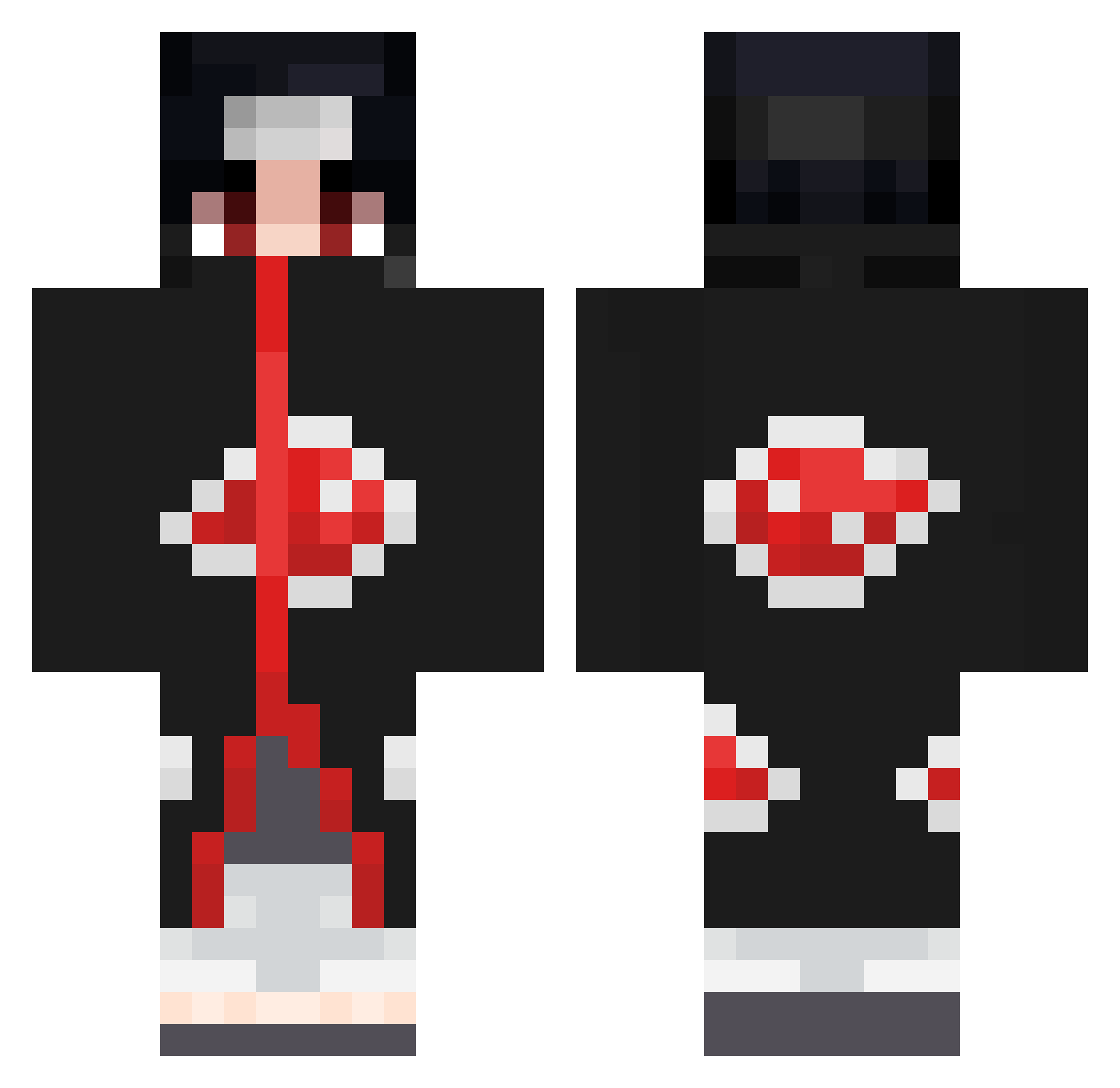
Current Minecraft skin of the player Ozeroom, loaded from the official Mojang API. Rotate the 3D model with your mouse or finger, then download the skin as a PNG file and use it in Minecraft: Bedrock Edition or Java Edition for free. When Ozeroom changes their skin, this page updates automatically and the old skin stays in the history below.
Other players with this skin (670)
Ozeroom was the 630th player we have seen with this skin, first spotted on 17.10.2026. The same skin was seen on these players. Open a nickname to see their current skin and skin history.
 Spankyyy_ 420Mo Bronx8340 Ryangamer1234567 RafaZoRz8 sexAKA Masukus_WRLD TLMcharlie lu981cas RuliJr Yax_11 IssaonMojang SLYtherin7070 Fistikv2 Rizi9 YKbruto GT_Onizuka_ zKodyS tl_09 Cycu0907 esteban0365 ihoja XXxCamuflagexXX Meetcool123 InfinityHD02 Pacorican MAGIC_CHASE2140 oscar956 ArekkusuMC PIC_Queen 10qs Keviniito Kaneki96619 Jonan67 xiaochiu22 AQMOso kuppxr Viblack2001 MohaSTOP AlexMoto99 aiglechauve02 kukuriku Uchiha_Itachi_69 MostChip101 brozonn1 Flxzy_ ConvexVoice78 Aurelmlge Crisquito XNeily GianluigiLaBenza pro83768124720 KiroDCS __imKiyomii DSH_ AngelTTRD Yusuf1834 Beppo91 Nebu07 Yuno01234
More Itachi Uchiha Minecraft skins
See all 318 Itachi Uchiha skins
How to install the Ozeroom skin
- Press the Download button above to save the skin as a PNG file.
- Minecraft: Bedrock Edition (PE): open the Dressing Room from the main menu (or tap your character → Edit Character), go to Classic Skins → Owned, press the + (new skin) button, choose the downloaded PNG and pick the Classic (Steve) model. Works on PC and mobile; consoles cannot import custom skins.
- Minecraft: Java Edition: open the Minecraft Launcher, go to the Skins tab, click New Skin, load the PNG, pick the Classic (Steve) model and press Save & Use. You can also upload it at minecraft.net → Profile → Change Skin.
The skin does not show up after import - what should I do?
Restart Minecraft and open the Dressing Room again - imported skins sometimes appear only after a restart. Also make sure you selected the imported skin and picked the Classic (Steve) model.
Which model should I choose, Classic or Slim?
This skin is designed for the Classic (Steve) model. If you pick the wrong model, the arms of the skin will look stretched or squeezed.
Is the skin of Ozeroom free to download?
Yes. Press Download, save the PNG file and use it in Minecraft: Bedrock Edition or Java Edition - no payment or registration needed. The skin also works on multiplayer servers and Realms.
More skins
Looking for more? Go back to all Minecraft skins and check the top skins of the week, month and all time, or find any player's skin by nickname.