
Ovenmuffins - Minecraft Skins & Skin History
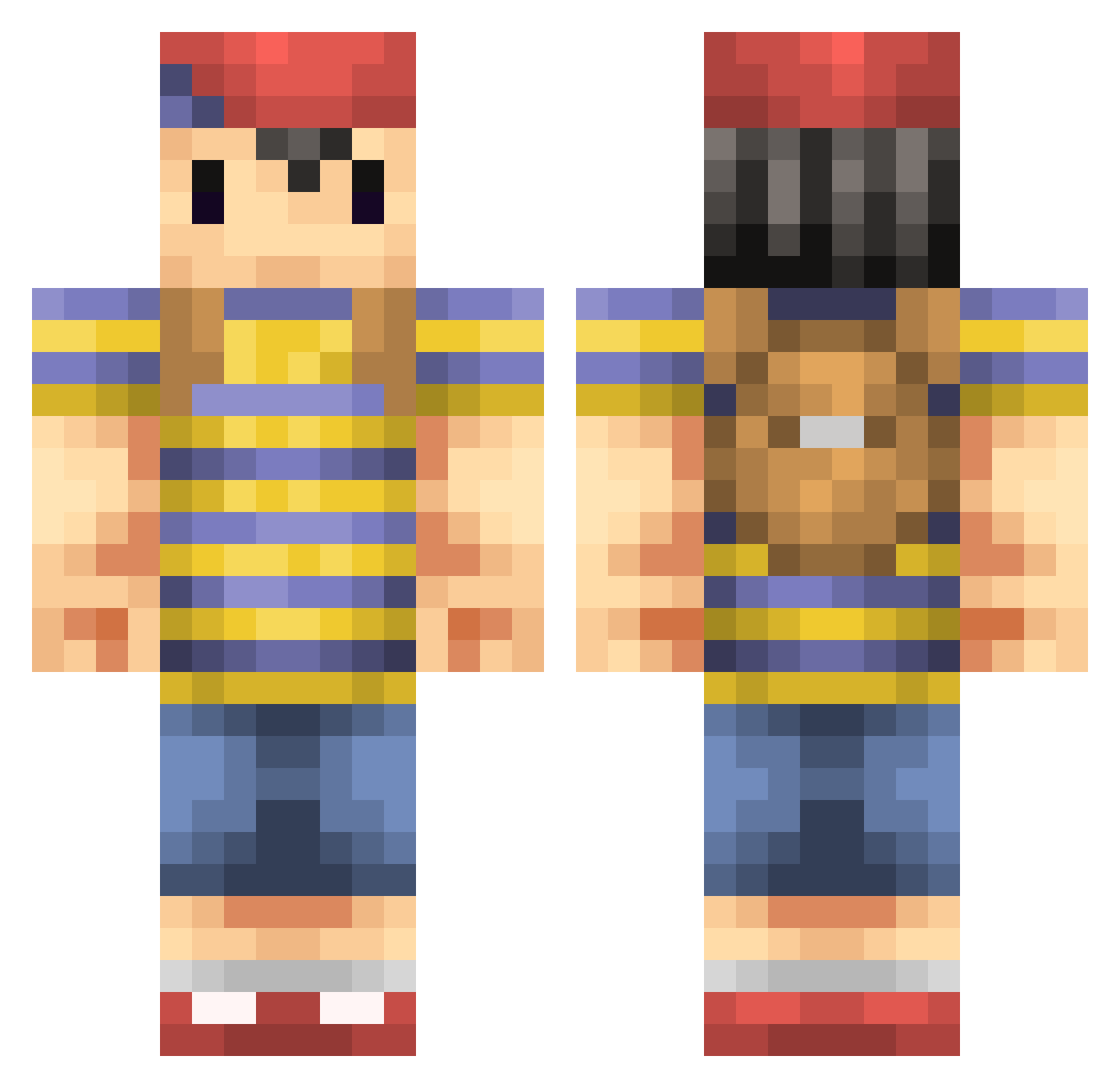
Current Minecraft skin of the player Ovenmuffins, loaded from the official Mojang API. Rotate the 3D model with your mouse or finger, then download the skin as a PNG file and use it in Minecraft: Bedrock Edition or Java Edition for free. When Ovenmuffins changes their skin, this page updates automatically and the old skin stays in the history below.
Other players with this skin (299)
Ovenmuffins was the 247th player we have seen with this skin, first spotted on 04.11.2026. The same skin was seen on these players. Open a nickname to see their current skin and skin history.
 Nick0812 AntiVelocity48 Zeglynax yoshiondy Lemiwinks360 sheriff2203 Pighast_ Forteen88 KanekiKenNbb Kaayu leoandcharlie AxisandAllies8 folieoftwo flubber3333 Mr_Justin_ xxrawrzzzxx_ Basic_Gamer Croatian_Crunch ThreeHundred TrulyAwake Mvzino nrfmann13 Travenir yamasachin jollylego1234 ness_03 ReMaXeD HatesMojang Fngryboi fredyosh Cylinderz perric Mikkyo jpajpajpa PuloGuy Lyoshka ObnoxiousOmlette zacattack410 Drewski_lmao Skar300 poporon123 wpr45ny Rektgoat666 haruuu28 DigiByte Infernalnite Dommare Blue_Pikmin1 UsedSoup nacho_salad Skyrion Gravyn RattletraPM VaporLock Sollyhill456 SkyLink_14 JaggerHaRz MegaLuc3 nyome Dragodive
More Smash Bros Minecraft skins
How to install the Ovenmuffins skin
- Press the Download button above to save the skin as a PNG file.
- Minecraft: Bedrock Edition (PE): open the Dressing Room from the main menu (or tap your character → Edit Character), go to Classic Skins → Owned, press the + (new skin) button, choose the downloaded PNG and pick the Classic (Steve) model. Works on PC and mobile; consoles cannot import custom skins.
- Minecraft: Java Edition: open the Minecraft Launcher, go to the Skins tab, click New Skin, load the PNG, pick the Classic (Steve) model and press Save & Use. You can also upload it at minecraft.net → Profile → Change Skin.
The skin does not show up after import - what should I do?
Restart Minecraft and open the Dressing Room again - imported skins sometimes appear only after a restart. Also make sure you selected the imported skin and picked the Classic (Steve) model.
Which model should I choose, Classic or Slim?
This skin is designed for the Classic (Steve) model. If you pick the wrong model, the arms of the skin will look stretched or squeezed.
Is the skin of Ovenmuffins free to download?
Yes. Press Download, save the PNG file and use it in Minecraft: Bedrock Edition or Java Edition - no payment or registration needed. The skin also works on multiplayer servers and Realms.
More skins
Looking for more? Go back to all Minecraft skins and check the top skins of the week, month and all time, or find any player's skin by nickname.