
Otrok3 - Minecraft Skins & Skin History
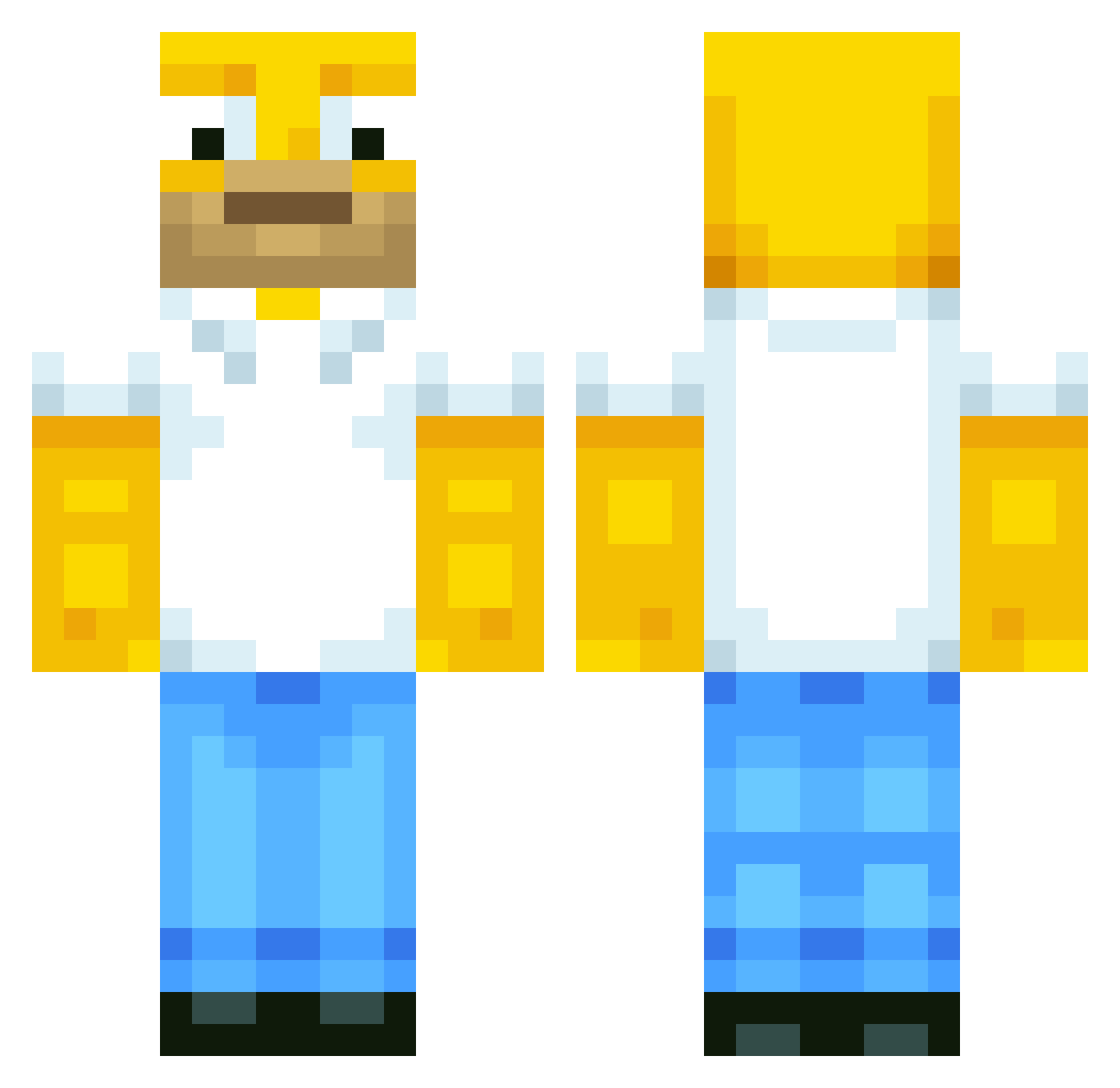
Current Minecraft skin of the player Otrok3, loaded from the official Mojang API. Rotate the 3D model with your mouse or finger, then download the skin as a PNG file and use it in Minecraft: Bedrock Edition or Java Edition for free. When Otrok3 changes their skin, this page updates automatically and the old skin stays in the history below.
Other players with this skin (40)
Otrok3 was the 19th player we have seen with this skin, first spotted on 01.09.2026. The same skin was seen on these players. Open a nickname to see their current skin and skin history.
 DarkHelmet88 MatesAlt26 Dukeyis70 ffish__ FrizzGun_ rev75 EL_KAPO dafishninja felipeamor2 garfward_ xVecca mnstrk victordnepr RiMo95 MatesAlt27 wagetron ALFREDO780 MatesAlt23 Skorpionrr nutmeat2 Rapasturris Tatahi5 Ziohh DICID NonoGhettoYouth Compositional Mitchellmarshy8 ValtteriJohannes Leevs57 q1t_ K5Daimaz Morzag jolovisa Miku_Kiwami BladmirPutin MatesAlt5 MatesAlt24 DerJu7i kwakkwak30 CounterAttackin
More Homer Simpson Minecraft skins
See all 297 Homer Simpson skins
How to install the Otrok3 skin
- Press the Download button above to save the skin as a PNG file.
- Minecraft: Bedrock Edition (PE): open the Dressing Room from the main menu (or tap your character → Edit Character), go to Classic Skins → Owned, press the + (new skin) button, choose the downloaded PNG and pick the Classic (Steve) model. Works on PC and mobile; consoles cannot import custom skins.
- Minecraft: Java Edition: open the Minecraft Launcher, go to the Skins tab, click New Skin, load the PNG, pick the Classic (Steve) model and press Save & Use. You can also upload it at minecraft.net → Profile → Change Skin.
The skin does not show up after import - what should I do?
Restart Minecraft and open the Dressing Room again - imported skins sometimes appear only after a restart. Also make sure you selected the imported skin and picked the Classic (Steve) model.
Which model should I choose, Classic or Slim?
This skin is designed for the Classic (Steve) model. If you pick the wrong model, the arms of the skin will look stretched or squeezed.
Is the skin of Otrok3 free to download?
Yes. Press Download, save the PNG file and use it in Minecraft: Bedrock Edition or Java Edition - no payment or registration needed. The skin also works on multiplayer servers and Realms.
More skins
Looking for more? Go back to all Minecraft skins and check the top skins of the week, month and all time, or find any player's skin by nickname.