
OraneTheKat - Minecraft Skins & Skin History
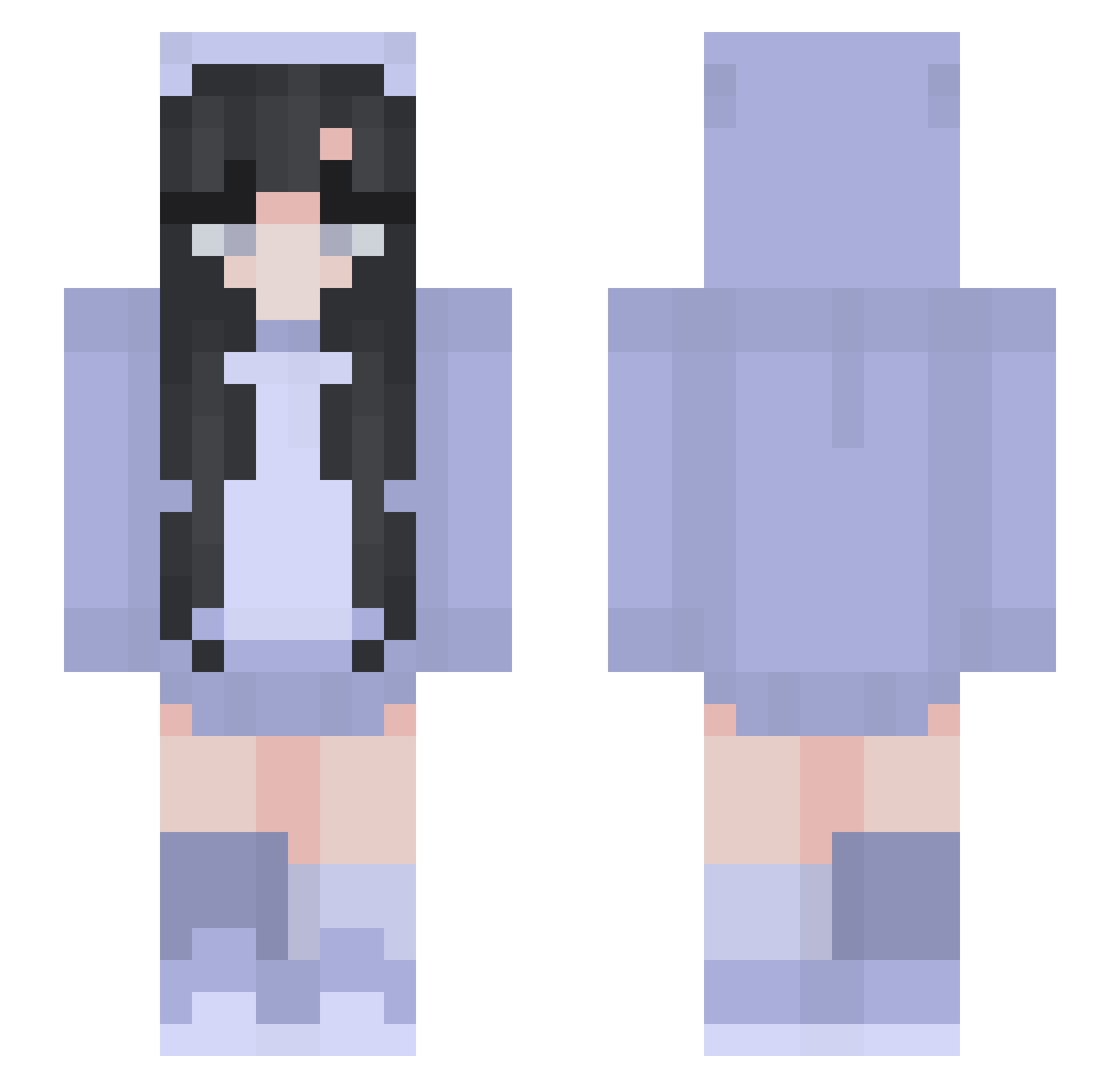
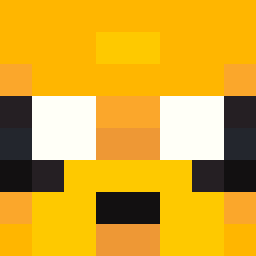
Current Minecraft skin of the player OraneTheKat, loaded from the official Mojang API. Rotate the 3D model with your mouse or finger, then download the skin as a PNG file and use it in Minecraft: Bedrock Edition or Java Edition for free. When OraneTheKat changes their skin, this page updates automatically and the old skin stays in the history below.
Other players with this skin (265)
OraneTheKat was the 49th player we have seen with this skin, first spotted on 12.08.2026. The same skin was seen on these players. Open a nickname to see their current skin and skin history.
 bowope DAGMAR03 uh_alexxa BBangBongG
 gustav9023 mossgy sphiesoph191 chuyan_ YiyangIsGood Elsphinc iwannadielol_ gostozogames FireVanilla xXPrankYouXx Moon_Tsukino hiitswillow liluzivertiscool zMoKa_ sofloletsgo Kniede_ Angela3310 Elitics FoxyPod Ogress WYSI72727 Axhya Nm_nghuy Macaron13 InfiniteAsphalt7 SOOBIN0721 Kaykay656 stueyplayz_YT Maximus2031 LokeeGirl IssueKey LisReader cutekittykid evoao
 Shadowssvt
 notmayyy I_R_B_K Clara_de_Huevo Staryui_831 HerzRubin azuma03 PM_SoSad KurisAry Tadak_ JRozus phmele Tvvili9ht LuaGrazielle1 Beaupayne gyubenn siaoyan swink557 Jamileth_ TimeToFeedMe Bigwoody2 rinon____
More Pastel Minecraft skins
How to install the OraneTheKat skin
- Press the Download button above to save the skin as a PNG file.
- Minecraft: Bedrock Edition (PE): open the Dressing Room from the main menu (or tap your character → Edit Character), go to Classic Skins → Owned, press the + (new skin) button, choose the downloaded PNG and pick the Slim (Alex) model. Works on PC and mobile; consoles cannot import custom skins.
- Minecraft: Java Edition: open the Minecraft Launcher, go to the Skins tab, click New Skin, load the PNG, pick the Slim (Alex) model and press Save & Use. You can also upload it at minecraft.net → Profile → Change Skin.
The skin does not show up after import - what should I do?
Restart Minecraft and open the Dressing Room again - imported skins sometimes appear only after a restart. Also make sure you selected the imported skin and picked the Slim (Alex) model.
Which model should I choose, Classic or Slim?
This skin is designed for the Slim (Alex) model. If you pick the wrong model, the arms of the skin will look stretched or squeezed.
Is the skin of OraneTheKat free to download?
Yes. Press Download, save the PNG file and use it in Minecraft: Bedrock Edition or Java Edition - no payment or registration needed. The skin also works on multiplayer servers and Realms.
More skins
Looking for more? Go back to all Minecraft skins and check the top skins of the week, month and all time, or find any player's skin by nickname.