
OldMateLuke - Minecraft Skins & Skin History
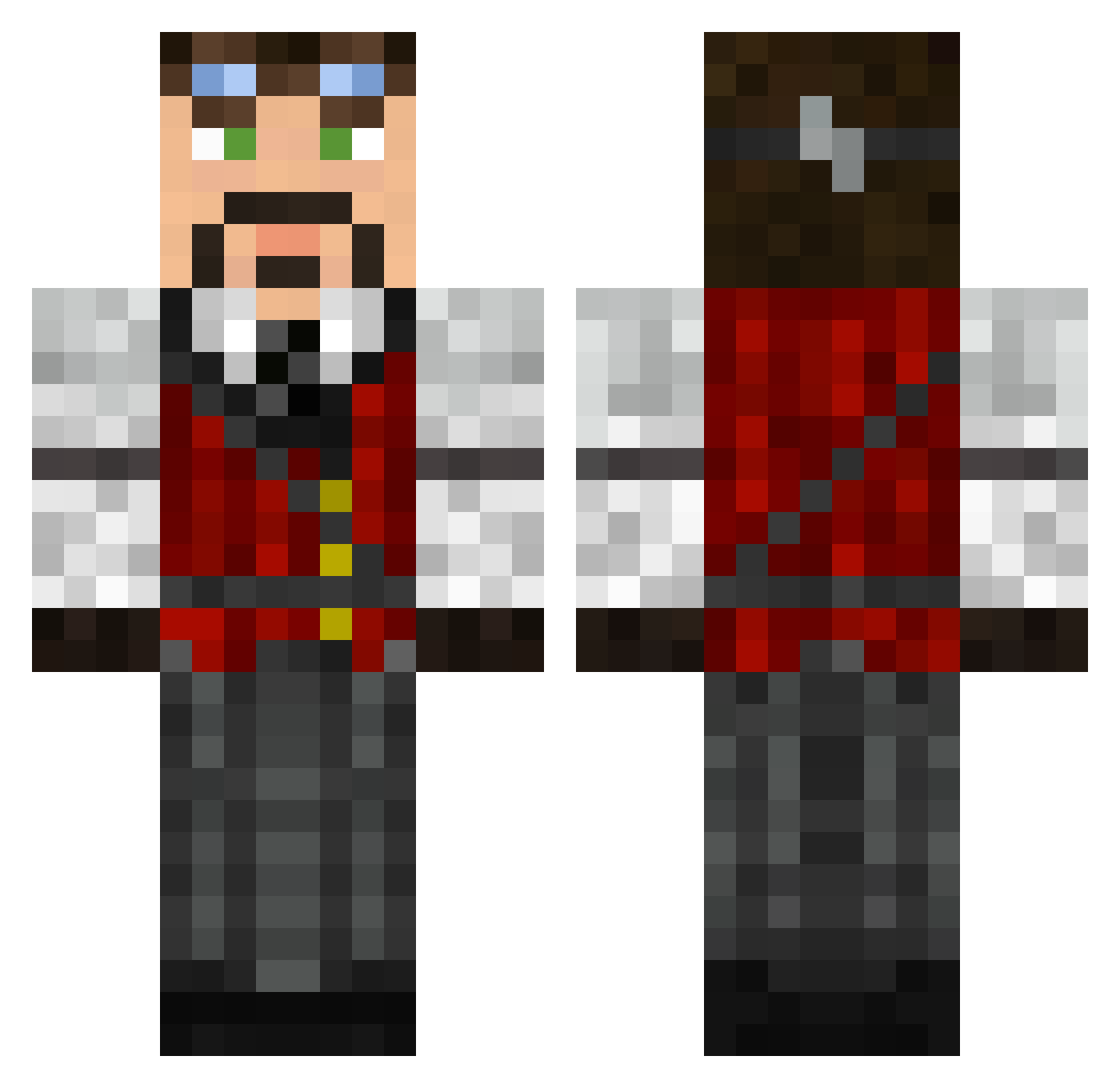
Current Minecraft skin of the player OldMateLuke, loaded from the official Mojang API. Rotate the 3D model with your mouse or finger, then download the skin as a PNG file and use it in Minecraft: Bedrock Edition or Java Edition for free. When OldMateLuke changes their skin, this page updates automatically and the old skin stays in the history below.
Other players with this skin (626)
OldMateLuke was the 467th player we have seen with this skin, first spotted on 17.10.2026. The same skin was seen on these players. Open a nickname to see their current skin and skin history.
 Kville James_Booner maxZZzzz HGLOVA Cpt_Bryan steveturnips Sanoh121 vanoit HighPriest_Steve Jobeaux BanjosKeeper hshahmiri kawaiicthulhu Kriegsmachine666 AndApel John_Baggins KingHawkeyes dizzyrussian ImtehQ ozPantha Hasphat ToastofLondon ev42 TscnTobbe CircaTruant bbbm100 Skylord_Wolfgang ben123t Mezarin King_Rokir The_Lord_John kierospeed95 Chudak sk8chalif HuginCorvus wes0001 maheming99 MikeHawk_ ysaicqi DreadZed PinkyP17 apple_badger shooterm21 willdabeast2012 Duelemer Kelectrast MylesAwae killerman80 funkmonk101 GiGab1t Meneldour LUMPdizzle666 YoungStarBRO Zeus____ mrmika1998 mrlovebucket CigarJack Alk3sh Cannon22 NardoBro
More Steampunk Minecraft skins
How to install the OldMateLuke skin
- Press the Download button above to save the skin as a PNG file.
- Minecraft: Bedrock Edition (PE): open the Dressing Room from the main menu (or tap your character → Edit Character), go to Classic Skins → Owned, press the + (new skin) button, choose the downloaded PNG and pick the Classic (Steve) model. Works on PC and mobile; consoles cannot import custom skins.
- Minecraft: Java Edition: open the Minecraft Launcher, go to the Skins tab, click New Skin, load the PNG, pick the Classic (Steve) model and press Save & Use. You can also upload it at minecraft.net → Profile → Change Skin.
The skin does not show up after import - what should I do?
Restart Minecraft and open the Dressing Room again - imported skins sometimes appear only after a restart. Also make sure you selected the imported skin and picked the Classic (Steve) model.
Which model should I choose, Classic or Slim?
This skin is designed for the Classic (Steve) model. If you pick the wrong model, the arms of the skin will look stretched or squeezed.
Is the skin of OldMateLuke free to download?
Yes. Press Download, save the PNG file and use it in Minecraft: Bedrock Edition or Java Edition - no payment or registration needed. The skin also works on multiplayer servers and Realms.
More skins
Looking for more? Go back to all Minecraft skins and check the top skins of the week, month and all time, or find any player's skin by nickname.