
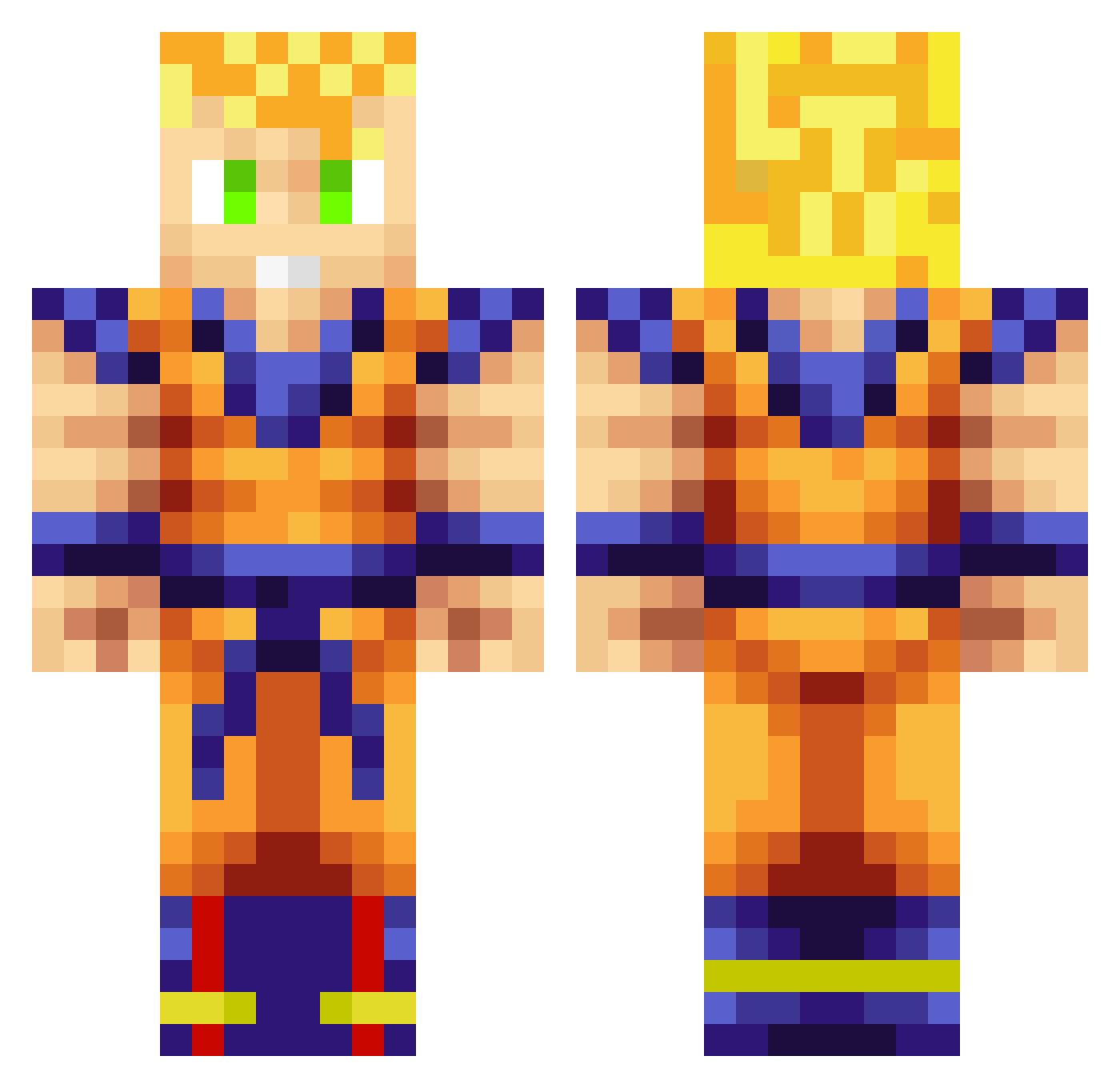
Current Minecraft skin of the player OhDannnG, loaded from the official Mojang API. Rotate the 3D model with your mouse or finger, then download the skin as a PNG file and use it in Minecraft: Bedrock Edition or Java Edition for free. When OhDannnG changes their skin, this page updates automatically and the old skin stays in the history below.
Other players with this skin (706)
OhDannnG was the 364th player we have seen with this skin, first spotted on 07.09.2026. The same skin was seen on these players. Open a nickname to see their current skin and skin history.
 Ssayajin elmarlon23 G_squared26 thenationv1 rubafdez TheEgyptianGuido JeffLikesBekfast Morphe42 unwantedbuttaken NoobGamer21 ComedyGo SkySainz CyberFlux mezga0153 Xbalubax baseball_boy25 NaTiv3_Prid3 Hawkzeyx kenny2993 Seanclutch WaxTheseNUTS azote909 0xRaxo CptMonday SW33TBR41N Jangu7761 sami14002 thereaper720 WhaleBorg PARTYKING121 MaximusXtreme Sevaro Shawnc3232 Draslide RosaEichel selimcarter RmDzZ Make89 EasyEvan246 Acyls Crankbait97 AYRON_AIR mineleon1000 JorgeSenpai joshuaboss The_Marc89 RustyTheClown Gearscog42 KiwiJames84 pepes99 RayYung goku25 TheJapanMan N3m3sis32 wabeldy Xavier205 HellHunter12 _KroWd_ GokuEn kourito
More Goku Minecraft skins
How to install the OhDannnG skin
- Press the Download button above to save the skin as a PNG file.
- Minecraft: Bedrock Edition (PE): open the Dressing Room from the main menu (or tap your character → Edit Character), go to Classic Skins → Owned, press the + (new skin) button, choose the downloaded PNG and pick the Classic (Steve) model. Works on PC and mobile; consoles cannot import custom skins.
- Minecraft: Java Edition: open the Minecraft Launcher, go to the Skins tab, click New Skin, load the PNG, pick the Classic (Steve) model and press Save & Use. You can also upload it at minecraft.net → Profile → Change Skin.
The skin does not show up after import - what should I do?
Restart Minecraft and open the Dressing Room again - imported skins sometimes appear only after a restart. Also make sure you selected the imported skin and picked the Classic (Steve) model.
Which model should I choose, Classic or Slim?
This skin is designed for the Classic (Steve) model. If you pick the wrong model, the arms of the skin will look stretched or squeezed.
Is the skin of OhDannnG free to download?
Yes. Press Download, save the PNG file and use it in Minecraft: Bedrock Edition or Java Edition - no payment or registration needed. The skin also works on multiplayer servers and Realms.
More skins
Looking for more? Go back to all Minecraft skins and check the top skins of the week, month and all time, or find any player's skin by nickname.