
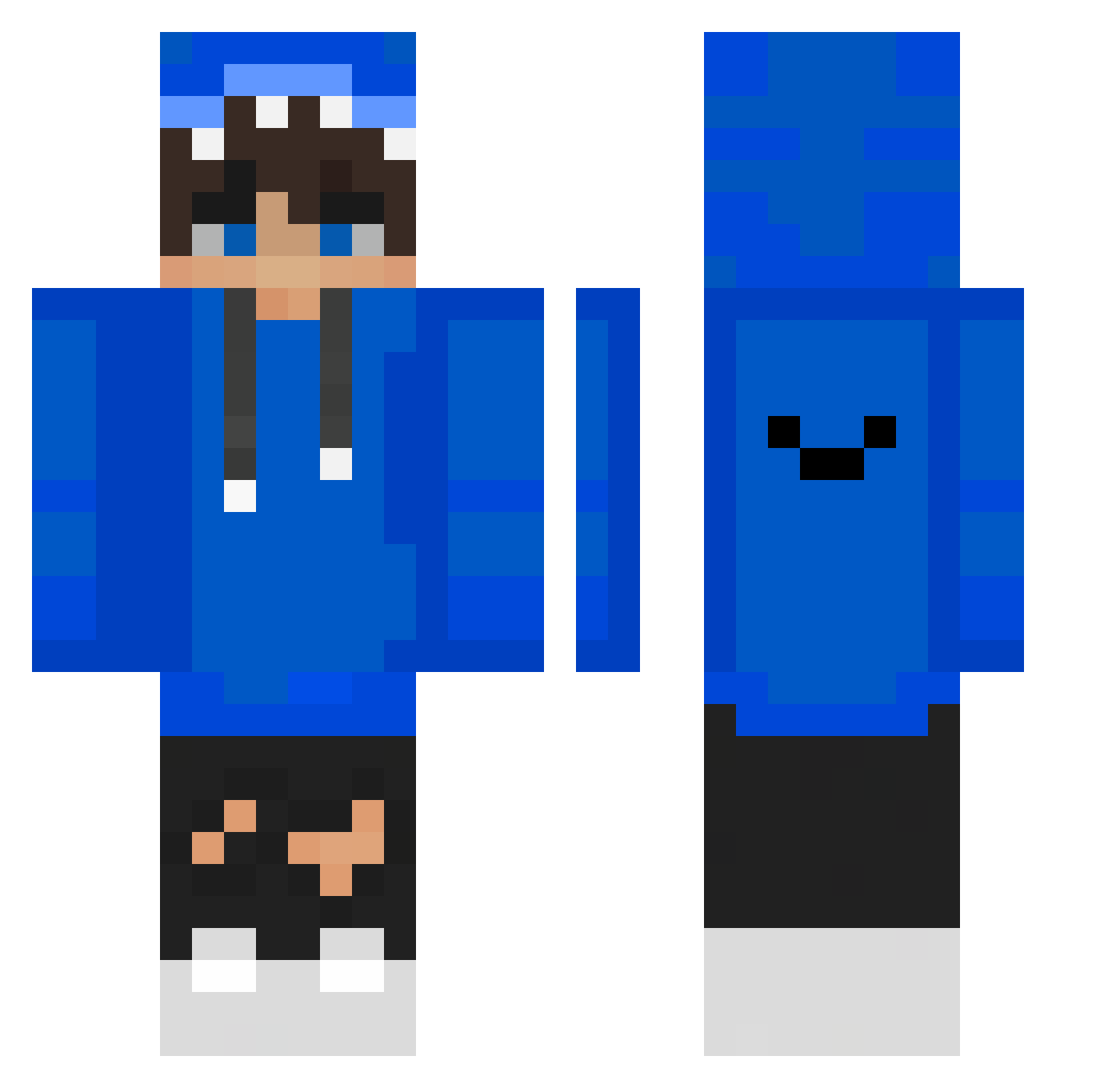
Current Minecraft skin of the player OguzhanB_Oyunda, loaded from the official Mojang API. Rotate the 3D model with your mouse or finger, then download the skin as a PNG file and use it in Minecraft: Bedrock Edition or Java Edition for free. When OguzhanB_Oyunda changes their skin, this page updates automatically and the old skin stays in the history below.
Other players with this skin (349)
OguzhanB_Oyunda was the 345th player we have seen with this skin, first spotted on 14.10.2026. The same skin was seen on these players. Open a nickname to see their current skin and skin history.
 LewyJanek AdasIPatryk furotsuto shaodaj Hyun0214 Santi_406 noiionyn 0206Jay T1m73 Lalosl7 hisam0611 Luchen126 Capucha Niconegativo16 LaurAC71 ALEXSGAMER7U7 Mikusiek2137 junior_dao Cristian49459_ mongda04 hrexxy Rafa1511 KostaBS Igus_Placus HEALPAY16 karOL_258 ScooPeDK kamiloger Akikami826 kevinELXD lonelyjohnny coreywideman ScaayH You_Crow PanT_Rex SAF1_ DelaH32 ElliMark JiangDidd ZHE1102 Jailey OLureung exoticreactz pch1012 LouisLost7 RobyGTM8238 IHUNI RaMiXx02 olib2407 hanle0825 nabbetto_2208 Senoras Tigo12 minseok0158 MOONSUKZZANG Jake5rang2 doljui OPenunch Hsomd abc8043
How to install the OguzhanB_Oyunda skin
- Press the Download button above to save the skin as a PNG file.
- Minecraft: Bedrock Edition (PE): open the Dressing Room from the main menu (or tap your character → Edit Character), go to Classic Skins → Owned, press the + (new skin) button, choose the downloaded PNG and pick the Classic (Steve) model. Works on PC and mobile; consoles cannot import custom skins.
- Minecraft: Java Edition: open the Minecraft Launcher, go to the Skins tab, click New Skin, load the PNG, pick the Classic (Steve) model and press Save & Use. You can also upload it at minecraft.net → Profile → Change Skin.
The skin does not show up after import - what should I do?
Restart Minecraft and open the Dressing Room again - imported skins sometimes appear only after a restart. Also make sure you selected the imported skin and picked the Classic (Steve) model.
Which model should I choose, Classic or Slim?
This skin is designed for the Classic (Steve) model. If you pick the wrong model, the arms of the skin will look stretched or squeezed.
Is the skin of OguzhanB_Oyunda free to download?
Yes. Press Download, save the PNG file and use it in Minecraft: Bedrock Edition or Java Edition - no payment or registration needed. The skin also works on multiplayer servers and Realms.
More skins
Looking for more? Go back to all Minecraft skins and check the top skins of the week, month and all time, or find any player's skin by nickname.