
Ob6ion - Minecraft Skins & Skin History
Current Minecraft skin of the player Ob6ion, loaded from the official Mojang API. Rotate the 3D model with your mouse or finger, then download the skin as a PNG file and use it in Minecraft: Bedrock Edition or Java Edition for free. When Ob6ion changes their skin, this page updates automatically and the old skin stays in the history below.
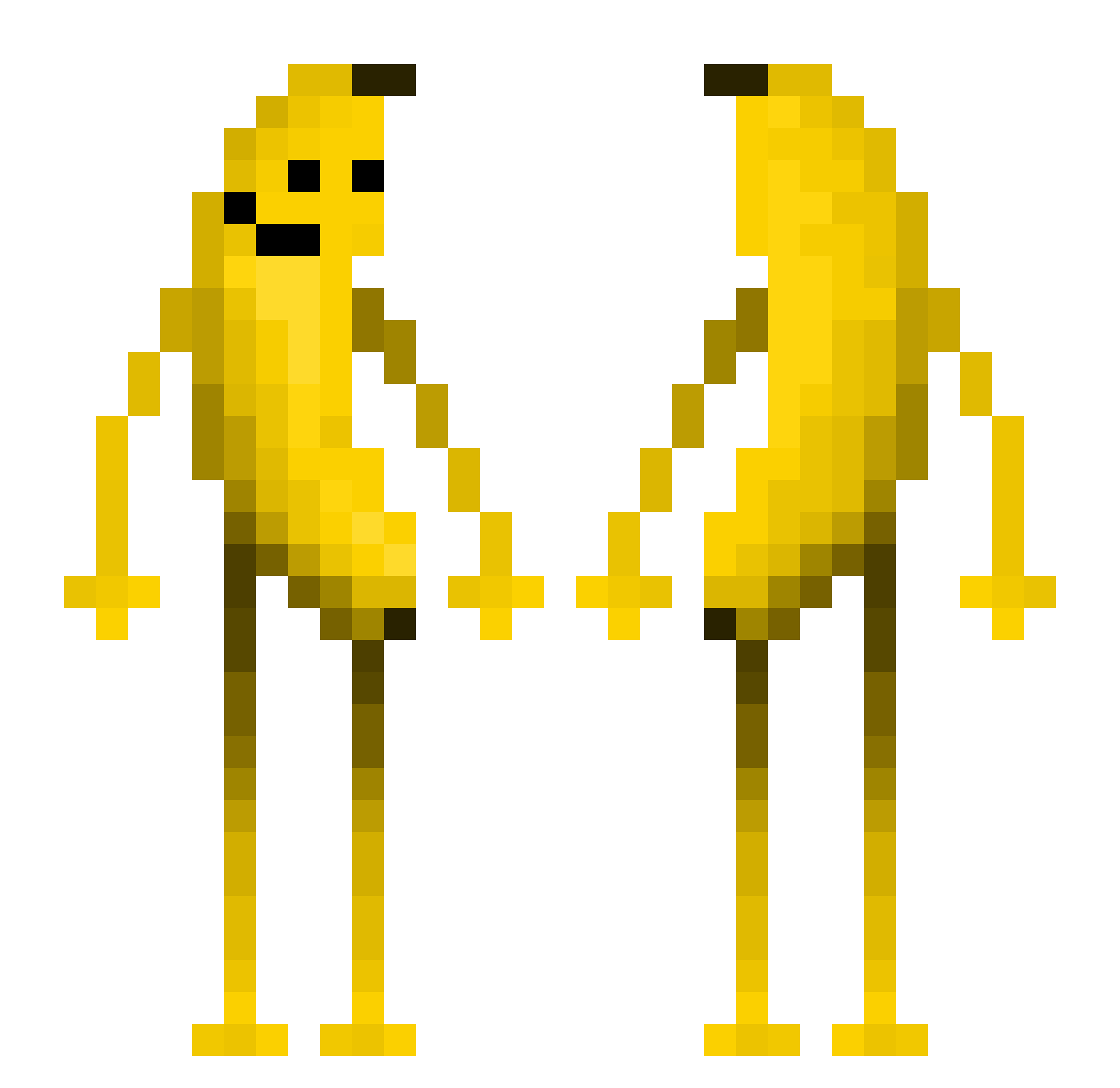
Other players with this skin (558)
Ob6ion was the 123rd player we have seen with this skin, first spotted on 16.08.2026. The same skin was seen on these players. Open a nickname to see their current skin and skin history.
 shadowof1froxzen skyfoton FDextr PIZZELJACK MilczeQ91 TypicalFan41298 Yuzus235 lxzlu Przemo07 ENZ0OLAS Space_1500
 Nexxoman
 EssieDeLarge secoakyz BMXpanda5024 ronaldmcdonald57 TommyCecco renegade_raider6 tt500kg BayCookie147 TheOJRZ Jake007007 Epicaq maracutaiado ODSnail TVIOVIT v3rcx EineBanane123 _Bananen_bieger_ MasterCred PopelBohrer paulius2954 HuaJicow_s7e0r34 xianyu1_MC mojarraman Hapityan1114 Folco17 Pupyto13 FishYes343 le_wabbl Pseopa Lichtge1er InuitioN ItemET Ayko92 Elano12356 N1CEP1N Knickschweif AnyadIsHere XanFranker LAPERSONADECOLOR Ryu1in Moe_5678 ALFREDO_777 lisoncap JadsRL RIZ0910 Mining_Mythie Gaped_Butthol Star47
More Fruit Minecraft skins
How to install the Ob6ion skin
- Press the Download button above to save the skin as a PNG file.
- Minecraft: Bedrock Edition (PE): open the Dressing Room from the main menu (or tap your character → Edit Character), go to Classic Skins → Owned, press the + (new skin) button, choose the downloaded PNG and pick the Classic (Steve) model. Works on PC and mobile; consoles cannot import custom skins.
- Minecraft: Java Edition: open the Minecraft Launcher, go to the Skins tab, click New Skin, load the PNG, pick the Classic (Steve) model and press Save & Use. You can also upload it at minecraft.net → Profile → Change Skin.
The skin does not show up after import - what should I do?
Restart Minecraft and open the Dressing Room again - imported skins sometimes appear only after a restart. Also make sure you selected the imported skin and picked the Classic (Steve) model.
Which model should I choose, Classic or Slim?
This skin is designed for the Classic (Steve) model. If you pick the wrong model, the arms of the skin will look stretched or squeezed.
Is the skin of Ob6ion free to download?
Yes. Press Download, save the PNG file and use it in Minecraft: Bedrock Edition or Java Edition - no payment or registration needed. The skin also works on multiplayer servers and Realms.
More skins
Looking for more? Go back to all Minecraft skins and check the top skins of the week, month and all time, or find any player's skin by nickname.